Intentar ORO - Gratis
Clean up your photos
MacFormat UK
|February 2025
Apple Intelligence is finally here and that means Photos now has added image-editing superpowers, thanks to the new Al-assisted Clean Up tool.
-
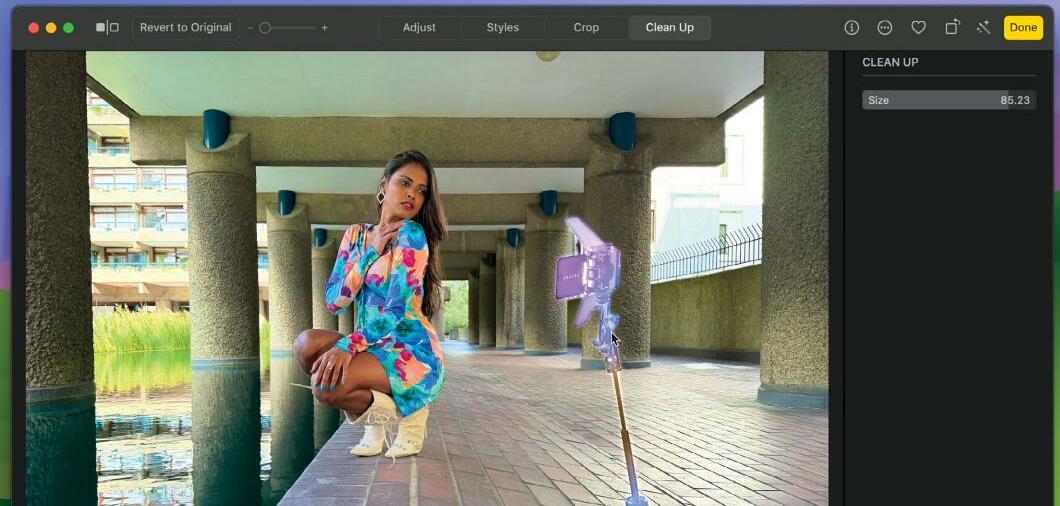
In older versions of Photos for Mac, you could try using the Retouch tool to replace unwanted spots or blemishes, but it struggled to remove larger objects without leaving smudged or blurry pixels. And there was no Retouch tool in the iOS version of Photos. The new Al-powered Clean Up tool does a much better job of replacing unwanted objects (such as a distracting background photo bomber) to create a cleaner shot. We're looking at Clean Up on the Mac and iPad here, but the tool is available in the iOS version of Photos too.
The Clean Up tool works amazingly well, but it can struggle on occasion. We'll show you how to access artificial intelligence (AI) tools from other apps from within Photos, so that you can call on an alternative AI resource, such as Pixelmator Pro (£49.99, pixelmator.com/pro) to help. George Cairns
1 Access Clean Up
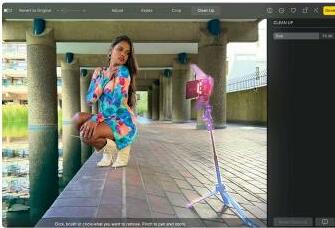
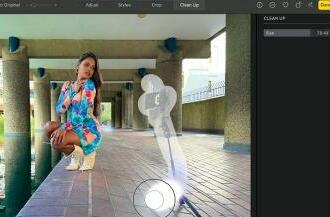 To remove unwanted objects click Edit. Click on the Clean Up button (or press Cmd+4 to access that workspace). In the Clean Up pane, drag the Size slider to choose a large brush tip. Spray the brush over the unwanted object.
2 Make a selection


Esta historia es de la edición February 2025 de MacFormat UK.
Suscríbete a Magzter GOLD para acceder a miles de historias premium seleccionadas y a más de 9000 revistas y periódicos.
¿Ya eres suscriptor? Iniciar sesión
MÁS HISTORIAS DE MacFormat UK

MacFormat UK
Networking
We help to solve your Wi-Fi woes and connection conundrums

2 mins
July 2026

MacFormat UK
Noble Sceptre
Unlock hi-res audio on any device
1 mins
July 2026

MacFormat UK
One more thing John Ternus
Graham Barlow wonders if replacing Tim Cook with a 'slightly different Tim Cook' is the best way forward for Apple
2 mins
July 2026

MacFormat UK
macOS
Shine a spotlight on the solutions to your most irritating Mac problems
2 mins
July 2026

MacFormat UK
Current Reader
RSS feeds without the pressure
2 mins
July 2026

MacFormat UK
Venba
A short but rich and tasty Tamil treat
2 mins
July 2026

MacFormat UK
SJCAM C400 3-in-1 Action Camera
Content creation made easy and cheaply
2 mins
July 2026

MacFormat UK
Fujifilm instax mini Evo Cinema
Retro images with instant printing
3 mins
July 2026

MacFormat UK
Octavo
Page imposition for printing
2 mins
July 2026

MacFormat UK
Cambridge Audio LR/S Modern speakers with a retro feel
> £399 per pair (£449 for Real Walnut finish) > FROM cambridgeaudio.com > FEATURES 2x 50W class D amps, 3in woofers, 21mm tweeters, DynamEQ, 55Hz-24kHz frequency response, Bluetooth SBC, AAC, aptX and HD streaming, 1x USB-C, 1x RCA (phono) input, 1x digital optical input, 1x subwoofer output, Bluetooth LE physical remote control; 3kg per cabinet, 134x226x180mm per cabinet
2 mins
July 2026
Listen
Translate
Change font size