
Go Unlimited with Magzter GOLD
Get unlimited access to 10,000+ magazines, newspapers and Premium stories for just
Try GOLD - Free
Make your photos look amazing!
Mac Life
|August 2024
Edit your pictures to perfection
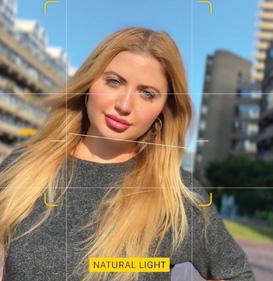
LAST MONTH, WE demonstrated how to shoot great outdoor shots of people and places on iPhone.
Now we're going to explain how you can make the most of your photos by using a suite of editing features in the Photos app for Mac, iPhone and iPad. We'll also show how you can use thirdparty apps to go even further with your image editing.
When using digital compact, mirrorless or DSLR cameras it can be a challenge to capture color and detail in contrasting areas. A scene's shadows may be perfectly exposed but at the cost of the sky's highlights becoming blown out ("clipped").
Your iPhone, on the other hand, can analyze a contrasting scene and use masks to mix separate exposures into one shot, ensuring that every section features true colors and plenty of detail. So, in theory, you shouldn't have much editing to do in order to successfully capture a photo with true colors and correctly exposed tones!
However, there are still occasions when a good photo will look even better after some postproduction processing in the Photos app. You may need to fix problems with composition, such as an annoyingly tilted horizon, a finger obscuring the edge of the frame, or even a distracting background object spoiling the shot. You can also use Photos to make a picture correspond to the classic Rule of Thirds, even if you didn't shoot it using the Camera app's composition grid.
In this feature, we'll show you how to overcome problems with exposure, color and composition, as well as make creative adjustments to color and tone that will produce more eye-catching photos to impress family, friends and followers.
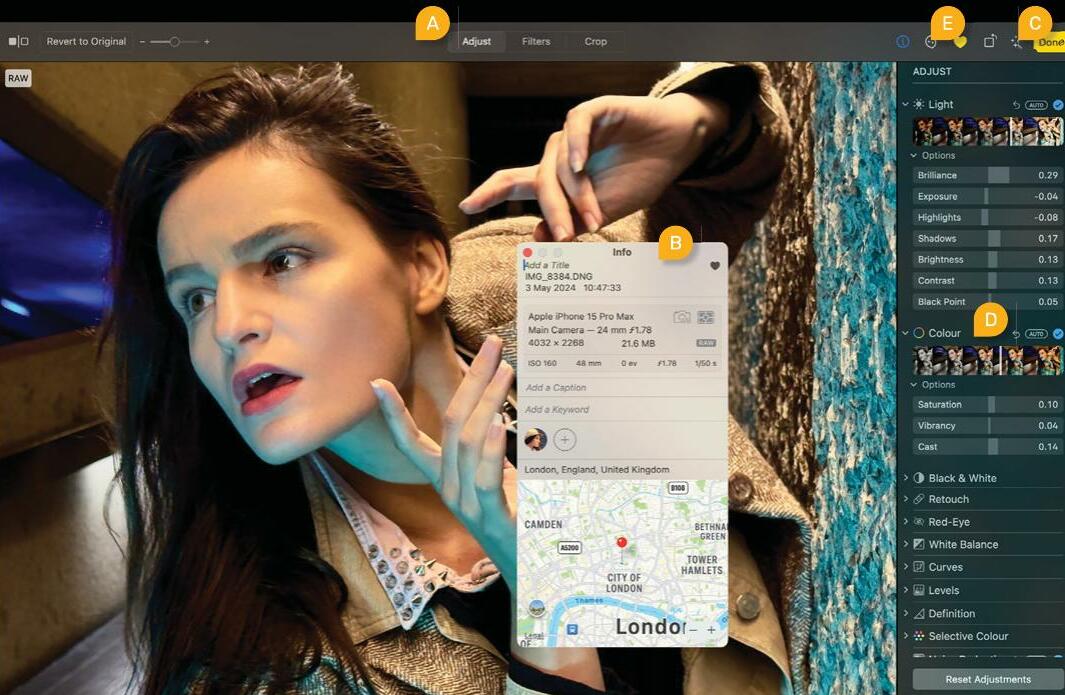 A Edit workspaces

This story is from the August 2024 edition of Mac Life.
Subscribe to Magzter GOLD to access thousands of curated premium stories, and 10,000+ magazines and newspapers.
Already a subscriber? Sign In
MORE STORIES FROM Mac Life

Mac Life
TerraMaster F4-425 NAS
Home or office four-bay network-attached storage

3 mins
March 2026

Mac Life
Satechi OntheGo 7-in-1 Adapter
Easily add more ports to your Mac, iPhone and iPad
2 mins
March 2026

Mac Life
BenQ ScreenBar Halo 2
Monitor lighting that's a sight for sore eyes
1 mins
March 2026
Mac Life
AI: WHAT YOU NEED TO KNOW
Al can be brilliant when put to proper use, but it also has some major downsides
11 mins
March 2026

Mac Life
Calibrate a MacBook Pro display
Can I calibrate my MacBook Pro 16-inch M3 Pro's XDR display, and if so, how?
1 min
March 2026

Mac Life
Edifier S880DB MKII
Great-sounding speakers with loads of connectivity
3 mins
March 2026

Mac Life
Search text in document images
I keep thousands of images of printed documents, and want to search their contents using Live Text, but Spotlight won't index them. How can I get it to work?
1 min
March 2026

Mac Life
No looking back at old icons
Can I customize the apps bundled in macOS Tahoe by giving them back their old icons?
1 min
March 2026

Mac Life
Set up multiple timers on iOS
Discover timers done right
2 mins
March 2026

Mac Life
Blue Prince
A multilayered inheritance challenge like no other
2 mins
March 2026
Listen
Translate
Change font size