
Go Unlimited with Magzter GOLD
Get unlimited access to 10,000+ magazines, newspapers and Premium stories for just
Try GOLD - Free
Make your iPhone more accessible
Mac Life
|January 2026
Customize your iPhone to suit your needs
APPLE HAS ALWAYS had the backs of anyone who needs a little help with accessibility by making such features standard and free for everyone.
Many of the features in Settings > Accessibility can be used by anyone, regardless of need. If you want to make a phone simpler to use for someone suffering from dementia, perhaps, or set Vehicle Motion Cues if you suffer from motion sickness, you’ll be able to adjust things accordingly.
Settings > Accessibility is full of things you might not know your phone can do, and they work for so many different scenarios. If you find its options a little overwhelming, there’s a search field that can save you time and take you right where you need to go.
These features can make life easier for anyone with an iPhone, and many of the tools work on iPad, too. iOS's Accessibility options are split into categories focusing on vision, hearing, mobility, speech, and accessories, alongside a general section. However, there's some crossover between them, and often multiple ways to get to the same setting. If you're keen to dive even deeper, you can also play around with customization. It's about seeing what works for you, so think of it as another way to make your iPhone (and other Apple devices) do more of the work for you.
HOW TO Get started with Accessibility
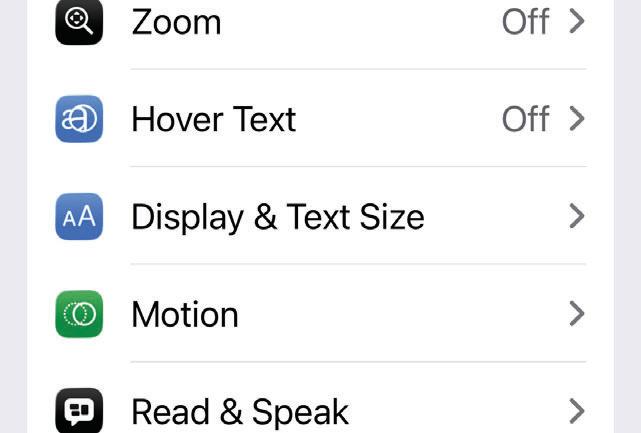 Make visual changes

This story is from the January 2026 edition of Mac Life.
Subscribe to Magzter GOLD to access thousands of curated premium stories, and 10,000+ magazines and newspapers.
Already a subscriber? Sign In
MORE STORIES FROM Mac Life
Mac Life
Satechi Thunderbolt 5 CubeDock
A fast, cute Thunderbolt 5 dock that looks just like the current Mac mini

2 mins
July 2026
Mac Life
The future of Apple
Graham Barlow thinks AI may remove apps from our screens
2 mins
July 2026
Mac Life
Learn to play the piano
Make your fingers fly with this terrific music tutor
2 mins
July 2026
Mac Life
DxO Nik Collection 9
Take your favorite photos to a whole new level
3 mins
July 2026
Mac Life
What next for iPhone?
Apple is planning some big changes for the next generation of iPhones
6 mins
July 2026
Mac Life
POWER UP YOUR MAC
183 must-try tips for leaner, meaner machine
15 mins
July 2026
Mac Life
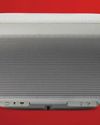
Denon Home 600
A hi-fi quality smart speaker, with AirPlay for Apple devices
3 mins
July 2026
Mac Life
WHAT IF... The internet didn't exist?
Imagine if there was no iPhone, App Store, or Apple TV — and no Facebook, Amazon, or X — would things be better?
9 mins
July 2026
Mac Life
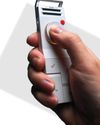
HiDock P1
Smart recording and transcription
2 mins
July 2026
Mac Life
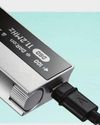
Astell & Kern HC5
A portable digital-to-analog converter (DAC) for high-end headphones
2 mins
July 2026
Listen
Translate
Change font size