Try GOLD - Free
Customize notifications on iPhone
Mac Life
|July 2025
Receive relevant and timely alerts whenever and wherever you want them
REQUIRES
iOS 15 or later; iPhone 15 Pro/Pro Max or iPhone 16 series, iOS 18.4 or later for some features
YOU WILL LEARN
How to customize notifications
IT WILL TAKE
10 minutes
GENIUS TIP
Tap notifications to expand or launch an app. You can also touch and hold on some notifications, such as Screen Time, to perform a quick action.
NOTIFICATIONS ARE EITHER useful or a distraction. You could have a video doorbell notification alerting you of a potential intruder one day, and a video doorbell notification going off every minute because you’re coming in and out of the door to work on your yard. But with strong management and a good choice of settings, notifications can operate exactly as you’d want them to.
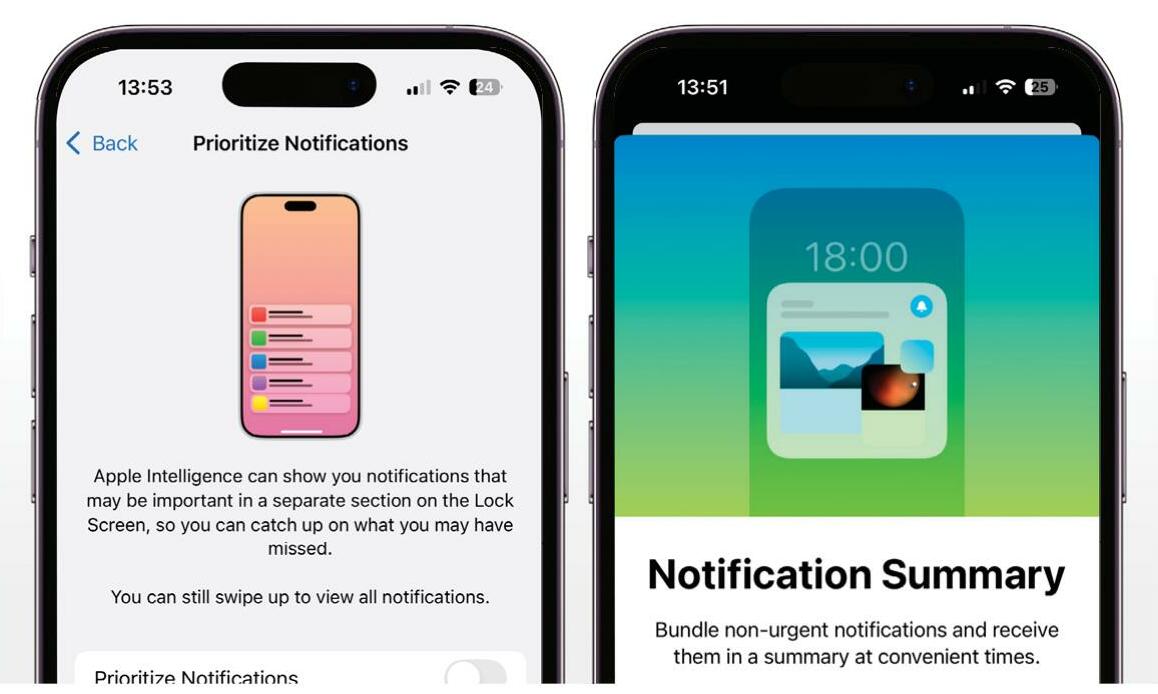
 A recent addition is Priority Notifications, which uses Apple Intelligence to look for key information and work out how important or urgent an alert is likely to be. Although it won’t stop less essential alerts coming through, if a notification is considered to be a priority, then it will be prominently pushed to your iPhone’s Lock Screen, ready for your attention.
FOCUS YOUR NOTIFICATIONS
You can customize the Priority Notifications, just as you can tweak any notification to suit your needs. You will find these options in the Settings app and, in some cases, by swiping left on a notification.

This story is from the July 2025 edition of Mac Life.
Subscribe to Magzter GOLD to access thousands of curated premium stories, and 10,000+ magazines and newspapers.
Already a subscriber? Sign In
MORE STORIES FROM Mac Life

Mac Life
TerraMaster F4-425 NAS
Home or office four-bay network-attached storage

3 mins
March 2026

Mac Life
Satechi OntheGo 7-in-1 Adapter
Easily add more ports to your Mac, iPhone and iPad
2 mins
March 2026

Mac Life
BenQ ScreenBar Halo 2
Monitor lighting that's a sight for sore eyes
1 mins
March 2026
Mac Life
AI: WHAT YOU NEED TO KNOW
Al can be brilliant when put to proper use, but it also has some major downsides
11 mins
March 2026

Mac Life
Calibrate a MacBook Pro display
Can I calibrate my MacBook Pro 16-inch M3 Pro's XDR display, and if so, how?
1 min
March 2026

Mac Life
Edifier S880DB MKII
Great-sounding speakers with loads of connectivity
3 mins
March 2026

Mac Life
Search text in document images
I keep thousands of images of printed documents, and want to search their contents using Live Text, but Spotlight won't index them. How can I get it to work?
1 min
March 2026

Mac Life
No looking back at old icons
Can I customize the apps bundled in macOS Tahoe by giving them back their old icons?
1 min
March 2026

Mac Life
Set up multiple timers on iOS
Discover timers done right
2 mins
March 2026

Mac Life
Blue Prince
A multilayered inheritance challenge like no other
2 mins
March 2026
Listen
Translate
Change font size