Try GOLD - Free
Benchmark your Mac
Mac Life
|October 2025
How fast (or slow) is your Mac running, and how does it compare to others?
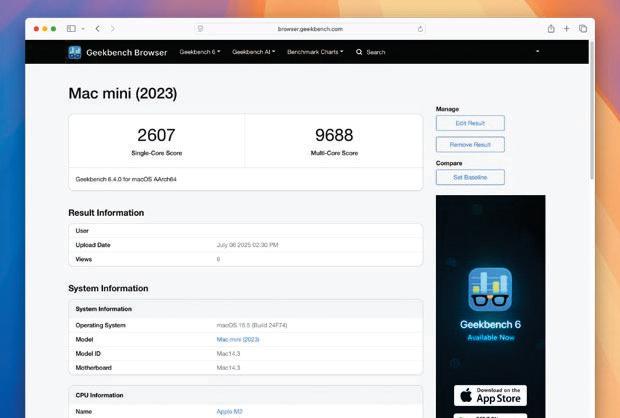
BY BENCHMARKING YOUR Mac, you can measure how well it performs. You can test its single- and multi-core processor (CPU) performance, as well as its graphics (GPU) horsepower. You can also check its rendering performance, and how effectively it reads and writes to disk.
Doing so lets you pinpoint problems, check the effectiveness of upgrades, and even determine if a potential purchase will be an improvement. Regular benchmarking lets you track your Mac's performance over time, but different apps do different things.
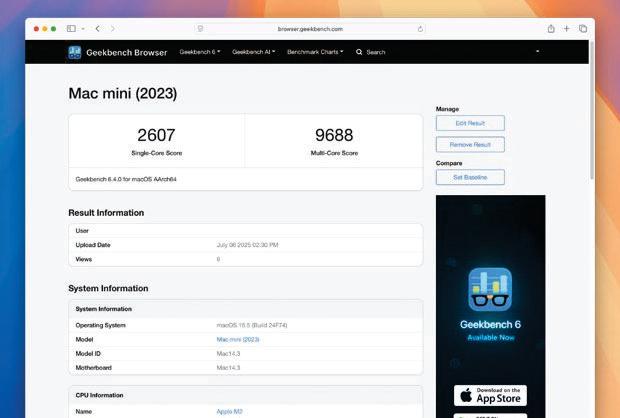
Geekbench tests your Mac's CPU and GPU. It scores performance relative to a baseline of 1,000, so a score of 2,500 means your Mac is 2.5 times faster than the reference system. Cinebench provides raw performance scores based on how quickly your CPU can render a complex 3D scene — the higher the better — while Blackmagic Disk Speed Test lets you check read/write disk speeds in MB/sec. Here, we look at all three.
HOW TO Benchmark using Geekbench
 1 Run the benchmark
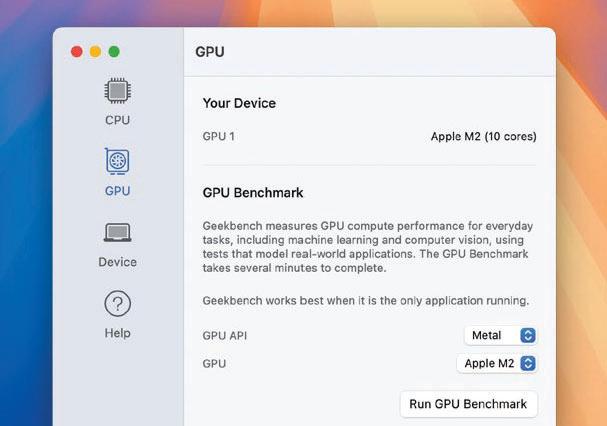
In Geekbench (geekbench.com), select CPU to measure your Mac's processor performance or GPU to test its image and computer vision capabilities. For the GPU, click the GPU API menu, and choose Metal rather than OpenGL. Click Run.
 2 View the result

This story is from the October 2025 edition of Mac Life.
Subscribe to Magzter GOLD to access thousands of curated premium stories, and 10,000+ magazines and newspapers.
Already a subscriber? Sign In
MORE STORIES FROM Mac Life

Mac Life
TerraMaster F4-425 NAS
Home or office four-bay network-attached storage

3 mins
March 2026

Mac Life
Satechi OntheGo 7-in-1 Adapter
Easily add more ports to your Mac, iPhone and iPad
2 mins
March 2026

Mac Life
BenQ ScreenBar Halo 2
Monitor lighting that's a sight for sore eyes
1 mins
March 2026
Mac Life
AI: WHAT YOU NEED TO KNOW
Al can be brilliant when put to proper use, but it also has some major downsides
11 mins
March 2026

Mac Life
Calibrate a MacBook Pro display
Can I calibrate my MacBook Pro 16-inch M3 Pro's XDR display, and if so, how?
1 min
March 2026

Mac Life
Edifier S880DB MKII
Great-sounding speakers with loads of connectivity
3 mins
March 2026

Mac Life
Search text in document images
I keep thousands of images of printed documents, and want to search their contents using Live Text, but Spotlight won't index them. How can I get it to work?
1 min
March 2026

Mac Life
No looking back at old icons
Can I customize the apps bundled in macOS Tahoe by giving them back their old icons?
1 min
March 2026

Mac Life
Set up multiple timers on iOS
Discover timers done right
2 mins
March 2026

Mac Life
Blue Prince
A multilayered inheritance challenge like no other
2 mins
March 2026
Listen
Translate
Change font size