
Go Unlimited with Magzter GOLD
Get unlimited access to 10,000+ magazines, newspapers and Premium stories for just
USE 3D MODELS IN YOUR CONCEPT ART
ImagineFX
|February 2026
Misa Steinmetz explains how she incorporates 3D techniques into her 2D workflow, creating this month's cover painting
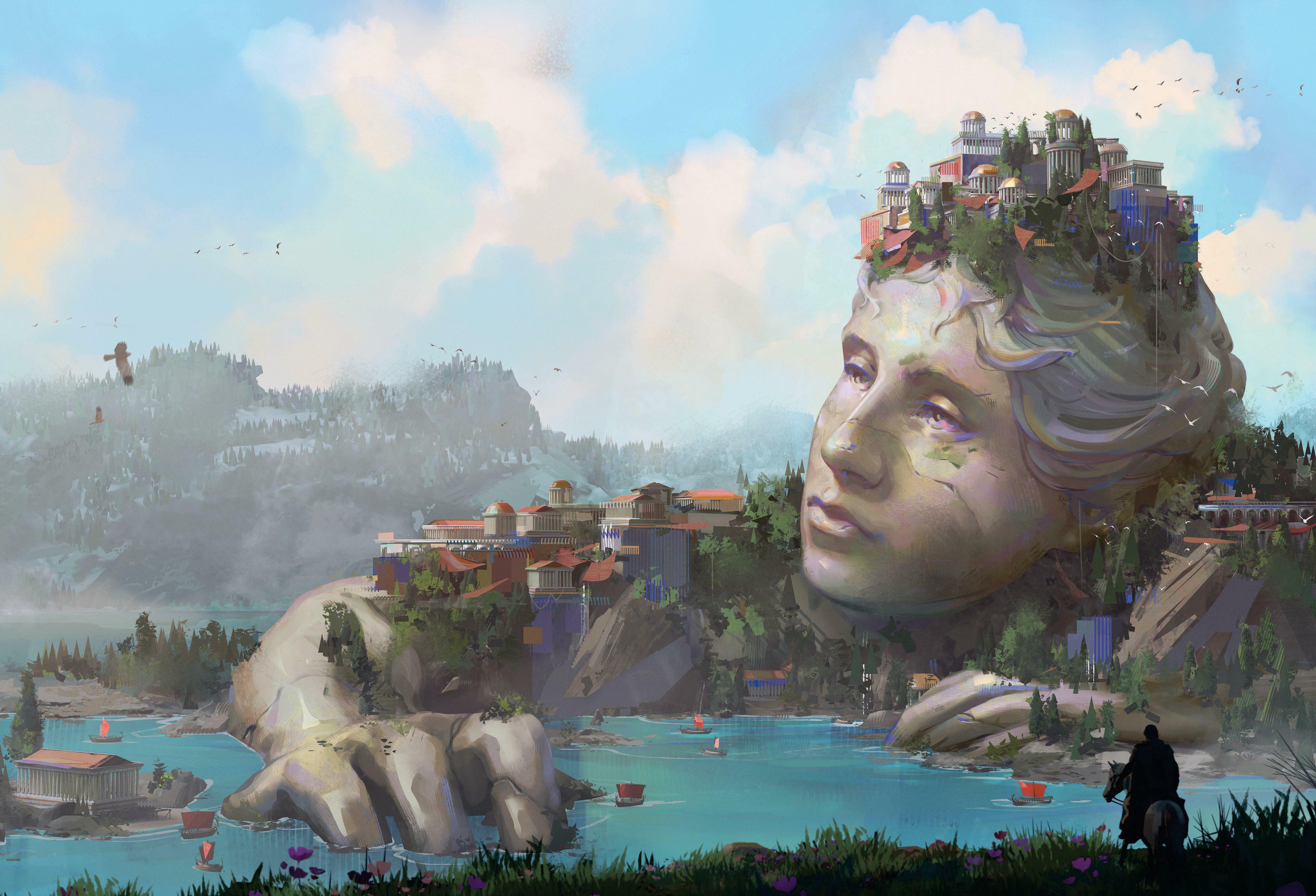
I started my career just with digital painting, but over the years I began to incorporate more and more 3D techniques to speed up my process. Having a solid understanding of the art fundamentals and 2D skills is essential, but learning how to use 3D – even in a basic way – is very useful for producing quick iterations and making amendments when working with clients.
3D has been incredibly useful in all of my concept art and matte painting work in animation, games and movies. Knowing how to use 3D helps with passing your work on to other departments, creating more images in a shorter amount of time, and working in a nondestructive manner for potential changes.
Blender has been my 3D tool of choice because it’s free and there are so many tutorials and resources online available. There are many more 3D tools to learn such as Unreal Engine and 3DCoat, but I always recommend Blender as a starting place for your 3D journey.
It can be easy to get sucked into spending too much time in 3D and not progressing on your piece, but I’ve found that going between your 3D scene and painting over in 2D helps a lot, and for this workshop I’ll be sharing my process of creating a simple 3D blockout to push to a final painting in Photoshop.
Create thumbnail sketches
Once I have a couple of references for my painting organised in PureRef, I start sketching some thumbnails. I draw rough lines first to indicate the fore-, mid- and background, and then paint a quick value pass on top. For this piece I need the focal point to be on the right-hand side of the image, so I focus more on producing variations with secondary shapes throughout the left-hand side and the midground.
Build and light a rough 3D blockout

This story is from the February 2026 edition of ImagineFX.
Subscribe to Magzter GOLD to access thousands of curated premium stories, and 10,000+ magazines and newspapers.
Already a subscriber? Sign In
MORE STORIES FROM ImagineFX

ImagineFX
HP Omnibook X Flip 16
DOUBLING UP HP's latest Omnibook 2-in-1 is a decent-enough productivity laptop, but it truly shines when it's transformed into tablet mode

2 mins
February 2026

ImagineFX
Phaya Akat - The Sanctuary
“Phaya Akat’s Sanctuary Village began from a simple idea inspired by Thailand’s tradition of boiling eggs in natural hot springs.
1 min
February 2026

ImagineFX
HOW SURFACE NORMALS IMPROVE YOUR 3D ART
Ant Ward explains how to quickly change the way a polygon model looks by adjusting its normals
1 mins
February 2026

ImagineFX
Painting in Procreate: Reimagine Your Surroundings
VISIONARY WORK Across 20 lessons, Mikko Eerola reveals how he brings his ideas to life on the iPad using Procreate
1 mins
February 2026

ImagineFX
Technique focus: WORK SMARTER WITH COLOURS
Álvaro Jiménez reveals the workflow process he follows to summon an armoured demon
1 mins
February 2026

ImagineFX
FIVE MINUTES WITH PAT IMRIE
Big-screen blockbusters and a certain 3D art magazine helped set this creative on his career path
3 mins
February 2026

ImagineFX
RIFF ON YOUR PASSIONS
Max Froer draws on a range of influences when rendering a beast that's part machine
1 min
February 2026

ImagineFX
Anker SOLIX C1000
BOX OF DELIGHTS The chonkiest power bank around is powerful, portable (after a fashion) and boy is it well built
2 mins
February 2026

ImagineFX
PAINTING A SCENE OF GREEK DRAMA
Alexander Leskinen creates a stormy environment featuring harpies, the winged messengers of Zeus.
3 mins
February 2026

ImagineFX
HOW DO I COLOUR A 3D OBJECT?
The process of colouring a 3D image has a lot of layers, so let's start at the surface. Mike Griggs weighs up the material requirements
2 mins
February 2026
Listen
Translate
Change font size