Try GOLD - Free
Let's Create An HDR Image Using Aurora HDR 19
Smart Photography
|December 2019
Let’s first understand what exactly is an HDR image. HDR stands for High Dynamic Range. HDR images display tones far exceeding the recording capabilities of a digital camera’s imaging sensor. This of course needs further explanation. Photographing high contrast scenes using a single exposure, and expecting adequate details in the highlights as well as the shadows, is not always possible under today’s technology. If you expose correctly for the bright sky, the foreground will be underexposed (will be very dark); if you expose correctly for the darker foreground, the highlights (the sky) will be overexposed. At such times, we say that the dynamic range of the scene is greater than the dynamic range of the camera’s imaging sensor.
-

One way to deal with a high-contrast situation is to use a Graduated Neutral Density (GND) filter. GND filters are are also known as Split Neutral Density filters. The lower half of a GND filter is totally transparent while the upper half has a gradual darkening. Using a filter holder (you could also use the filter without the holder) you adjust the filter in front of the lens so that the demarcation line is at or near the horizon. GND filters are available in various strengths. Meter the sky and the foreground, while keeping the aperture and ISO unchanged. Let us assume that the difference in shutter speed is four stops. In other words, the sky is four stops brighter than the foreground. In such a situation you should opt for a three-stop GND filter (if you use a four stop GND filter, the sky as well as the foreground would be at a same brightness level, which would look wrong; you want the sky to be brighter). While this method is workable, there can be issues if the horizon in the scene is not level or if there is some projection into the sky (trees or buildings for example). The projected area would also get darkened gradually.
A better solution is to use two, three, five or even exposures of the same scene with varying exposures and then combining them in a specially designed software.
Note: It is possible to create an HDR effect using a single raw capture. This is often known as Pseudo HDR (False HDR). The final result will be good but not as good as an HDR photo created using two or more captures.
How do you expose the images for an HDR effect?
There are several ways to do this. For all the methods, I suggest that you shoot in Raw format.
Note:


This story is from the December 2019 edition of Smart Photography.
Subscribe to Magzter GOLD to access thousands of curated premium stories, and 10,000+ magazines and newspapers.
Already a subscriber? Sign In
MORE STORIES FROM Smart Photography
Smart Photography
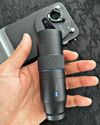
Telephoto Extender Kit
The Vivo X300 Pro Photography Kit transforms the smartphone into a seemingly professional-grade camera system, featuring a detachable ZEISS 2.35x Telephoto Extender lens and a multifunctional Imaging Grip Kit.

1 mins
January 2026

Smart Photography
Powerful. Zoomtastic. Pro.
The Vivo X300 Pro represents the biggest generational leap the company has made in years, including for someone upgrading from the VivoX200 Pro, this is not just an incremental step; it's a worthy, meaningful upgrade across design, camera technology, battery innovation, and system experience.
3 mins
January 2026

Smart Photography
MumbaiOgraphy Photo Exhibition
MumbaiOgraphy' - a photography group started over a decade ago, has over 1200 members.
1 min
January 2026
Smart Photography
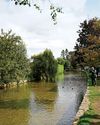
BIBURY – THE MOST BEAUTIFUL VILLAGE IN THE UNITED KINGDOM
Everyone who has visited the English countryside is aware of how pretty villages in England can be.
1 min
January 2026
Smart Photography
New Features of Lightroom Classic Ver.15
It is customary for Adobe to release updates for its major software packages in the last quarter of the year. This year was not an exception, and Adobe introduced many significant enhancements. In this article, we will explore how the popular Lightroom Classic (or just LrC hereafter for brevity) has been improved. It was also given a new major release designation - Version 15.
7 mins
January 2026

Smart Photography
A Good Hybrid
Canon's latest offering -the successor to the tried and tested Canon R6 III is the full frame EOS R6 Mark III, targeted at enthusiasts, - is a hybrid camera with high-end photo as well as video capabilities, but, in my opinion, leaning more towards cinematic video. It offers features like 7K RAW Open Gate recording (a fancy term for full-frame, non-cropped video), 4K/120p, LCPM/24-bit/4-channel Audio, and some more goodies. Let's see how this new baby performs...
3 mins
January 2026

Smart Photography
A Journey Through Film, Culture, and Quiet Wonder The Making of Naga Megha Saga
Bengaluru-based photographer and IT professional Sumanth Shivakumar reflects on his solo travels through Nagaland and Meghalaya, and how analogue photography, human connection, and quiet moments of discovery shaped his photobook Naga Megha Saga.
4 mins
January 2026
Smart Photography
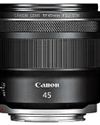
Inexpensive & Superfast
The Canon RF 45mm f/1.2 STM lens was introduced globally along with the Canon EOS R6 III body around the end of November 2025. The lens is targeted at newcomers and enthusiasts who need a superfast lens for low light photography without breaking the bank.
2 mins
January 2026

Smart Photography
Super Range
A large percentage of the mirrorless camera market is controlled by amateurs and enthusiasts who often prefer to have one all-in-one lens rather than several lenses.
2 mins
January 2026
Smart Photography
New firmware for Lumix S Series
Panasonic's Lumix S 1 RII, S 1 II and S 1 II Par proved E get new firmware for improved shooting performance and enhanced functionality.
1 min
January 2026
Translate
Change font size