Try GOLD - Free
Photoshop - Plan and Paint a striking figure
ImagineFX
|July 2018
Learn how Even Mehl Amundsen solves lighting and anatomy problems as he paints a female character that’s been inspired by tribal elements
-

Doing the course of this workshop I went through some pretty well-established steps from my creative process, which can be applied either to character work or more elaborate illustration work. Indeed, my aim was to focus more on the chosen subject matter than on technique.
However, it turned out to be more of a lesson on why it’s so important to spend enough time on planning out your pieces properly, so you don’t have to spend your time fixing mistakes later on. A job with even the tightest of deadline is manageable if you put in a basic amount of ground work. So come along and learn some dos and don’ts, and check out where I nearly mucked things up big time!
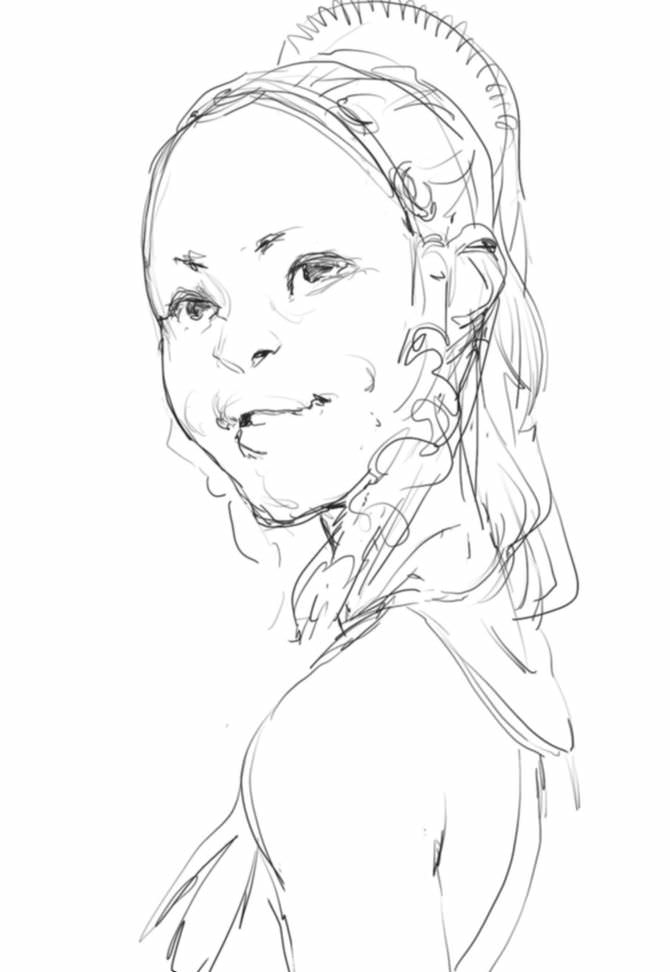
1 Initial character ideas
After I receive the brief and collection of reference material, I work up a very basic sketch. The ImagineFX team has a pretty clear idea of what they want for the piece, so for the technical aspect it’s more about making something interesting out of some subtle character nuances. That turn of the head, the crook of the smile, the eye contact. These gestures will eventually play a pretty central role in selling the image.
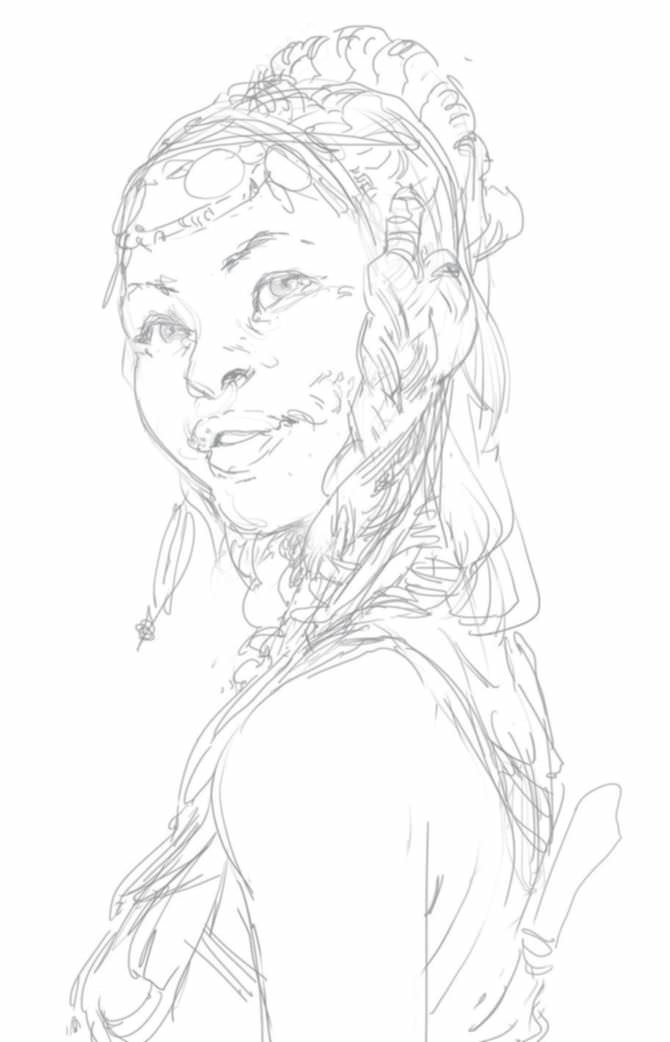
2 Key shapes and tribal elements
I have a good idea of what I want to do with the figure and her pose, so I sketch it out. I focus on the key details and overall shapes that would both work well and enable me to show off some interesting tribal elements. After I send off my sketch, I receive an edit for the angle of the face, but the rest of the details are approved.


This story is from the July 2018 edition of ImagineFX.
Subscribe to Magzter GOLD to access thousands of curated premium stories, and 10,000+ magazines and newspapers.
Already a subscriber? Sign In
MORE STORIES FROM ImagineFX

ImagineFX
HP Omnibook X Flip 16
DOUBLING UP HP's latest Omnibook 2-in-1 is a decent-enough productivity laptop, but it truly shines when it's transformed into tablet mode

2 mins
February 2026

ImagineFX
Phaya Akat - The Sanctuary
“Phaya Akat’s Sanctuary Village began from a simple idea inspired by Thailand’s tradition of boiling eggs in natural hot springs.
1 min
February 2026

ImagineFX
HOW SURFACE NORMALS IMPROVE YOUR 3D ART
Ant Ward explains how to quickly change the way a polygon model looks by adjusting its normals
1 mins
February 2026

ImagineFX
Painting in Procreate: Reimagine Your Surroundings
VISIONARY WORK Across 20 lessons, Mikko Eerola reveals how he brings his ideas to life on the iPad using Procreate
1 mins
February 2026

ImagineFX
Technique focus: WORK SMARTER WITH COLOURS
Álvaro Jiménez reveals the workflow process he follows to summon an armoured demon
1 mins
February 2026

ImagineFX
FIVE MINUTES WITH PAT IMRIE
Big-screen blockbusters and a certain 3D art magazine helped set this creative on his career path
3 mins
February 2026

ImagineFX
RIFF ON YOUR PASSIONS
Max Froer draws on a range of influences when rendering a beast that's part machine
1 min
February 2026

ImagineFX
Anker SOLIX C1000
BOX OF DELIGHTS The chonkiest power bank around is powerful, portable (after a fashion) and boy is it well built
2 mins
February 2026

ImagineFX
PAINTING A SCENE OF GREEK DRAMA
Alexander Leskinen creates a stormy environment featuring harpies, the winged messengers of Zeus.
3 mins
February 2026

ImagineFX
HOW DO I COLOUR A 3D OBJECT?
The process of colouring a 3D image has a lot of layers, so let's start at the surface. Mike Griggs weighs up the material requirements
2 mins
February 2026
Translate
Change font size