Try GOLD - Free
Paint A Fantasy Manga Portrait
ImagineFX
|April 2019
Asia Ladowska puts aside her ink pens and markers, and embraces the digital painting process of a soft and colourful manga character
-

For this workshop I’m painting a beautiful manga character. My go-to tools are usually traditional media. I’m most comfortable working with ink pens, pencils and markers, and so I’m learning a lot when I’m painting with digital tools.
I have no idea what the end result will look like, so I’ll make sure to share in this workshop every important step and my thinking process, as well as why I make certain decisions that affect the final appearance of the character.
While painting colour concepts and experimenting with different palettes in the sketching phase, I was listening to music and believe it or not, the final colours of this illustration were inspired by a song. I heard the line, “Day gives way to night” and that’s when the deep red and blue sparkled in my mind. If not for the song and the feedback from ImagineFX I’m sure the girl’s hair would have ended up being pastel pink and blue (like the hair of most of my characters that I’ve painted digitally). It’s exciting to experiment with colours that I’ve never used together before.
So, prepare to meet Sunset, a happy girl that’s winking at you from the cover of my favourite art magazine!
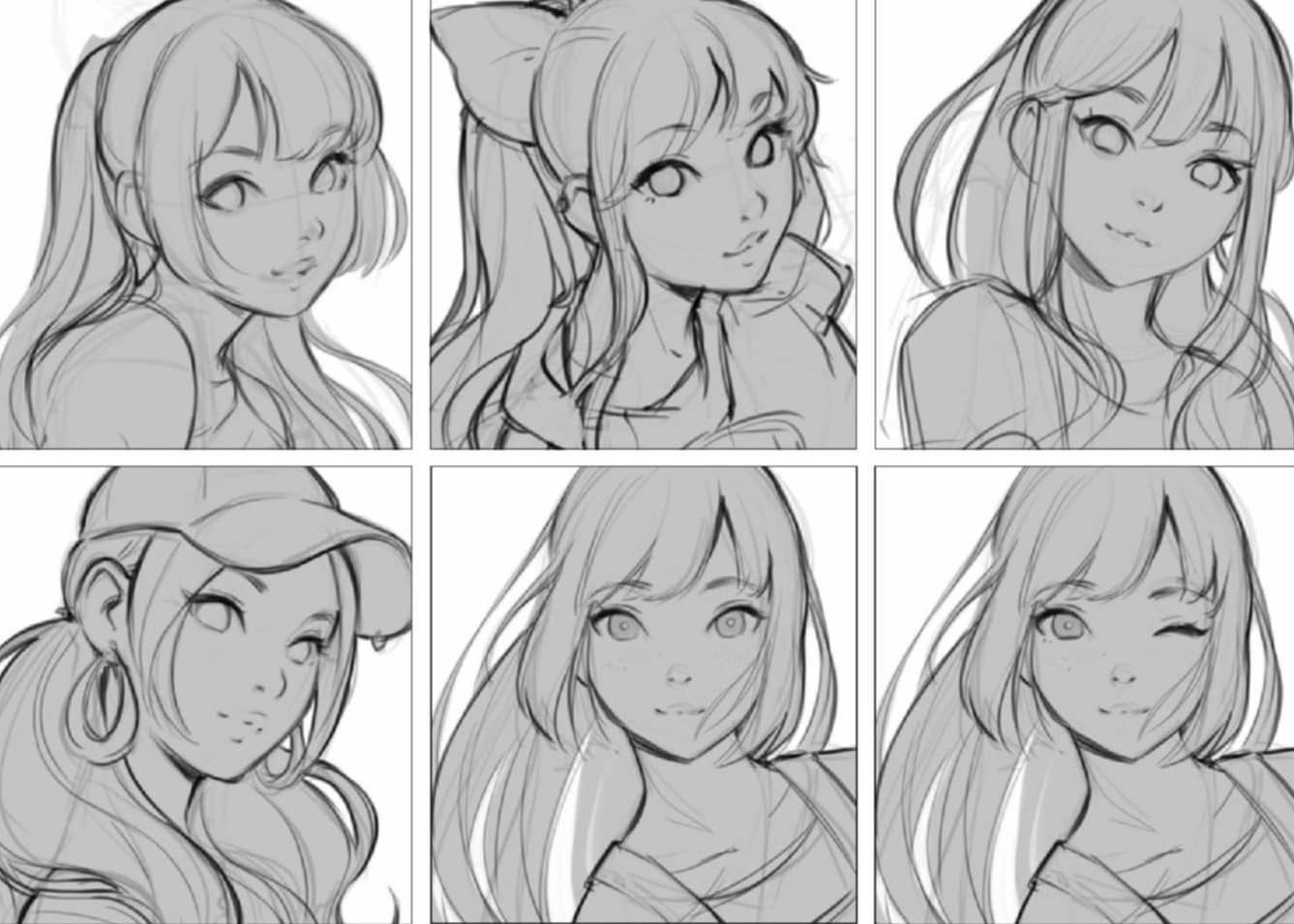
1 Generating concept sketches
The brief I receive is pretty straightforward, with a lot of freedom for experimenting. I start by sketching some close-up shots of a woman in her 20s, making sure she’s looking at the viewer and that she’s smiling. I always make the expression of the character I draw myself, so the sketching process has left me in a really good mood!
2 Apply colour tests to the chosen sketch concept
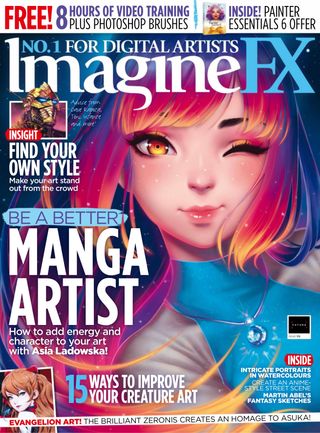

This story is from the April 2019 edition of ImagineFX.
Subscribe to Magzter GOLD to access thousands of curated premium stories, and 10,000+ magazines and newspapers.
Already a subscriber? Sign In
MORE STORIES FROM ImagineFX

ImagineFX
HP Omnibook X Flip 16
DOUBLING UP HP's latest Omnibook 2-in-1 is a decent-enough productivity laptop, but it truly shines when it's transformed into tablet mode

2 mins
February 2026

ImagineFX
Phaya Akat - The Sanctuary
“Phaya Akat’s Sanctuary Village began from a simple idea inspired by Thailand’s tradition of boiling eggs in natural hot springs.
1 min
February 2026

ImagineFX
HOW SURFACE NORMALS IMPROVE YOUR 3D ART
Ant Ward explains how to quickly change the way a polygon model looks by adjusting its normals
1 mins
February 2026

ImagineFX
Painting in Procreate: Reimagine Your Surroundings
VISIONARY WORK Across 20 lessons, Mikko Eerola reveals how he brings his ideas to life on the iPad using Procreate
1 mins
February 2026

ImagineFX
Technique focus: WORK SMARTER WITH COLOURS
Álvaro Jiménez reveals the workflow process he follows to summon an armoured demon
1 mins
February 2026

ImagineFX
FIVE MINUTES WITH PAT IMRIE
Big-screen blockbusters and a certain 3D art magazine helped set this creative on his career path
3 mins
February 2026

ImagineFX
RIFF ON YOUR PASSIONS
Max Froer draws on a range of influences when rendering a beast that's part machine
1 min
February 2026

ImagineFX
Anker SOLIX C1000
BOX OF DELIGHTS The chonkiest power bank around is powerful, portable (after a fashion) and boy is it well built
2 mins
February 2026

ImagineFX
PAINTING A SCENE OF GREEK DRAMA
Alexander Leskinen creates a stormy environment featuring harpies, the winged messengers of Zeus.
3 mins
February 2026

ImagineFX
HOW DO I COLOUR A 3D OBJECT?
The process of colouring a 3D image has a lot of layers, so let's start at the surface. Mike Griggs weighs up the material requirements
2 mins
February 2026
Translate
Change font size