Try GOLD - Free
DRAWING INSECTS: THE BASICS
ImagineFX
|July 2022
Glen Southern demonstrates how to get started with macro insect sketches on the iPad, beginning with anatomy research

Insects and macro work in general is a popular subject for photographers, painters and even sculptors like myself. As a creature designer I get asked to create all kinds of insects and insect-inspired creatures. To produce really convincing concepts you need to know how a living thing works, and in the case of insects you have a number of advantages. Firstly, they all have the same basic body plan (roughly), so you only have to learn that once. Secondly, the reference material is all around you and you can get stunning reference images using just an iPhone these days.
For this type of project, I spend a lot of time researching the overall subject and then hone in on the actual species, in this case it was the humble bumblebee.
In this tutorial, I will focus on doing colour roughs to establish the basic look of the creature, and will also talk a little about basic insect anatomy – which, as I mentioned earlier, you only have to learn once as most insects have similar body plans, with a few modifications for their individual requirements.
Let’s start off by refreshing our knowledge on the basic body plan of a bee.
1 Basic anatomy – head, thorax and abdomen
An insect has very specific features that distinguish it from other invertebrate groups such as spiders, earthworms, sponges, jellyfish, lobsters, crabs, snails etc. The main features are: a hard outer skeleton (exoskeleton); they all have a threepart body made up of head, thorax, abdomen; six legs usually coming from the thorax; a pair of antennae; and if they have wings, most will have four. If the creature you are looking at has those characteristics, then you will most likely be dealing with an insect.

This story is from the July 2022 edition of ImagineFX.
Subscribe to Magzter GOLD to access thousands of curated premium stories, and 10,000+ magazines and newspapers.
Already a subscriber? Sign In
MORE STORIES FROM ImagineFX
ImagineFX
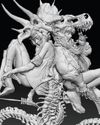
ZBrush, Blender & Procreate COLOUR YOUR 3D ARTWORK
Entei Ryu reveals how she sculpts and paints Triceratops and T-Rex, two characters from her BONEGIRL series

1 min
March 2026
ImagineFX
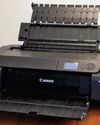
Canon imagePROGRAF PRO-310
Artists and photographers who create gallery-quality prints of their work will want to make room in their studio for Canon's latest printer
1 mins
March 2026

ImagineFX
Acer Swift Edge 14 Al
This beautiful laptop delivers on design, but what about the amount of computing power on offer?
1 mins
March 2026
ImagineFX
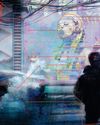
CONCEPT A MOODY CYBERPUNK SCENE
Oleg Topor uses a variety of creative techniques to portray a meeting of criminals in the depths of a futuristic city
3 mins
March 2026
ImagineFX
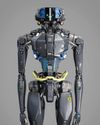
LET THE STORY LEAD THE DESIGN
Nelson Tai takes cues from his personal sci-fi project when constructing a hardworking droid
1 mins
March 2026
ImagineFX
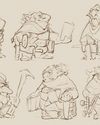
LORCAN THE LITERATE
Arne Billen believes that conceptual contrast can lead to a successful design. He demonstrates this with Lorcan, a character from his D&D campaign who combines literacy with a fighting spirit
1 mins
March 2026
ImagineFX
Secretlab Magnus Evo
REAL STEEL Does this pro sit-to-standing desk rise to the occasion?
1 min
March 2026

ImagineFX
MAKE USE OF FILTERS
Concept artist Brandon Liao gives insights into his visual development work on Spectre Divide
1 mins
March 2026
ImagineFX
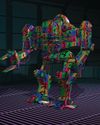
ENHANCE ANY 3D MODEL BY APPLYING TEXTURES
Ant Ward explains how UVs and texture maps are an easy way to add detail to a 3D object
1 mins
March 2026
ImagineFX
Karim Yasser Ahmed
Karim is a senior lighting artist with over seven years of experience in AAA games. He loves working on environment lighting: “I treat my environment as a canvas that is getting lit as a painting, and I truly enjoy this process.”
1 min
March 2026
Translate
Change font size