Try GOLD - Free
Cintiq 22
ImagineFX
|Christmas 2019
CREATIVE SPACE With the lowest price we’ve seen for a Cintiq of this size, Wacom’s drawing display could change the way you create art
-

The Wacom Cintiq 22 is the latest model in the company’s drive to make this respected digital art brand more affordable. The Cintiq range is neatly divided into two: Cintiq offers relatively basic displays at lower prices, while Cintiq Pro provides a premium experience – particularly a 4K display in larger models – with prices to match. The Cintiq 22 joins the Cintiq 16 in the more affordable sector.
The Cintiq 22 offers a full HD screen (1,920 x 1,080 pixels) – the same screen resolution as the smaller Cintiq 16. That means there’s an important trade-off between the two. The Cintiq 22 gives you a physically larger drawing area for more comfortable, expressive arm movement while drawing, but the screen image is less sharp than on the Cintiq 16. Yet while the picture on the Cintiq 22 is a little soft compared with other Cintiq models, it’s comfortable to work from – and in all other respects, the drawing experience is excellent. The larger size compared with the Cintiq 16 really matters when you’re in an extended drawing session: it frees you up to make more extensive pen strokes.
The other potential drawback of this display compared with the Cintiq Pro line is the colour gamut (how many colours the screen can display). The quoted gamut for the Cintiq 22 is 72 per cent NTSC – that’s similar to a budget monitor. Cintiq Pro displays have a colour gamut of 94 per cent NTSC. While that technical difference sounds damning, bear in mind that the Cintiq 22 is able to present 96 per cent of the range of colours supported by the sRGB colour profile, which many artists apply to their images by default.
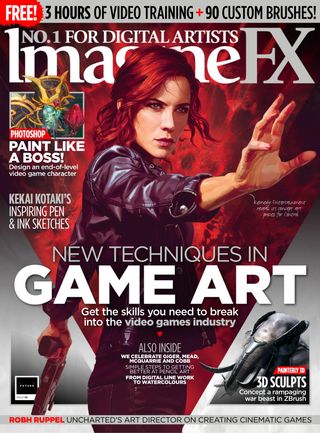

This story is from the Christmas 2019 edition of ImagineFX.
Subscribe to Magzter GOLD to access thousands of curated premium stories, and 10,000+ magazines and newspapers.
Already a subscriber? Sign In
MORE STORIES FROM ImagineFX

ImagineFX
LiberNovo Omni
COSTLY BUT EFFECTIVE On paper, the electric-powered, $1,000 LiberNovo Omni reads like a marketing gimmick... but is it?

1 mins
May 2026

ImagineFX
CREATE A 3D PRINTED FIGURE
Oscar Juárez talks to us about his process for designing and creating characters to put through his 3D printer
6 mins
May 2026

ImagineFX
The best iPad for Procreate
IPAD IDEALS Whether you're a beginner or a pro artist, here's how to choose the right iPad for you to get the most out of Procreate
2 mins
May 2026
ImagineFX
MAKE YOUR 3D CAMERA A CREATIVE TOOL
Rob Redman shows you how you can take your 3D camera and use it add character to your renders
1 mins
May 2026

ImagineFX
FIVE MINUTES WITH JAN BUCZNY
A love of fantasy encouraged this artist to create his own worlds
2 mins
May 2026

ImagineFX
WHAT IS A 3D OBJECT ACTUALLY MADE OF?
Nearly every 3D model shares the trait of being built from the same three components - Mike Griggs shows what they are and why they matter
2 mins
May 2026

ImagineFX
The path of... Jude Smith
Artistic apex Jude reminisces on his growth as a games concept artist
3 mins
May 2026
ImagineFX
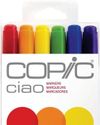
The best markers for artists
MAKE YOUR MARK Get the lowdown on some of the best markers on the market for drawing, colouring, and craft projects
2 mins
May 2026

ImagineFX
PLAY WITH THE DETAILS
Miguel Leonardo explains how, for crafting 3D sculptures, the devil's in the details
1 mins
May 2026

ImagineFX
ORCHESTRATE A PAINTING WITH BLENDER
Thomas Osbourne reveals his approach to concept art, highlighting Blender as a tool for professional production.
3 mins
May 2026
Translate
Change font size