
Go Unlimited with Magzter GOLD
Get unlimited access to 10,000+ magazines, newspapers and Premium stories for just
Try GOLD - Free
Artist 15.6 Pro
ImagineFX
|August 2019
AIMING HIGH XP-Pen wants to sit at the top table, next to Apple and Wacom. Should the budget tablet manufacturer be given a menu?
-

The big question with any new graphics tablet is ‘how does it compare to the current market?’ Every new contender can boast improved features and specs, but ultimately what we want to know is how it stands up against the big guns – Wacom and Apple in this instance.
With its lightweight screen and pressure and tilt-sensitive, battery-free pen, the XP-Pen Artist 15.6 Pro is arguably the best non-Wacom/Apple competitor so far. But it does have certain limitations that hold it back from dethroning its competitors. However, the price point/quality level trade-off will be good enough to sway some artists, depending on their particular requirements.
The Artist 15.6 Pro has an active drawing area of 15.6 inches diagonally, which gives it a full HD resolution of 1,920x1,080. The display has an impressive gamut of 84 per cent of Adobe RGB. That’s higher than the Cintiq 16, which has a gamut of around 75 per cent RGB. However, the colour accuracy, while good, isn’t perfect and so you’ll need to use a colour calibratorto avoid your artwork’s colours looking inaccurate if you print it. You can ramp up the brightness of the Artist 15.6 Pro screen and turn it down just as easily, thanks to handy buttons on the side of the tablet.
REDUCTION IN PARALLAX
The screen’s surface is laminated and bonded. This reduces the parallax effect to low levels – very similar to those of the Cintiq. Yes, it’s noticeable, but you’ll soon become accustomed to it during your painting sessions.
The pre-applied and replaceable film cover’s anti-glare properties reduce reflections considerably. However, the trade-off is that the tablet surface is slippery, feeling more like a smartphone’s screen than paper (the screen, sans film, lacks any tooth). The Artist 15.6 Pro comes with a free anti-fouling glove to minimise marks being generated accidentally.
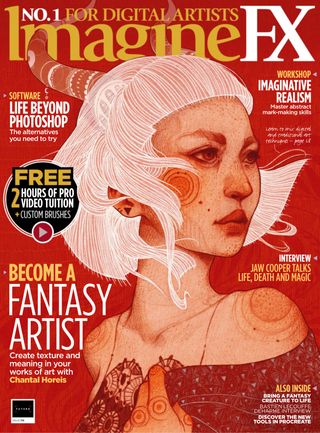

This story is from the August 2019 edition of ImagineFX.
Subscribe to Magzter GOLD to access thousands of curated premium stories, and 10,000+ magazines and newspapers.
Already a subscriber? Sign In
MORE STORIES FROM ImagineFX
ImagineFX
ZBrush, Blender & Procreate COLOUR YOUR 3D ARTWORK
Entei Ryu reveals how she sculpts and paints Triceratops and T-Rex, two characters from her BONEGIRL series

1 min
March 2026
ImagineFX
Canon imagePROGRAF PRO-310
Artists and photographers who create gallery-quality prints of their work will want to make room in their studio for Canon's latest printer
1 mins
March 2026
ImagineFX
Acer Swift Edge 14 Al
This beautiful laptop delivers on design, but what about the amount of computing power on offer?
1 mins
March 2026
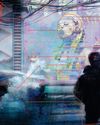
ImagineFX
CONCEPT A MOODY CYBERPUNK SCENE
Oleg Topor uses a variety of creative techniques to portray a meeting of criminals in the depths of a futuristic city
3 mins
March 2026

ImagineFX
LET THE STORY LEAD THE DESIGN
Nelson Tai takes cues from his personal sci-fi project when constructing a hardworking droid
1 mins
March 2026
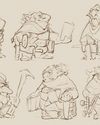
ImagineFX
LORCAN THE LITERATE
Arne Billen believes that conceptual contrast can lead to a successful design. He demonstrates this with Lorcan, a character from his D&D campaign who combines literacy with a fighting spirit
1 mins
March 2026
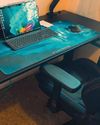
ImagineFX
Secretlab Magnus Evo
REAL STEEL Does this pro sit-to-standing desk rise to the occasion?
1 min
March 2026

ImagineFX
MAKE USE OF FILTERS
Concept artist Brandon Liao gives insights into his visual development work on Spectre Divide
1 mins
March 2026
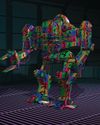
ImagineFX
ENHANCE ANY 3D MODEL BY APPLYING TEXTURES
Ant Ward explains how UVs and texture maps are an easy way to add detail to a 3D object
1 mins
March 2026
ImagineFX
Karim Yasser Ahmed
Karim is a senior lighting artist with over seven years of experience in AAA games. He loves working on environment lighting: “I treat my environment as a canvas that is getting lit as a painting, and I truly enjoy this process.”
1 min
March 2026
Translate
Change font size