Try GOLD - Free
28 HIDDEN IPHONE FEATURES YOU NEED TO KNOW ABOUT
Mac Life
|September 2023
Your iPhone is packed with tools to help you get the most out of it. Here we celebrate the best of the lesser-known iOS tips and tricks
YOUR IPHONE COMES loaded with handy hidden features and hacks that can make it much easier and more fun to use. In our opinion, it's this plethora of little-known features that help make iPhones some of the best phones out there.
But do you know all of them? Well, there are so many that we'd be willing to bet you probably don't. To help with that, we've rounded up 28 of our favorite iPhone hidden features that everyone should know, and how to use them, with step-by-step walkthroughs where a little more explanation is needed - hopefully at least one or two are new to you.
Just a quick note before we begin: most of these hidden features have been embedded within iOS for a while, so even people using older devices should be able to utilize at least some.
To ensure we're all on the same page, though, make sure your device is up to date by going to Settings > General and tap Software Update. If an update is available, tap Download and Install. Once downloaded, tap Install Now. With that done, you're good to discover more.
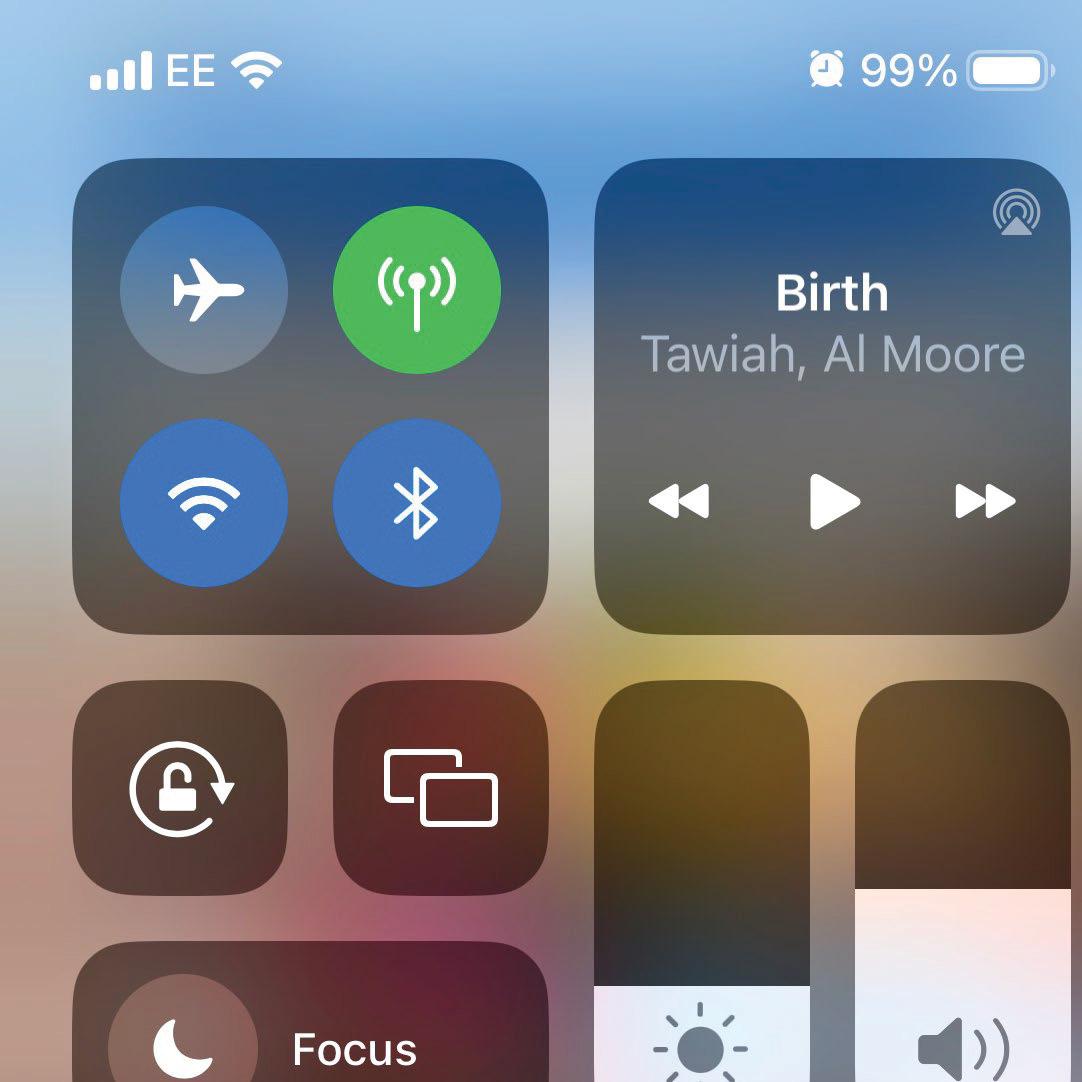
Customize the iOS Control Center
1 One iPhone hack that makes life easier is being able to customize Control Center. By adding your favorite and most-used widgets to Control Center, you can access them with a simple swipe down, even when your iPhone is locked. This is super handy when you need a feature immediately. We find Music Recognition the most useful - no more fumbling around Home Screen folders, desperately trying to find the Shazam app before the song ends. To customize your Control Center, go to Settings, then tap Control Center. Scroll down to More Controls and add any controls that'll be handy at a moment's notice.
Use Back Tap for extra iPhone controls

This story is from the September 2023 edition of Mac Life.
Subscribe to Magzter GOLD to access thousands of curated premium stories, and 10,000+ magazines and newspapers.
Already a subscriber? Sign In
MORE STORIES FROM Mac Life

Mac Life
TerraMaster F4-425 NAS
Home or office four-bay network-attached storage

3 mins
March 2026

Mac Life
Satechi OntheGo 7-in-1 Adapter
Easily add more ports to your Mac, iPhone and iPad
2 mins
March 2026

Mac Life
BenQ ScreenBar Halo 2
Monitor lighting that's a sight for sore eyes
1 mins
March 2026
Mac Life
AI: WHAT YOU NEED TO KNOW
Al can be brilliant when put to proper use, but it also has some major downsides
11 mins
March 2026

Mac Life
Calibrate a MacBook Pro display
Can I calibrate my MacBook Pro 16-inch M3 Pro's XDR display, and if so, how?
1 min
March 2026

Mac Life
Edifier S880DB MKII
Great-sounding speakers with loads of connectivity
3 mins
March 2026

Mac Life
Search text in document images
I keep thousands of images of printed documents, and want to search their contents using Live Text, but Spotlight won't index them. How can I get it to work?
1 min
March 2026

Mac Life
No looking back at old icons
Can I customize the apps bundled in macOS Tahoe by giving them back their old icons?
1 min
March 2026

Mac Life
Set up multiple timers on iOS
Discover timers done right
2 mins
March 2026

Mac Life
Blue Prince
A multilayered inheritance challenge like no other
2 mins
March 2026
Translate
Change font size