Poging GOUD - Vrij
Make the most of hot corners
MacFormat UK
|June 2025
The corners of your Mac can be used to activate various system actions
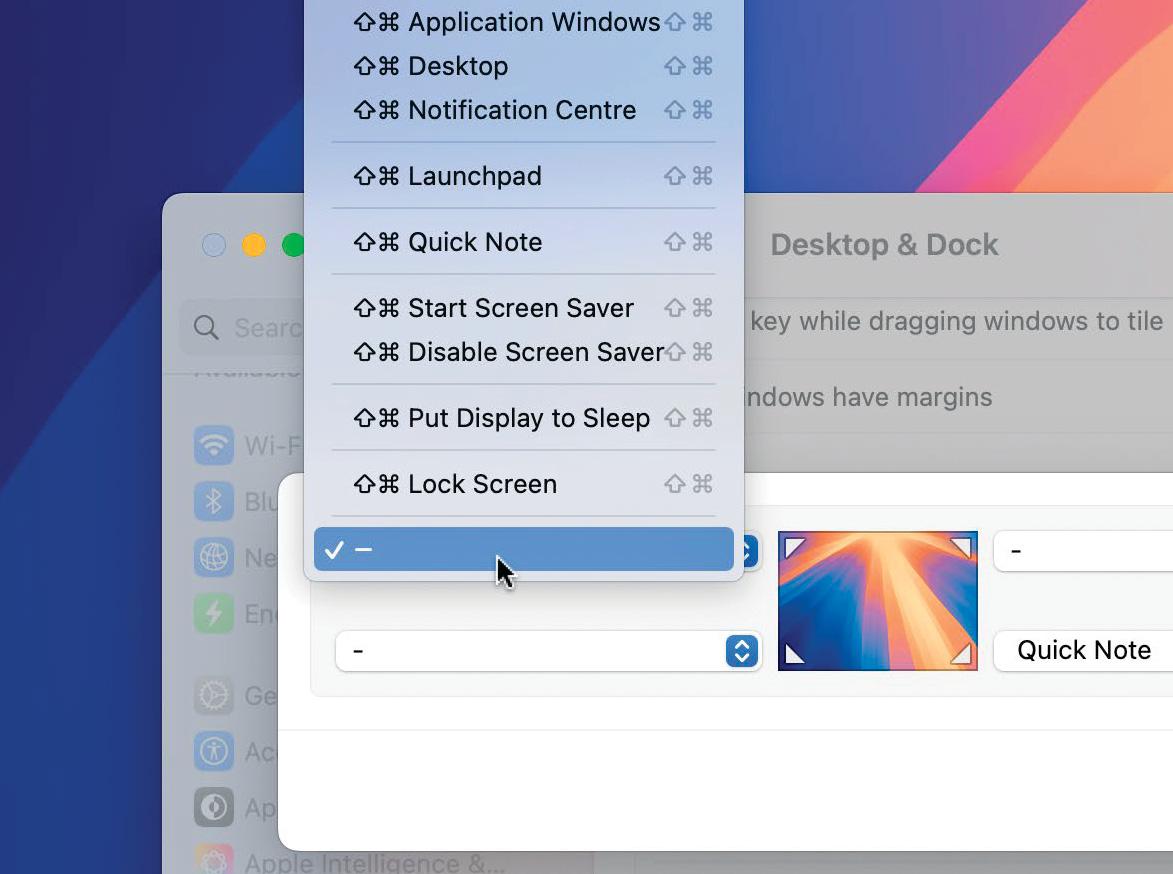
Hot corners are the unsung heroes of macOS, enabling you to quickly and easily access all kinds of options by dragging the pointer to a corner of your display. You actually may have come across it if you accidentally slid the pointer too far into the bottom-right corner and activated the Quick Notes feature. But there are many other options available and they're worth exploring because many of them can speed up various tasks and help to make you more productive.
In this tutorial, we explain exactly what you can do with Hot Corners and what the available options are. We'll also demonstrate how you can prevent yourself from accidentally launching a hot corner when you're moving the pointer which, as you can imagine, is easy to do - especially in the top-left and top-right corners.
Of course, once you've tried it, you may not want Hot Corners at all so we'll show you how to deactivate the feature too.
HOW TO Explore and set hot corners
1. Customise hot corners
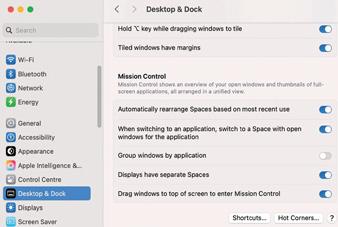 To use and customise hot corners, go to the Apple menu and select System Settings. Then choose Desktop & Dock from the sidebar. Scroll down to to the bottom of the right-hand pane, and click the Hot Corners button (bottom right).
2. Choose an option
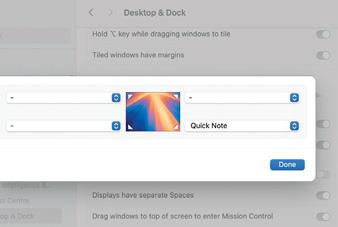


Dit verhaal komt uit de June 2025-editie van MacFormat UK.
Abonneer u op Magzter GOLD voor toegang tot duizenden zorgvuldig samengestelde premiumverhalen en meer dan 9000 tijdschriften en kranten.
Bent u al abonnee? Aanmelden
MEER VERHALEN VAN MacFormat UK

MacFormat UK
Networking
We help to solve your Wi-Fi woes and connection conundrums

2 mins
July 2026

MacFormat UK
Noble Sceptre
Unlock hi-res audio on any device
1 mins
July 2026

MacFormat UK
One more thing John Ternus
Graham Barlow wonders if replacing Tim Cook with a 'slightly different Tim Cook' is the best way forward for Apple
2 mins
July 2026

MacFormat UK
macOS
Shine a spotlight on the solutions to your most irritating Mac problems
2 mins
July 2026

MacFormat UK
Current Reader
RSS feeds without the pressure
2 mins
July 2026

MacFormat UK
Venba
A short but rich and tasty Tamil treat
2 mins
July 2026

MacFormat UK
SJCAM C400 3-in-1 Action Camera
Content creation made easy and cheaply
2 mins
July 2026

MacFormat UK
Fujifilm instax mini Evo Cinema
Retro images with instant printing
3 mins
July 2026
MacFormat UK
Octavo
Page imposition for printing
2 mins
July 2026
MacFormat UK
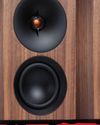
Cambridge Audio LR/S Modern speakers with a retro feel
> £399 per pair (£449 for Real Walnut finish) > FROM cambridgeaudio.com > FEATURES 2x 50W class D amps, 3in woofers, 21mm tweeters, DynamEQ, 55Hz-24kHz frequency response, Bluetooth SBC, AAC, aptX and HD streaming, 1x USB-C, 1x RCA (phono) input, 1x digital optical input, 1x subwoofer output, Bluetooth LE physical remote control; 3kg per cabinet, 134x226x180mm per cabinet
2 mins
July 2026
Listen
Translate
Change font size