कोशिश गोल्ड - मुक्त
Make the most of hot corners
MacFormat UK
|June 2025
The corners of your Mac can be used to activate various system actions
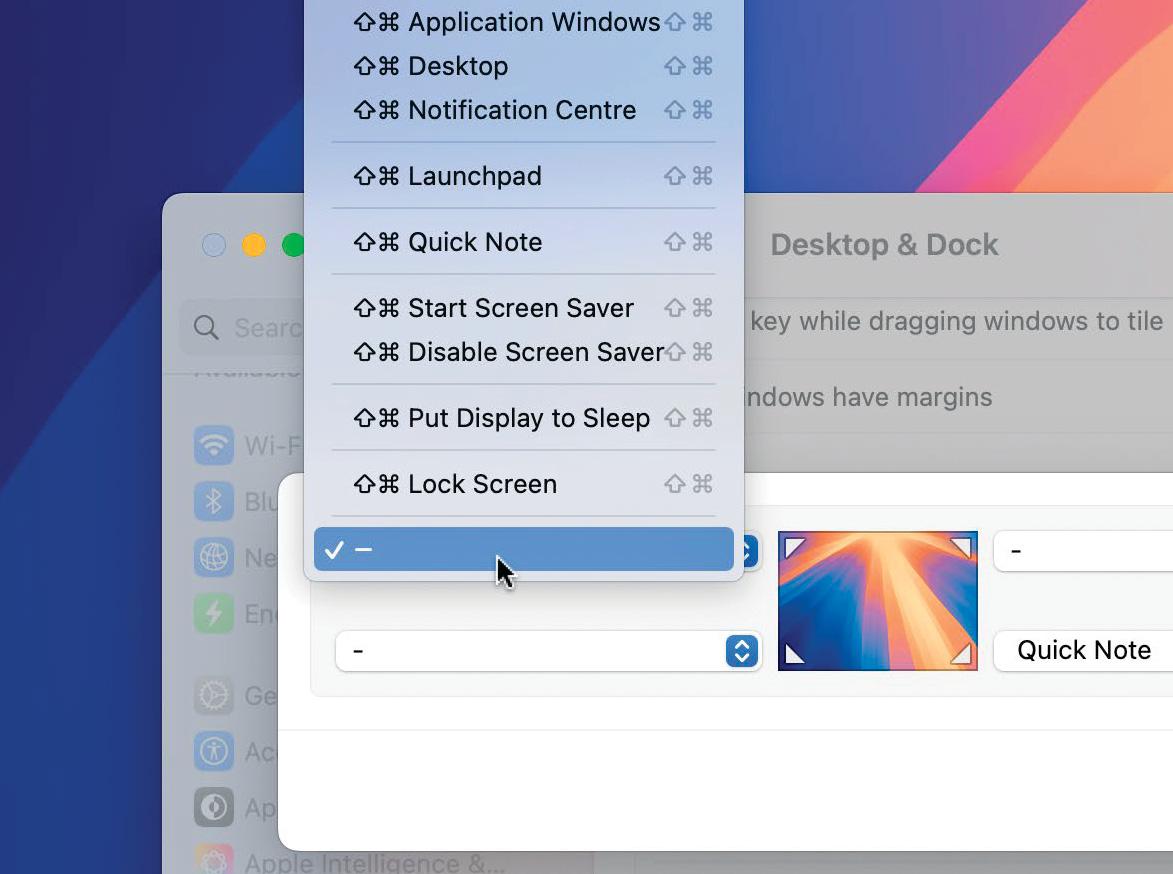
Hot corners are the unsung heroes of macOS, enabling you to quickly and easily access all kinds of options by dragging the pointer to a corner of your display. You actually may have come across it if you accidentally slid the pointer too far into the bottom-right corner and activated the Quick Notes feature. But there are many other options available and they're worth exploring because many of them can speed up various tasks and help to make you more productive.
In this tutorial, we explain exactly what you can do with Hot Corners and what the available options are. We'll also demonstrate how you can prevent yourself from accidentally launching a hot corner when you're moving the pointer which, as you can imagine, is easy to do - especially in the top-left and top-right corners.
Of course, once you've tried it, you may not want Hot Corners at all so we'll show you how to deactivate the feature too.
HOW TO Explore and set hot corners
1. Customise hot corners
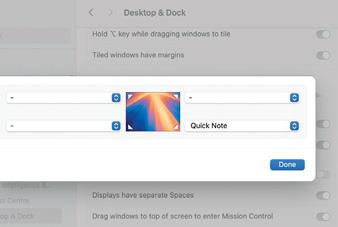
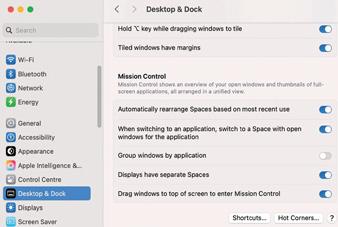 To use and customise hot corners, go to the Apple menu and select System Settings. Then choose Desktop & Dock from the sidebar. Scroll down to to the bottom of the right-hand pane, and click the Hot Corners button (bottom right).
2. Choose an option


यह कहानी MacFormat UK के June 2025 संस्करण से ली गई है।
हजारों चुनिंदा प्रीमियम कहानियों और 10,000 से अधिक पत्रिकाओं और समाचार पत्रों तक पहुंचने के लिए मैगज़्टर गोल्ड की सदस्यता लें।
क्या आप पहले से ही ग्राहक हैं? साइन इन करें
MacFormat UK से और कहानियाँ

MacFormat UK
Hitman: Absolution
Sharp-shooting series goes soft in middle age

2 mins
January 2026

MacFormat UK
One more thing iPhone Pocket
Graham Barlow thinks Apple may have finally knitted itself into a corner
2 mins
January 2026

MacFormat UK
Mous MagSafe Compatible 3-in-1 Portable Charger
Good for your pocket in lots of ways
1 min
January 2026

MacFormat UK
6 apps for Pro-level photography
Unleash your iPhone camera's full potential
2 mins
January 2026

MacFormat UK
Logitech MX Master 4 for Mac
The best mouse since Mickey? Not if you're left-handed...
2 mins
January 2026

MacFormat UK
Philips Hue Bridge Pro
A major upgrade for owners of Philips's Hue smart lights
2 mins
January 2026

MacFormat UK
Final Cut Camera 2.0
Enjoy pro-level video camera controls on your iPhone
3 mins
January 2026

MacFormat UK
AI: WHAT YOU NEED TO KNOW
AI can be brilliant when put to proper use but it also has some major downsides
11 mins
January 2026

MacFormat UK
John-Anthony Disotto...
THINKS THAT AFTER 2024'S FANFARE AND A LOT OF PUBLIC DITHERING, IT MIGHT BE TOO LATE TO SAVE APPLE INTELLIGENCE
2 mins
January 2026
MacFormat UK
6 BEST APPS FOR MAKING MUSIC
The best apps for bedroom bleeps and rowdy rock
6 mins
January 2026
Listen
Translate
Change font size