कोशिश गोल्ड - मुक्त
Customize and use Control Center on Apple Watch
Mac Life
|October 2024
Access your favorite features faster with Control Center
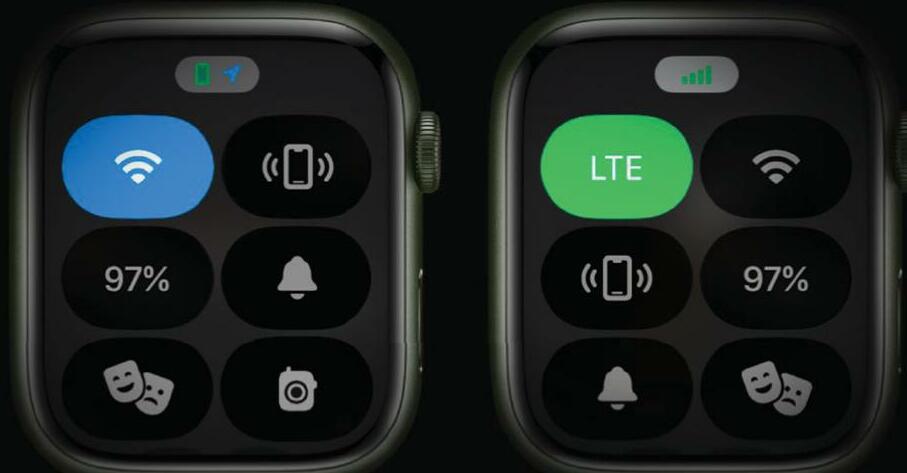
ONE OF THE most useful things on your Apple Watch may be hiding in plain sight. That's because Apple moved the Control Center when it launched watchOS 10, so it's easy to forget it's there: the upwards swipe that used to open Control Center now brings up your widgets instead, and Control Center now requires you to press the side button.
FAST ACCESS
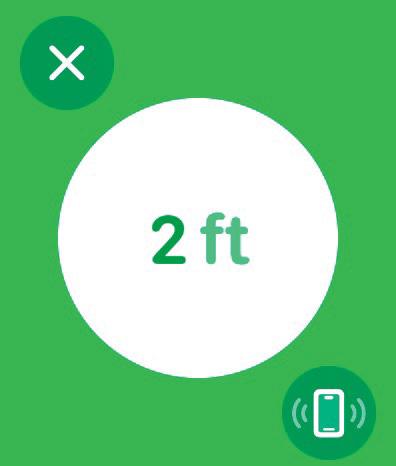
While the Control Center has been relocated from watch face to watch button, it's still very useful, and while of course it's a lot simpler than Control Center on your iPhone or iPad it does the same job; it gives you fast access to commonly used features and settings. It can also help you find your iPhone if you've misplaced it. In this tutorial, we'll discover how to use Control Center, how to add more controls to it and how to reorganize it to suit your personal preference. We'll also discover how you can remove most of the icons if you don't need them. We say "most" because Apple has decided that some icons need to remain in ft Control Center whether you want them or not. You can't delete them, but you can move them so they're tucked away out of sight. We'll also discover one of the best things about Control Center: the extra features you can access by long-pressing the icons.

यह कहानी Mac Life के October 2024 संस्करण से ली गई है।
हजारों चुनिंदा प्रीमियम कहानियों और 10,000 से अधिक पत्रिकाओं और समाचार पत्रों तक पहुंचने के लिए मैगज़्टर गोल्ड की सदस्यता लें।
क्या आप पहले से ही ग्राहक हैं? साइन इन करें
Mac Life से और कहानियाँ

Mac Life
iPad Pro 13-inch (2025)
Wickedly fast and wickedly expensive, but boy what a tablet...

3 mins
January 2026
Mac Life
Try the new-look Camera app
Discover what's new and what's changed in latest iOS 26 version
2 mins
January 2026
Mac Life
Create a custom Lock Screen
With the arrival of iOS 26, your iPhone has never been so customizable
2 mins
January 2026

Mac Life
MAKE YOUR OLD MAC FEEL LIKE NEW
How to expand, repurpose, or sell your aging Mac
12 mins
January 2026

Mac Life
Can man live by iPad alone?
Could you really ditch your Mac in favor of Apple's tablet?
13 mins
January 2026
Mac Life
Master the new Games app
Level up your gaming experience and blast off with Apple's new games hub
2 mins
January 2026

Mac Life
Best apps and games of 2025
Apple editors name annual App Store Awards finalists
2 mins
January 2026
Mac Life
Make your iPhone more accessible
Customize your iPhone to suit your needs
3 mins
January 2026
Mac Life
Apple Watch lawsuit loss
APPLE HAS LOST the latest round of the lawsuit brought by med tech firm Masimo, alleging that the Apple Watch blood oxygen feature infringes its patents.
1 min
January 2026
Mac Life
Power up your Mac with Alfred
Use its Powerpack to browse and manage your files and their contents
2 mins
January 2026
Listen
Translate
Change font size