
Passez à l'illimité avec Magzter GOLD
Obtenez un accès illimité à plus de 9 000 magazines, journaux et articles Premium pour seulement
Essayer OR - Gratuit
iCLOUD SUPERGUIDE
MacFormat UK
|July 2025
How to make the most of Apple's amazing personal cloud service
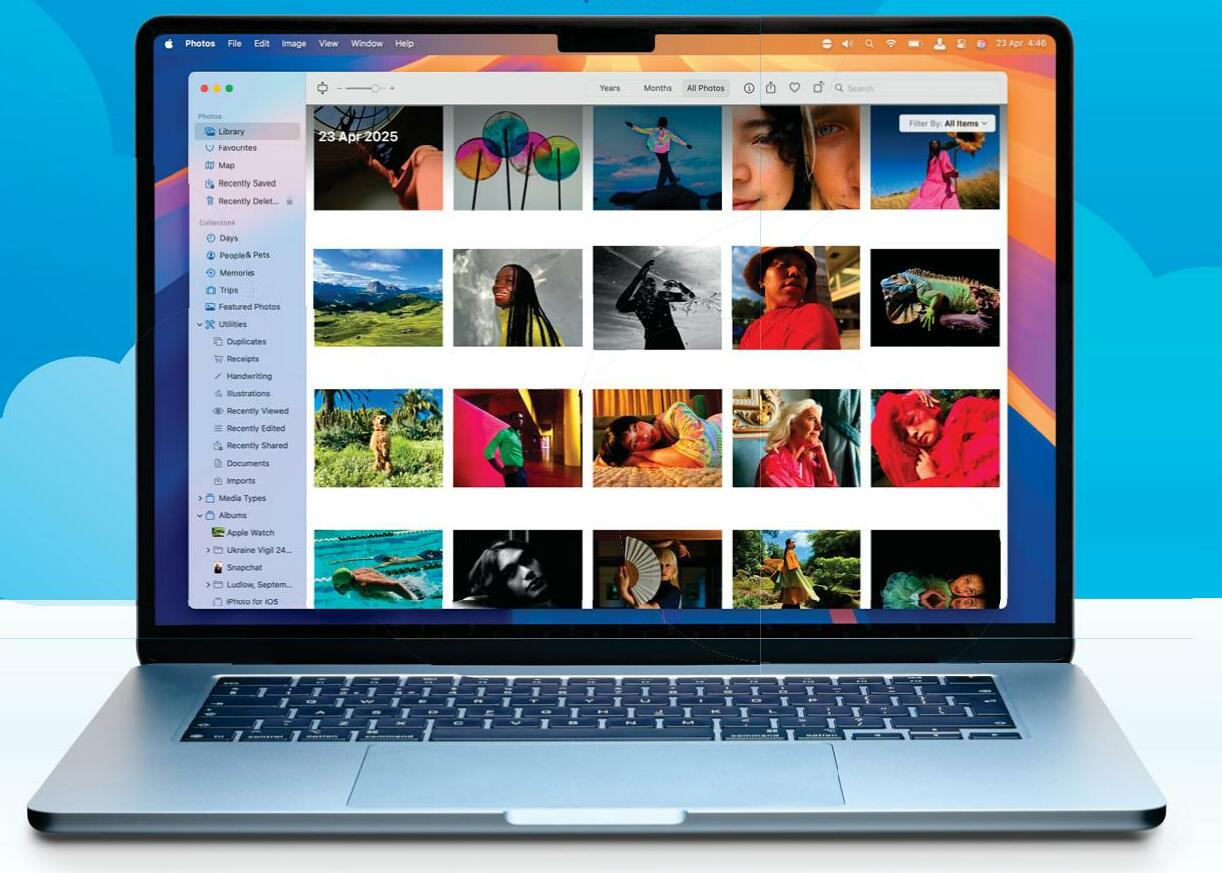
Since it replaced MobileMe in 2013, iCloud has proved immensely popular. With iCloud, you can sync data across all your Apple devices, and access it through a web browser using the iCloud website, iCloud.com. An Apple Account comes with 5GB of free storage on your iCloud Drive, and you can buy more space with a monthly subscription. You can even keep track of your Apple gear in case it's lost or stolen, through the Find My app.
iCloud is built into all Apple's operating systems; that is, macOS, iOS, iPadOS, watchOS, tvOS and visionOS. It's available for Microsoft Windows too, by downloading an app from the Microsoft Store at bit.ly/4jxEe32. iCloud is what this feature is all about. What it can do, how to use it, accessing iCloud through iCloud.com and more. We show you how it functions on all your Apple devices, and how you can get the most from it, whether you use the free service or a paid-for subscription tier.
What is iCloud?
Syncing
iCloud can sync data between Apple devices. So, if you add an event to your Calendar app on Mac, it also appears on your iPad and iPhone. Apps that can be synced includes Photos, Notes, Calendar, Reminders, Mail and Contacts.
What it doesn't do: If your device doesn’t have an active internet connection, it won't sync until it reconnects.
Sharing & collaboration
You can share and collaborate on a file or folder stored in your iCloud Drive. You can choose to send a copy to the other person, or work together on the document, allowing them to make edits, etc.
What it can't do: iCloud Drive collaboration requires an iCloud account. You can't collaborate with someone who doesn't have one.
Backups

Cette histoire est tirée de l'édition July 2025 de MacFormat UK.
Abonnez-vous à Magzter GOLD pour accéder à des milliers d'histoires premium sélectionnées et à plus de 9 000 magazines et journaux.
Déjà abonné ? Se connecter
PLUS D'HISTOIRES DE MacFormat UK
MacFormat UK
Affinity by Canva
A complete creative studio for zero cost

3 mins
February 2026
MacFormat UK
RSRs return from the dead
Apple announced Rapid Security Responses in June 2022, as a new means of applying urgent security patches in between macOS updates.
1 min
February 2026
MacFormat UK
Rediscover albums with Longplay
Fall in love with your albums all over again with this amazing music player
3 mins
February 2026
MacFormat UK
Set up multiple timers on iOS
Discover timers done right
2 mins
February 2026

MacFormat UK
Chants of Sennaar
Work your way beyond being lost in translation
2 mins
February 2026
MacFormat UK
Signature Slim Solar+ wireless keyboard K980
A comfortable, full-size keyboard that's always good to go
2 mins
February 2026
MacFormat UK
One more thing Apple Intelligence
Apple has promised a big AI update in 2026, and Graham Barlow feels nervous
2 mins
February 2026

MacFormat UK
Search any website - fast!
Find your favourite websites faster than ever
3 mins
February 2026

MacFormat UK
Make your ideal web browser
Make online life easy by making your web browser work your way
2 mins
February 2026

MacFormat UK
Best home printers & all-in-ones
We put six all-round home models through their printing paces
7 mins
February 2026
Listen
Translate
Change font size