Intentar ORO - Gratis
HOW TO ENABLE PARENTAL CONTROLS IN IOS 18 AND iPADOS 18?
Exhibit
|February 2025
Apple has thoughtfully designed parental controls in iOS and iPadOS to help parents manage and restrict content and behaviour on their children's devices.
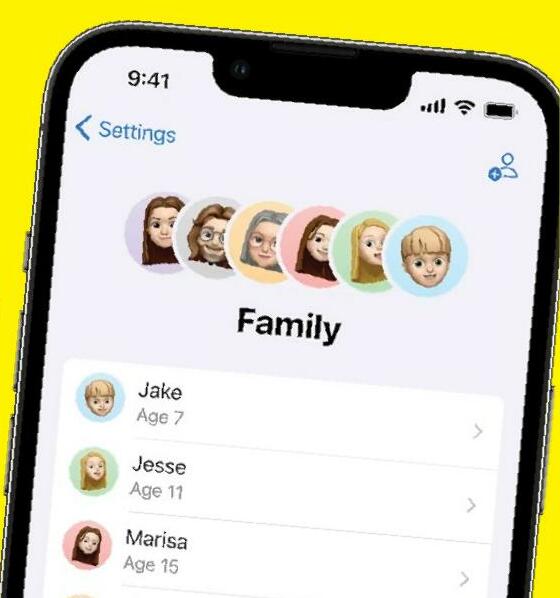
Leveraging features like Screen Time and Content & Privacy Restrictions, you can ensure that your child uses their device responsibly while enjoying the perks of modern technology. Let's get into how you can make the most of these features to safeguard your child's digital experience.
Understanding Screen Time
Introduced in iOS 12, Screen Time is the heart of Apple's parental control system. It not only tracks the time spent on apps but also monitors notifications and helps you enforce limits on specific app categories, gaming, or social media. It's an essential tool for keeping tabs on your child's digital habits.
Parents can also use Screen Time to set boundaries on app downloads, purchases, and access to explicit content. Coupled with Family Sharing, these controls can be managed directly from your device, giving you peace of mind while your child enjoys their iPhone or iPad.
Enabling Content & Privacy Restrictions
Before enabling restrictions, ensure both your device and your child's device are updated to the latest iOS or iPadOS version. Here's how to activate these settings:
1. Open Settings.
2. Tap Screen Time.
3. Under Family, select your child's name.
4. Tap Content & Privacy Restrictions and enter your Screen Time passcode if prompted.
5. Toggle on Content & Privacy Restrictions.
For families using Family Sharing, the process is identical. The family organiser can activate the feature through the Settings > Screen Time section on their device.


Esta historia es de la edición February 2025 de Exhibit.
Suscríbete a Magzter GOLD para acceder a miles de historias premium seleccionadas y a más de 9000 revistas y periódicos.
¿Ya eres suscriptor? Iniciar sesión
MÁS HISTORIAS DE Exhibit

Exhibit
HOW TO? SET UP AND OPTIMIZE DUAL SCREENS FOR WINDOWS DESKTOP
Setting up dual monitors on a Windows desktop can significantly boost productivity, allowing you to multitask seamlessly, whether you're coding on one screen while referencing documents on the other, or gaming with a secondary display for chats and stats.

1 mins
January 2026

Exhibit
CREATOR OF THE MONTH Sonia Shenoy
Financial literacy and education have always been my passion.
3 mins
January 2026

Exhibit
THE NEW ARCHITECTS OF INFLUENCE
At the start of 2026, hear from 26 of India's top marketing leaders on how fresh ideas are shaping the modern brand
3 mins
January 2026

Exhibit
ONEPLUS 15R BALANCING AFFORDABILITY AND PERFORMANCE
OnePlus is known for providing flagship experiences at accessible prices, and the OnePlus 15R continues this trend.
2 mins
January 2026

Exhibit
SEASON 10, REDEFINED
VinFast Brings Global Flair to the Tech Fashion Tour Runway
1 mins
January 2026

Exhibit
SONY ULT TOWER 9 WHEN A PARTY SPEAKER IS POWERFUL ENOUGH TO MAKE THE BUILDING FEEL ALIVE
I have used many portable and party speakers over the years, including Sony's compact ULT Field 3, which I genuinely enjoyed for its easy portability and everyday usability.
3 mins
January 2026

Exhibit
LIVING WITH RAIDA GEAR
Tested on Open Roads, From Mumbai to Panchgani
4 mins
January 2026

Exhibit
THIS ₹12K PHONE IS WAY TOO POWERFUL
I did not expect to be impressed by a ₹12K smartphone in 2025. Yet the Poco C85 5G managed to punch well above its weight during my daily use.
2 mins
January 2026

Exhibit
CARS AND BIKES TO LOOK FORWARD TO IN 2026
A glimpse into the machines that will define the road ahead
5 mins
January 2026

Exhibit
THE WORLD IS READY TO BE EXPLORED AGAIN
Places to Visit in 2026
4 mins
January 2026
Listen
Translate
Change font size