
Mit Magzter GOLD unbegrenztes Potenzial nutzen
Erhalten Sie unbegrenzten Zugriff auf über 9.000 Zeitschriften, Zeitungen und Premium-Artikel für nur
Versuchen GOLD - Frei
HOW TO ESTABLISH PAINTERLY LIGHTING
ImagineFX
|January 2026
Lighting artist Philémon Caron shares how luminism-inspired techniques can help create atmospheric, painterly 3D environments
-
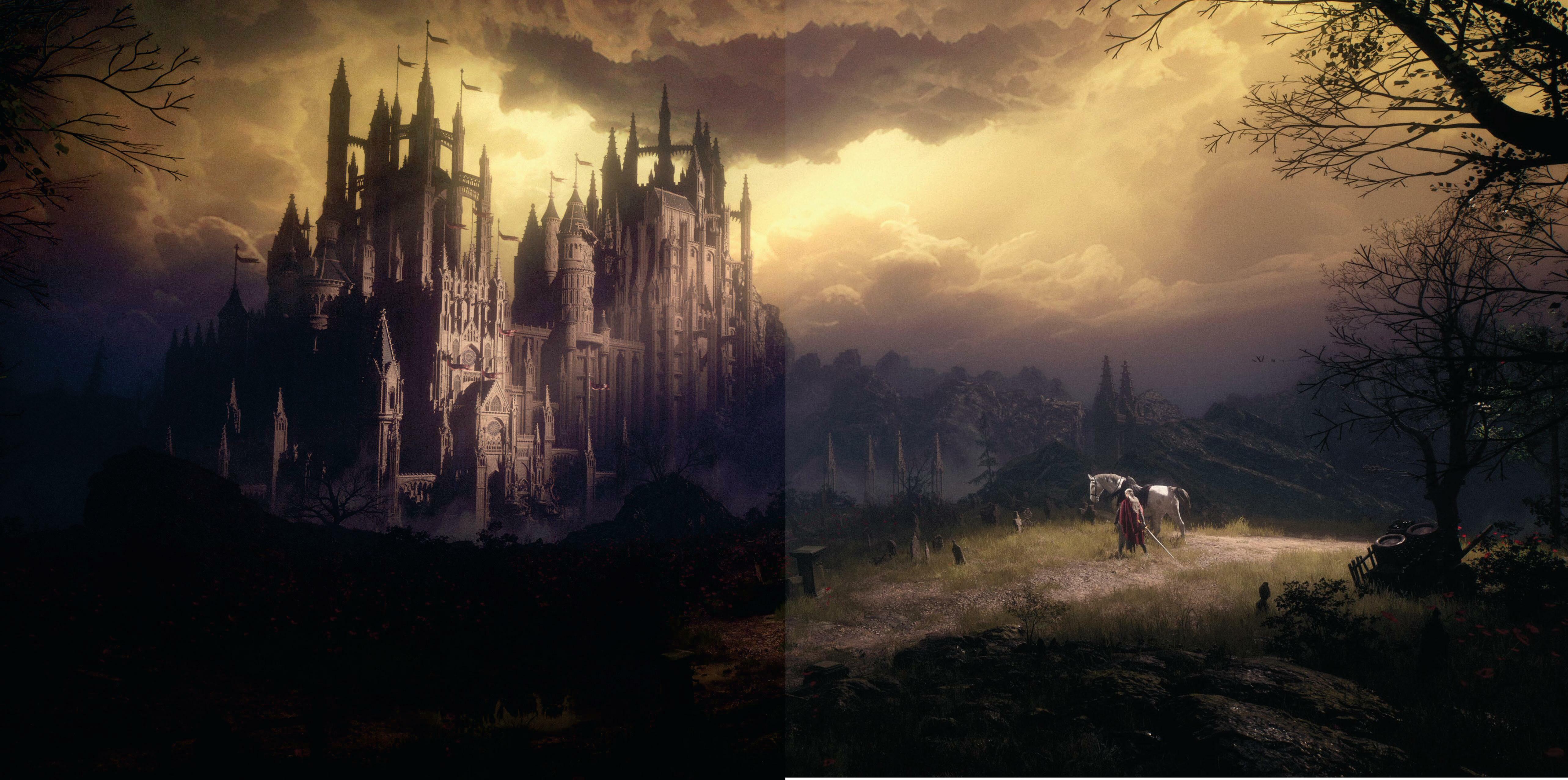
In this workshop, we'll explore the process of relighting a 3D environment in Unreal Engine, taking inspiration from luminism and the Hudson River School.
Rather than aiming for strict realism, this project focuses on translating some painterly qualities of light into a digital space, with attention to atmosphere, emotion, and storytelling.
Luminism, a 19th-century art movement, is known for its serene landscapes, clear and tranquil light, and contemplative mood. Painters of the Hudson River School, such as Frederic Church and Albert Bierstadt, conveyed vastness and depth while maintaining calm and harmony. Here, we'll consider how some of those visual approaches - soft transitions, balanced compositions, and subtle interplay of light and atmosphere - can inform the lighting of a real-time environment.
We'll go through the main steps of preparing a scene, shaping light sources, balancing colour and contrast, and introducing atmospheric effects to unify the composition. Along the way, we'll discuss the artistic considerations behind each choice, offering suggestions and observations that you can adapt in your own work.
The goal is not to replicate a historic style perfectly, but to explore how lighting can extend beyond visibility and realism, serving as a tool to convey mood and engage the viewer in a thoughtful, immersive way.
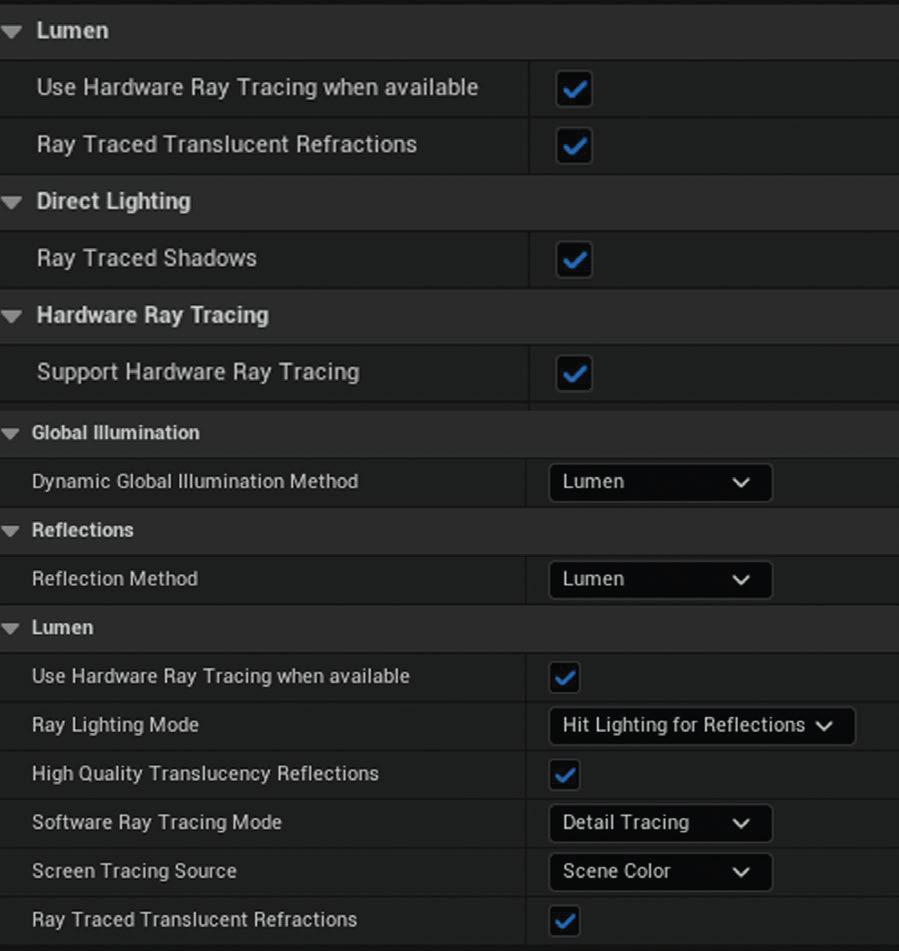 1 Set up an Unreal Engine project
Before diving into lighting, it's important to properly set up your Unreal Engine project. In the Project Settings, enable Hardware Ray Tracing and tweak Lumen for higher quality results. Next, head to the Plugins menu to activate a few key tools that will be useful later on: Screen Space Fog Scattering, HDRI Backdrop and Movie Render Queue for final rendering.

Diese Geschichte stammt aus der January 2026-Ausgabe von ImagineFX.
Abonnieren Sie Magzter GOLD, um auf Tausende kuratierter Premium-Geschichten und über 9.000 Zeitschriften und Zeitungen zuzugreifen.
Sie sind bereits Abonnent? Anmelden
WEITERE GESCHICHTEN VON ImagineFX

ImagineFX
LiberNovo Omni
COSTLY BUT EFFECTIVE On paper, the electric-powered, $1,000 LiberNovo Omni reads like a marketing gimmick... but is it?

1 mins
May 2026

ImagineFX
CREATE A 3D PRINTED FIGURE
Oscar Juárez talks to us about his process for designing and creating characters to put through his 3D printer
6 mins
May 2026

ImagineFX
The best iPad for Procreate
IPAD IDEALS Whether you're a beginner or a pro artist, here's how to choose the right iPad for you to get the most out of Procreate
2 mins
May 2026
ImagineFX
MAKE YOUR 3D CAMERA A CREATIVE TOOL
Rob Redman shows you how you can take your 3D camera and use it add character to your renders
1 mins
May 2026
ImagineFX
FIVE MINUTES WITH JAN BUCZNY
A love of fantasy encouraged this artist to create his own worlds
2 mins
May 2026
ImagineFX
WHAT IS A 3D OBJECT ACTUALLY MADE OF?
Nearly every 3D model shares the trait of being built from the same three components - Mike Griggs shows what they are and why they matter
2 mins
May 2026

ImagineFX
The path of... Jude Smith
Artistic apex Jude reminisces on his growth as a games concept artist
3 mins
May 2026
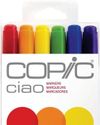
ImagineFX
The best markers for artists
MAKE YOUR MARK Get the lowdown on some of the best markers on the market for drawing, colouring, and craft projects
2 mins
May 2026
ImagineFX
PLAY WITH THE DETAILS
Miguel Leonardo explains how, for crafting 3D sculptures, the devil's in the details
1 mins
May 2026

ImagineFX
ORCHESTRATE A PAINTING WITH BLENDER
Thomas Osbourne reveals his approach to concept art, highlighting Blender as a tool for professional production.
3 mins
May 2026
Listen
Translate
Change font size