
Mit Magzter GOLD unbegrenztes Potenzial nutzen
Erhalten Sie unbegrenzten Zugriff auf über 9.000 Zeitschriften, Zeitungen und Premium-Artikel für nur
Versuchen GOLD - Frei
Hidden Tips & Tricks Of Google Docs
Exhibit
|December 2016
It just happened to me the other day while I was working on Google Docs that I had to fumble at several instants. I either got stuck with the shortcuts or some other detailing of Google Docs. The same has happened with Word Doc as well, and sometimes Excel Sheets too. But on that, some other day.

As I struggled with Google Doc, I decided to work on my karma and help the others to sort things out smoothly. So, here it is – some tips and tricks of Google Doc that you should know for a smooth sailing of your work. These won’t take long to learn but they will come in handy time and time again. Yeah, do thank me later!
And with that, at the same time, welcome to our new regular column Tips and Tricks. Here we go:
1. ADD WORDS TO THE DICTIONARY
If you’re tired of always seeing your company’s strangely spelled name appear with a red line underneath it, click Tools then Personal dictionary to tell Google Docs to ignore it in the future.
2. PASTE FORMATS INSIDE DOCUMENTS
One of the most useful features added to Google Docs recently is the Paint format icon, which you can see to the left of the zoom indicator (it looks like a paint roller). Highlight some text, click the icon, then highlight some more text to copy the styling over.
3. TAG SOMEONE IN A COMMENT
Adding comments is all well and good (and very easy in Google Docs), but how can you be sure someone else has seen them? If you type the plus (“+”) symbol in a comment, followed by an email address, that person gets an alert telling them they’ve been tagged.
4. MANAGE LONG DOCUMENTS WITH BOOKMARKS
Google Docs lets you put markers down inside documents so you can more easily find your way around big files. Go to Insert then Bookmark to place one and get the link to it. Use Insert and Link to link to your bookmarks (if you’re building a table of contents, say).
5. GET STARTED QUICKLY WITH TEMPLATES


Diese Geschichte stammt aus der December 2016-Ausgabe von Exhibit.
Abonnieren Sie Magzter GOLD, um auf Tausende kuratierter Premium-Geschichten und über 9.000 Zeitschriften und Zeitungen zuzugreifen.
Sie sind bereits Abonnent? Anmelden
WEITERE GESCHICHTEN VON Exhibit
Exhibit
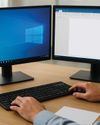
HOW TO? SET UP AND OPTIMIZE DUAL SCREENS FOR WINDOWS DESKTOP
Setting up dual monitors on a Windows desktop can significantly boost productivity, allowing you to multitask seamlessly, whether you're coding on one screen while referencing documents on the other, or gaming with a secondary display for chats and stats.

1 mins
January 2026

Exhibit
CREATOR OF THE MONTH Sonia Shenoy
Financial literacy and education have always been my passion.
3 mins
January 2026

Exhibit
THE NEW ARCHITECTS OF INFLUENCE
At the start of 2026, hear from 26 of India's top marketing leaders on how fresh ideas are shaping the modern brand
3 mins
January 2026
Exhibit
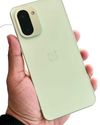
ONEPLUS 15R BALANCING AFFORDABILITY AND PERFORMANCE
OnePlus is known for providing flagship experiences at accessible prices, and the OnePlus 15R continues this trend.
2 mins
January 2026

Exhibit
SEASON 10, REDEFINED
VinFast Brings Global Flair to the Tech Fashion Tour Runway
1 mins
January 2026

Exhibit
SONY ULT TOWER 9 WHEN A PARTY SPEAKER IS POWERFUL ENOUGH TO MAKE THE BUILDING FEEL ALIVE
I have used many portable and party speakers over the years, including Sony's compact ULT Field 3, which I genuinely enjoyed for its easy portability and everyday usability.
3 mins
January 2026
Exhibit
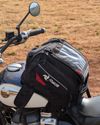
LIVING WITH RAIDA GEAR
Tested on Open Roads, From Mumbai to Panchgani
4 mins
January 2026

Exhibit
THIS ₹12K PHONE IS WAY TOO POWERFUL
I did not expect to be impressed by a ₹12K smartphone in 2025. Yet the Poco C85 5G managed to punch well above its weight during my daily use.
2 mins
January 2026

Exhibit
CARS AND BIKES TO LOOK FORWARD TO IN 2026
A glimpse into the machines that will define the road ahead
5 mins
January 2026

Exhibit
THE WORLD IS READY TO BE EXPLORED AGAIN
Places to Visit in 2026
4 mins
January 2026
Translate
Change font size