Denemek ALTIN - Özgür
Secure your iPhone
Mac Life
|August 2024
Find out how to make your iPhone more secure than Fort Knox
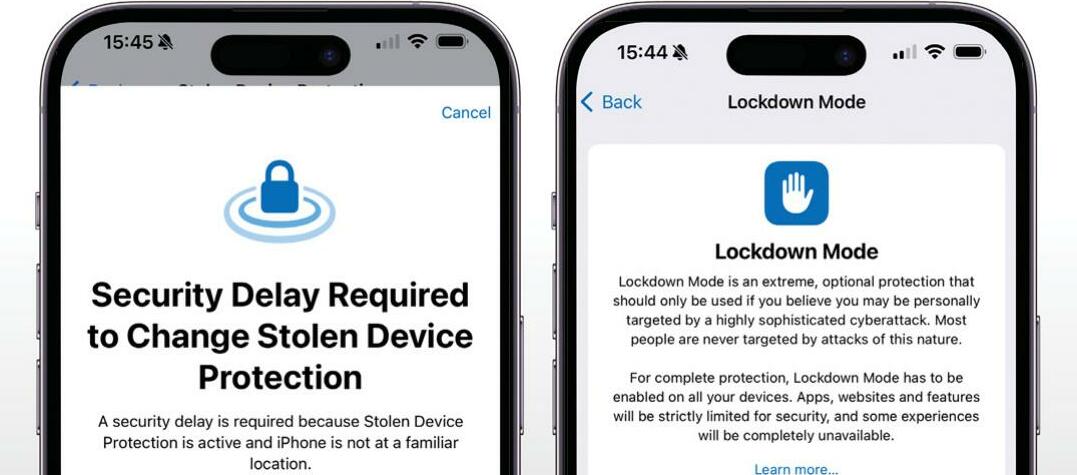
TOUCH ID AND Face ID are hard to fool, but that doesn't mean you shouldn't add more security to your iPhone and iOS 17 makes it fairly easy to make your iPhone more secure. We're saying "fairly easy" because as you'll see, the settings aren't all stored in the same place, so you need to go on a bit of a security safari to use them all.
The bulk of these features are designed to limit the information that others can access, but some are specifically for preventing a lost or stolen iPhone from becoming an even bigger nightmare. So what should you do if your iPhone gets misplaced? Using another Apple device or a web browser and www.iCloud.com, go into Find My and see if you can locate it. From Find My you can also activate features such as Lost Mode. This displays your contact information on screen for the person who finds it to use; if you fear the worst, you can instead choose to remotely lock and wipe your iPhone here too.
HOW TO Protect your iPhone's data
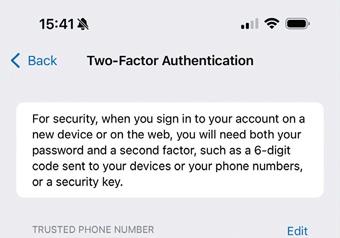 1 Start your search
 iOS's security settings are stored in several places. Let's start in Settings > Your Name > Sign-in & Security, which provides access to various key features. Select Two-Factor Authentication, which should already be switched on.
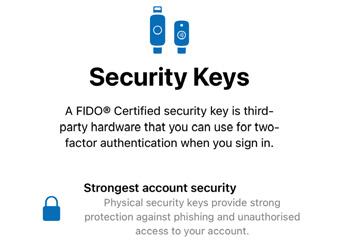 2 Use a key

Bu hikaye Mac Life dergisinin August 2024 baskısından alınmıştır.
Binlerce özenle seçilmiş premium hikayeye ve 9.000'den fazla dergi ve gazeteye erişmek için Magzter GOLD'a abone olun.
Zaten abone misiniz? Oturum aç
Mac Life'den DAHA FAZLA HİKAYE

Mac Life
TerraMaster F4-425 NAS
Home or office four-bay network-attached storage

3 mins
March 2026

Mac Life
Satechi OntheGo 7-in-1 Adapter
Easily add more ports to your Mac, iPhone and iPad
2 mins
March 2026

Mac Life
BenQ ScreenBar Halo 2
Monitor lighting that's a sight for sore eyes
1 mins
March 2026
Mac Life
AI: WHAT YOU NEED TO KNOW
Al can be brilliant when put to proper use, but it also has some major downsides
11 mins
March 2026

Mac Life
Calibrate a MacBook Pro display
Can I calibrate my MacBook Pro 16-inch M3 Pro's XDR display, and if so, how?
1 min
March 2026

Mac Life
Edifier S880DB MKII
Great-sounding speakers with loads of connectivity
3 mins
March 2026

Mac Life
Search text in document images
I keep thousands of images of printed documents, and want to search their contents using Live Text, but Spotlight won't index them. How can I get it to work?
1 min
March 2026

Mac Life
No looking back at old icons
Can I customize the apps bundled in macOS Tahoe by giving them back their old icons?
1 min
March 2026

Mac Life
Set up multiple timers on iOS
Discover timers done right
2 mins
March 2026

Mac Life
Blue Prince
A multilayered inheritance challenge like no other
2 mins
March 2026
Listen
Translate
Change font size