Denemek ALTIN - Özgür
19 ESSENTIAL TIPS TO MASTER THE APPLE NOTES APP
Exhibit
|Annual Issue 2025
Apple's Notes app may have started as a humble space for grocery lists and last-minute thoughts, but in true Apple fashion, it has quietly transformed into a powerful productivity tool.
With the rollout of Apple Intelligence in iOS 18 and iPadOS 18, Notes is no longer just about jotting down ideas; it's about organizing, sharing, editing, and even letting AI help you sound smarter. Whether you're a student scribbling down lecture highlights, a content creator organizing scripts, or a busy professional tracking tasks, these 19 tips will turn you into a Notes app pro..
01 Launch Quick Note Like a Pro
Add Quick Note to your Control Center for one-swipe access. Head to Settings > Control Center, then tap the green plus icon next to Quick Note. You can even rearrange the order of icons to keep it at your fingertips.
Once it's set up, just swipe down from the top-right corner of your iPhone or iPad and tap the scribble icon. Type away, hit Save, and your idea is instantly filed into the Notes app, no app-hopping necessary.
Bonus: In apps like Safari, tap the Share icon and select Add to Quick Note to save text or links directly.
02 Lock Notes With Face ID or a Custom Passcode
Some notes are just for your eyes, think personal journaling, passwords, or secret recipes. With iOS/iPadOS 16 or later, you can lock notes using your device passcode, Face ID, or Touch ID. Tap the ellipsis (…) in any note and select Lock. On other Apple devices, make sure they're running the latest OS to unlock the same notes securely.
03 Switch to Gallery View for a Visual Boost
By default, your notes are listed in good old-fashioned text form. But if you're more of a visual person, Gallery View is your friend. Tap the ellipsis in the top-right corner and select View as Gallery to transform your notes into tidy thumbnail previews, complete with attached images and rich formatting.
04 View All Attachments in One Place


Bu hikaye Exhibit dergisinin Annual Issue 2025 baskısından alınmıştır.
Binlerce özenle seçilmiş premium hikayeye ve 9.000'den fazla dergi ve gazeteye erişmek için Magzter GOLD'a abone olun.
Zaten abone misiniz? Oturum aç
Exhibit'den DAHA FAZLA HİKAYE

Exhibit
HOW TO? SET UP AND OPTIMIZE DUAL SCREENS FOR WINDOWS DESKTOP
Setting up dual monitors on a Windows desktop can significantly boost productivity, allowing you to multitask seamlessly, whether you're coding on one screen while referencing documents on the other, or gaming with a secondary display for chats and stats.

1 mins
January 2026

Exhibit
CREATOR OF THE MONTH Sonia Shenoy
Financial literacy and education have always been my passion.
3 mins
January 2026

Exhibit
THE NEW ARCHITECTS OF INFLUENCE
At the start of 2026, hear from 26 of India's top marketing leaders on how fresh ideas are shaping the modern brand
3 mins
January 2026
Exhibit
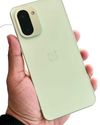
ONEPLUS 15R BALANCING AFFORDABILITY AND PERFORMANCE
OnePlus is known for providing flagship experiences at accessible prices, and the OnePlus 15R continues this trend.
2 mins
January 2026

Exhibit
SEASON 10, REDEFINED
VinFast Brings Global Flair to the Tech Fashion Tour Runway
1 mins
January 2026

Exhibit
SONY ULT TOWER 9 WHEN A PARTY SPEAKER IS POWERFUL ENOUGH TO MAKE THE BUILDING FEEL ALIVE
I have used many portable and party speakers over the years, including Sony's compact ULT Field 3, which I genuinely enjoyed for its easy portability and everyday usability.
3 mins
January 2026

Exhibit
LIVING WITH RAIDA GEAR
Tested on Open Roads, From Mumbai to Panchgani
4 mins
January 2026

Exhibit
THIS ₹12K PHONE IS WAY TOO POWERFUL
I did not expect to be impressed by a ₹12K smartphone in 2025. Yet the Poco C85 5G managed to punch well above its weight during my daily use.
2 mins
January 2026

Exhibit
CARS AND BIKES TO LOOK FORWARD TO IN 2026
A glimpse into the machines that will define the road ahead
5 mins
January 2026

Exhibit
THE WORLD IS READY TO BE EXPLORED AGAIN
Places to Visit in 2026
4 mins
January 2026
Listen
Translate
Change font size