
Magzter GOLD ile Sınırsız Olun
Sadece 9.000'den fazla dergi, gazete ve Premium hikayeye sınırsız erişim elde edin
Denemek ALTIN - Özgür
Time Machine backup drives
MacFormat UK
|May 2025
What should you use to back up your Mac? We find out...
-
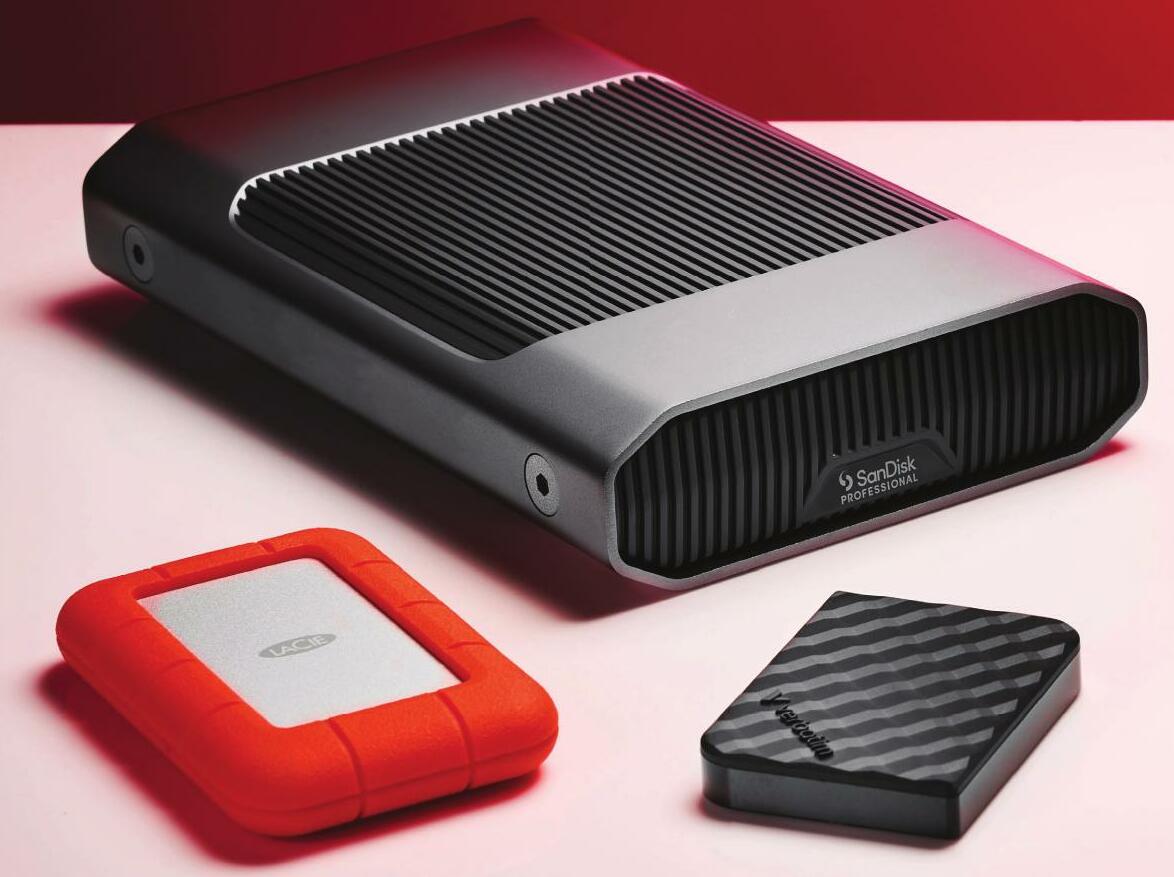
Everyone knows how important it is to make regular backups of your Mac's internal - and possibly external - drives, so if you're not doing them already, start today! Macs have a bundled backup system called Time Machine. This has been a part of OS X/macOS since 2007's Mac OS X 10.5 Leopard. It's easy to set up, and it makes and keeps hourly backups for the last 24 hours, dally backups for a month and then weekly backups for anything older than a month. It keeps doing this until it runs out of space, and then it deletes the oldest weekly backup to make room for new backups. Time Machine backs up incrementally, that is, after the first time, it only backs up files that have changed or are new. Expect your first Time Machine backup to take quite a while, even as long as overnight, but after that, it's pretty quick, depending on how fast your backup drive is.
But where do you back up to? We strongly suggest you buy an external drive, and only use it for Time Machine. It's entirely possible to partition a drive and keep data on one partition and Time Machine on another, but if your drive fails you then lose both your data and your backups. Also, it's a good idea to buy as large a drive as you can afford. The bigger it is, the further back your backups will go.
If you have a desktop Mac or a notebook Mac that you don't take out of the house for long periods of time, we recommend a desktop hard drive - that is, one you have to plug into the mains as well as your Mac. These give the most capacity for your money. If you need to make backups while on the move, a portable drive is preferable.
How we tested

Bu hikaye MacFormat UK dergisinin May 2025 baskısından alınmıştır.
Binlerce özenle seçilmiş premium hikayeye ve 9.000'den fazla dergi ve gazeteye erişmek için Magzter GOLD'a abone olun.
Zaten abone misiniz? Oturum aç
MacFormat UK'den DAHA FAZLA HİKAYE
MacFormat UK
Affinity by Canva
A complete creative studio for zero cost

3 mins
February 2026
MacFormat UK
RSRs return from the dead
Apple announced Rapid Security Responses in June 2022, as a new means of applying urgent security patches in between macOS updates.
1 min
February 2026
MacFormat UK
Rediscover albums with Longplay
Fall in love with your albums all over again with this amazing music player
3 mins
February 2026
MacFormat UK
Set up multiple timers on iOS
Discover timers done right
2 mins
February 2026

MacFormat UK
Chants of Sennaar
Work your way beyond being lost in translation
2 mins
February 2026
MacFormat UK
Signature Slim Solar+ wireless keyboard K980
A comfortable, full-size keyboard that's always good to go
2 mins
February 2026
MacFormat UK
One more thing Apple Intelligence
Apple has promised a big AI update in 2026, and Graham Barlow feels nervous
2 mins
February 2026

MacFormat UK
Search any website - fast!
Find your favourite websites faster than ever
3 mins
February 2026

MacFormat UK
Make your ideal web browser
Make online life easy by making your web browser work your way
2 mins
February 2026

MacFormat UK
Best home printers & all-in-ones
We put six all-round home models through their printing paces
7 mins
February 2026
Listen
Translate
Change font size