
Magzter GOLD ile Sınırsız Olun
Sadece 9.000'den fazla dergi, gazete ve Premium hikayeye sınırsız erişim elde edin
Denemek ALTIN - Özgür
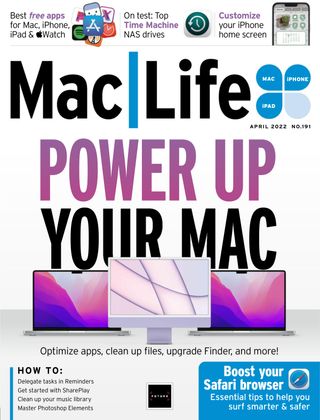
Power Up Your Mac
Mac Life
|April 2022
If your Mac’s not running as quickly as it should be, or you just want to squeeze every ounce of power you can from it, read on

Whether you only use your Mac occasionally or you’re the kind of power user who spends hours sitting or standing in front of it every day, it’s likely that you sometimes become frustrated because it won’t run as quickly or as smoothly as you’d like it to or you think it should. It’s also likely that you’ve encountered the dreaded beachball, and that you know that there are things you could do differently that would make using your Mac more productive but haven’t got around to figuring out what they are.
That’s exactly what we’ll do over the next pages. From everyday housekeeping tasks that will keep your Mac running smoothly, to tips and tricks to make you more productive, to third–party apps that can do a lot of the work for you, we’ll cover them all. We’ll even suggest hardware that can boost your Mac’s performance.
If you’ve thought about creating keyboard shortcuts, investigating the new Shortcuts app in Monterey, or dealing with all those duplicate files that you know are scattered around your drive, now is the time to do it. Consider this your prompt and your guide on the journey to a more productive, and fun, experience with your Mac.
While some of what we cover here, like the Shortcuts app, is specific to macOS Monterey, most of it can be applied to any recent version of macOS. However, whichever version you’re running, you should make sure you have installed the latest available update. That way, you know that your Mac has the latest security patches installed. Consider that your first tip.

Bu hikaye Mac Life dergisinin April 2022 baskısından alınmıştır.
Binlerce özenle seçilmiş premium hikayeye ve 9.000'den fazla dergi ve gazeteye erişmek için Magzter GOLD'a abone olun.
Zaten abone misiniz? Oturum aç
Mac Life'den DAHA FAZLA HİKAYE

Mac Life
TerraMaster F4-425 NAS
Home or office four-bay network-attached storage

3 mins
March 2026

Mac Life
Satechi OntheGo 7-in-1 Adapter
Easily add more ports to your Mac, iPhone and iPad
2 mins
March 2026

Mac Life
BenQ ScreenBar Halo 2
Monitor lighting that's a sight for sore eyes
1 mins
March 2026
Mac Life
AI: WHAT YOU NEED TO KNOW
Al can be brilliant when put to proper use, but it also has some major downsides
11 mins
March 2026

Mac Life
Calibrate a MacBook Pro display
Can I calibrate my MacBook Pro 16-inch M3 Pro's XDR display, and if so, how?
1 min
March 2026

Mac Life
Edifier S880DB MKII
Great-sounding speakers with loads of connectivity
3 mins
March 2026

Mac Life
Search text in document images
I keep thousands of images of printed documents, and want to search their contents using Live Text, but Spotlight won't index them. How can I get it to work?
1 min
March 2026

Mac Life
No looking back at old icons
Can I customize the apps bundled in macOS Tahoe by giving them back their old icons?
1 min
March 2026

Mac Life
Set up multiple timers on iOS
Discover timers done right
2 mins
March 2026

Mac Life
Blue Prince
A multilayered inheritance challenge like no other
2 mins
March 2026
Translate
Change font size