
Ga onbeperkt met Magzter GOLD
Krijg onbeperkte toegang tot meer dan 9000 tijdschriften, kranten en Premium-verhalen voor slechts
DESIGN STYLISED BLENDER WORLDS
ImagineFX
|August 2024
Andrés Aponte teaches you how to integrate the free 3D app into your worldbuilding and visual development processes
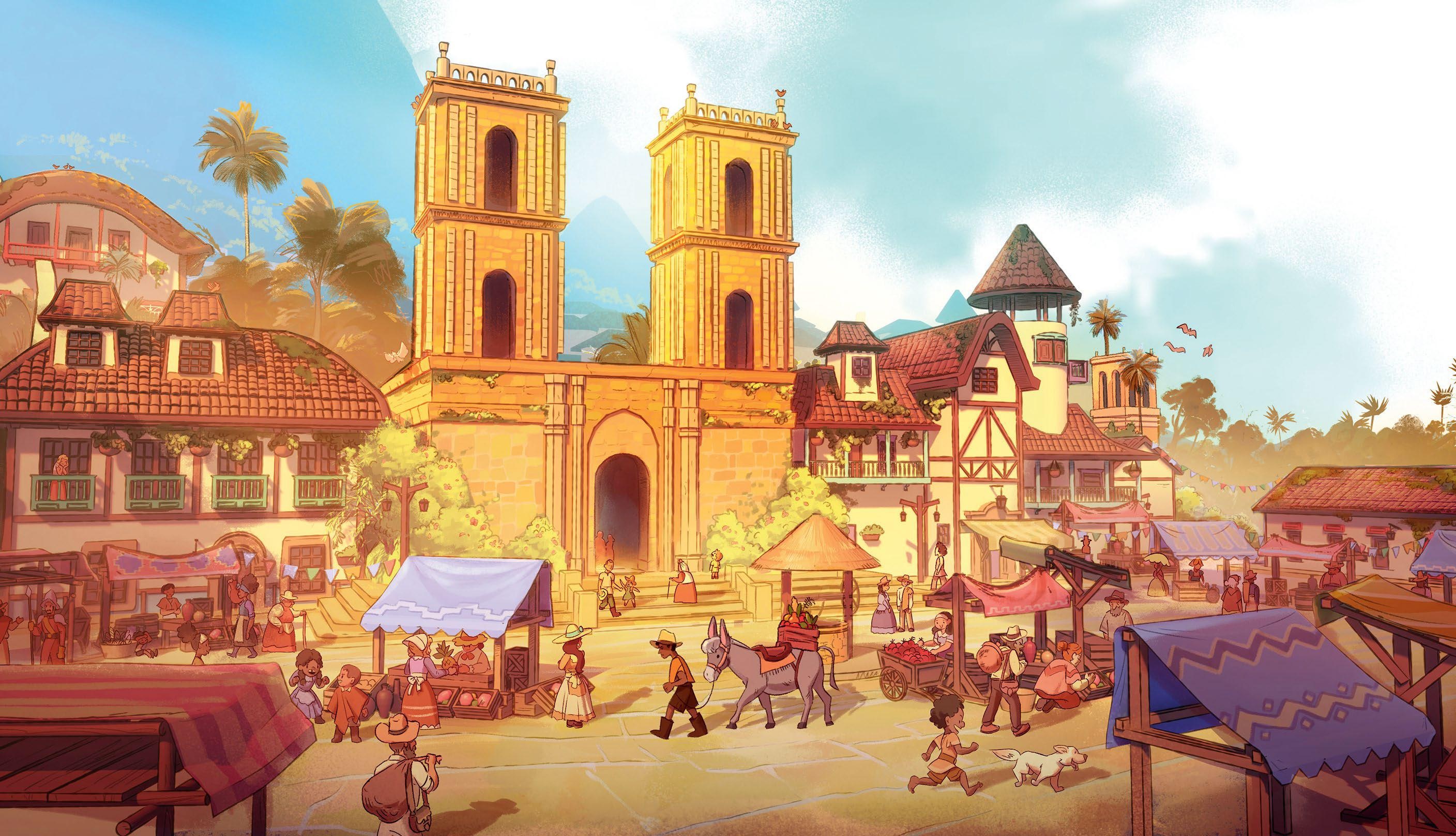
Nowadays, 3D is becoming an essential part of the process for our pre-production, worldbuilding and concept art, including both realistic and stylised approaches. Free and friendly, I believe Blender is a perfect entry point for artists to get into 3D, especially those that have only dabbled in drawing and painting.
There are many ways Blender can be advantageous and speed up the concept process. There's no way to replace the fundamental expertise though, and adding 3D tools to your artistic skill set can only enhance your knowledge of composition, light and storytelling. And of course that's the fun part, since you'll be able to focus mostly on the story or design of your piece.
 Blender can be overwhelming at first, but the process of developing new skills will not only make you a better artist, but also expand your possibilities! In this tutorial, I'm going to show you how I combined Blender and Photoshop to help in the worldbuilding of my personal fantasy project Teyuna, inspired by the rural landscapes of Colombia, and pre-Columbian culture.
 1 Sketch out the idea
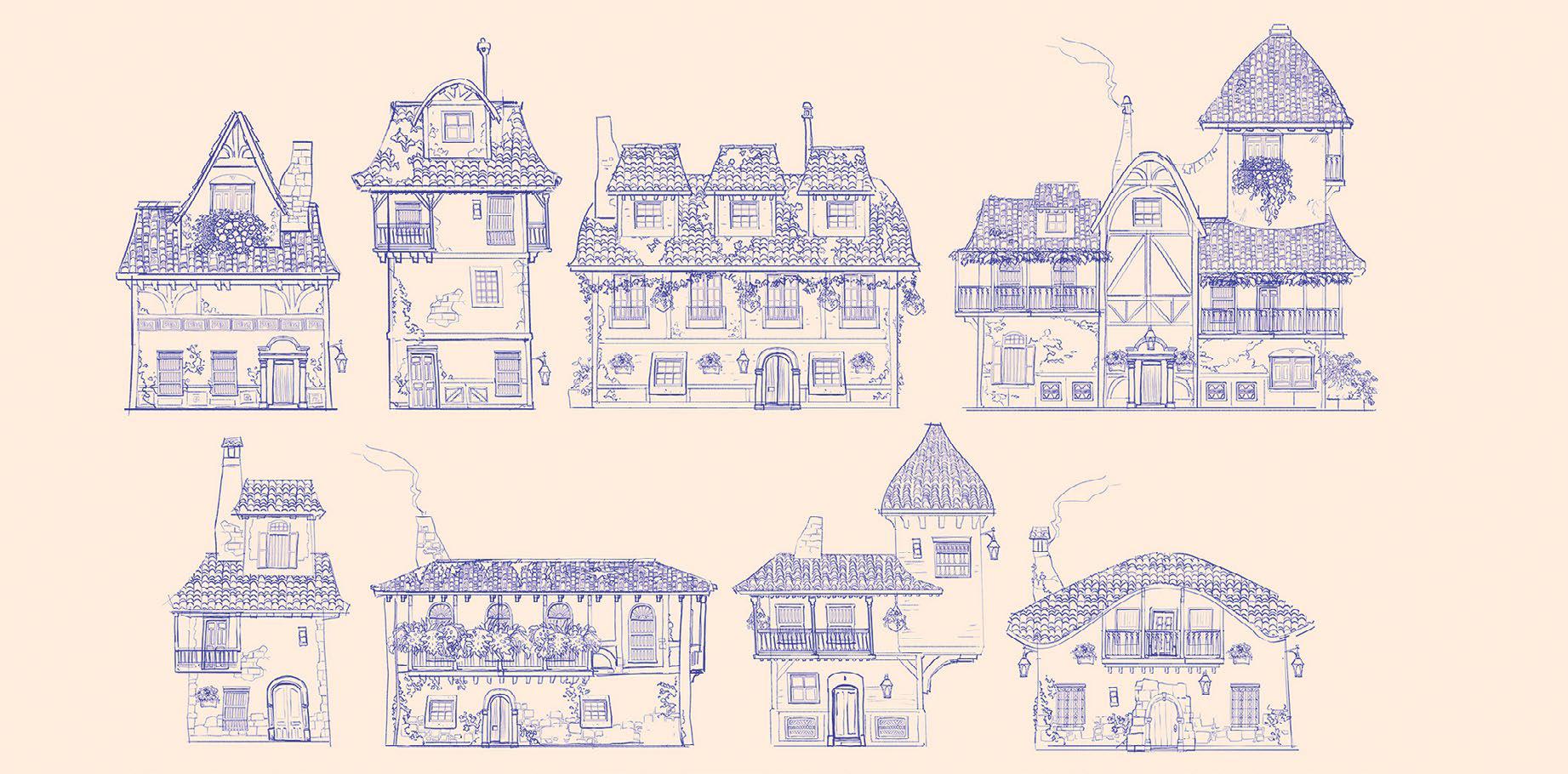
For this project, I already have a story and world that I've been developing for some time. It's inspired by rural and colonial architecture from Colombian towns and villages, but with a hint of fantasy elements to keep it unique. I prefer to explore shapes, proportions and architectural details by drawing digitally since I can create a large variety of different types of doors, windows or balconies, and then use that collection of assets to mix and match, and see what happens. It's also generally a quick and fun ideation process to work through.

Dit verhaal komt uit de August 2024-editie van ImagineFX.
Abonneer u op Magzter GOLD voor toegang tot duizenden zorgvuldig samengestelde premiumverhalen en meer dan 9000 tijdschriften en kranten.
Bent u al abonnee? Aanmelden
MEER VERHALEN VAN ImagineFX

ImagineFX
HP Omnibook X Flip 16
DOUBLING UP HP's latest Omnibook 2-in-1 is a decent-enough productivity laptop, but it truly shines when it's transformed into tablet mode

2 mins
February 2026

ImagineFX
Phaya Akat - The Sanctuary
“Phaya Akat’s Sanctuary Village began from a simple idea inspired by Thailand’s tradition of boiling eggs in natural hot springs.
1 min
February 2026

ImagineFX
HOW SURFACE NORMALS IMPROVE YOUR 3D ART
Ant Ward explains how to quickly change the way a polygon model looks by adjusting its normals
1 mins
February 2026

ImagineFX
Painting in Procreate: Reimagine Your Surroundings
VISIONARY WORK Across 20 lessons, Mikko Eerola reveals how he brings his ideas to life on the iPad using Procreate
1 mins
February 2026

ImagineFX
Technique focus: WORK SMARTER WITH COLOURS
Álvaro Jiménez reveals the workflow process he follows to summon an armoured demon
1 mins
February 2026

ImagineFX
FIVE MINUTES WITH PAT IMRIE
Big-screen blockbusters and a certain 3D art magazine helped set this creative on his career path
3 mins
February 2026

ImagineFX
RIFF ON YOUR PASSIONS
Max Froer draws on a range of influences when rendering a beast that's part machine
1 min
February 2026

ImagineFX
Anker SOLIX C1000
BOX OF DELIGHTS The chonkiest power bank around is powerful, portable (after a fashion) and boy is it well built
2 mins
February 2026

ImagineFX
PAINTING A SCENE OF GREEK DRAMA
Alexander Leskinen creates a stormy environment featuring harpies, the winged messengers of Zeus.
3 mins
February 2026

ImagineFX
HOW DO I COLOUR A 3D OBJECT?
The process of colouring a 3D image has a lot of layers, so let's start at the surface. Mike Griggs weighs up the material requirements
2 mins
February 2026
Listen
Translate
Change font size