Poging GOUD - Vrij
A Full, Destructive Reinstall
Windows Help & Advice
|September 2017
If you're looking to wipe the state clean, or need to recover from major issues, the nuclear option is always the best one
-

Reinstalling Windows from scratch – namely, wiping your system drive completely clean to install a brand, spanking new (and fresh) version of Windows on to it – is the ultimate choice for anyone looking to revive a slow PC or resolve a major, non-hardware issue. In this section of the feature we’ll step you through the entire process – if you’re looking to reinstall an older version of Windows, or explore other reinstall options, turn to page 22.
Before you begin, make sure your PC is fully backed up by following the advice in the first section of this feature. A full reinstall really is destructive – nothing left on your C drive will exist once you’ve finished. You should also follow the step-by-step guide on page 17 to ensure you have the latest installation media for your target version of Windows. This will ensure a cleaner, more up-to-date installation from the off, thus saving you time bringing it fully up to date once the installation has completed.
It’s also worth sourcing networking and graphics drivers now rather than relying on Windows to provide them for you – in most cases, they should be built in, but not always. Consult your PC or motherboard manufacturer’s website for these, or visit your Wi-Fi adapter or graphics card manufacturer’s site – download them to your backup drive.
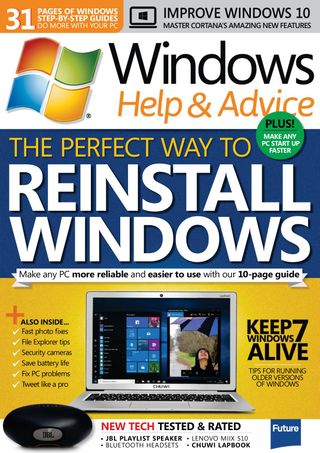

Dit verhaal komt uit de September 2017-editie van Windows Help & Advice.
Abonneer u op Magzter GOLD voor toegang tot duizenden zorgvuldig samengestelde premiumverhalen en meer dan 9000 tijdschriften en kranten.
Bent u al abonnee? Aanmelden
MEER VERHALEN VAN Windows Help & Advice

Windows Help & Advice
THE YEAR OF 5G
We’re on the cusp of a mobile revolution: as new 5G phones connect to new 5G networks across the UK. You’ll be able to enjoy super-fast, super-stable data access wherever you may roam.

13 mins
May 2020
Windows Help & Advice
Learn how to....Make your mouse and keyboard easier to use
“Windows 10 includes numerous options that can enhance the way you interact with it – we reveal how to make your input devices easier to use”
3 mins
May 2020
Windows Help & Advice
Nikon D780
Is the full-frame DSLR still relevant in the mirrorless age?
5 mins
May 2020
Windows Help & Advice
LOCK IT DOWN!
Nick Peers reveals how to make your PC secure against malware and other threats
18 mins
May 2020

Windows Help & Advice
Learn how to…Enhance skies in Luminar
“Luminar’s latest update is full of tools to make the skies in your images more interesting”
4 mins
May 2020
Windows Help & Advice
How to zip and unzip files
“Whether you’re freeing up storage space or sending lots of files to other people, Windows’ built-in file zipping will make your life so much easier”
4 mins
May 2020
Windows Help & Advice
HTC Vive Cosmos and Elite
Transforming VR headsets that fit any space and any game
5 mins
May 2020
Windows Help & Advice
Back up important data with File History
“The File History feature of Windows 10 can be used to roll back to earlier versions of documents, or just create backups of all your important files”
3 mins
May 2020
Windows Help & Advice
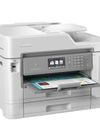
Brother MFC-J6947DW
Business inkjet with true A3 ability
5 mins
May 2020

Windows Help & Advice
Asus ZenBook Flip 15
A capable and premium 2-in-1 laptop
5 mins
May 2020
Translate
Change font size