
Ga onbeperkt met Magzter GOLD
Krijg onbeperkte toegang tot meer dan 9000 tijdschriften, kranten en Premium-verhalen voor slechts
Poging GOUD - Vrij
Stay Safe Online
MacFormat UK
|July 2019
Bad things can happen on the internet, but then so does everything else. You can’t avoid going online, so here’s our simple guide to surviving it.

Using a Mac makes you safer than average when going online. That’s partly because of Apple’s efforts to secure the operating system; partly because the Mac App Store gives you somewhere to get most of your third-party software safely. It’s also partly because bad actors – in the security industry sense, not the Hollyoaks sense – tend to be less interested in targeting macOS.
But that doesn’t mean either you or your Mac can’t get fooled. Know your way around the common risks and basic protections to keep yourself out of harm’s way.
Master basic macOS security
The first steps that’ll safeguard your Mac and your data for online activity
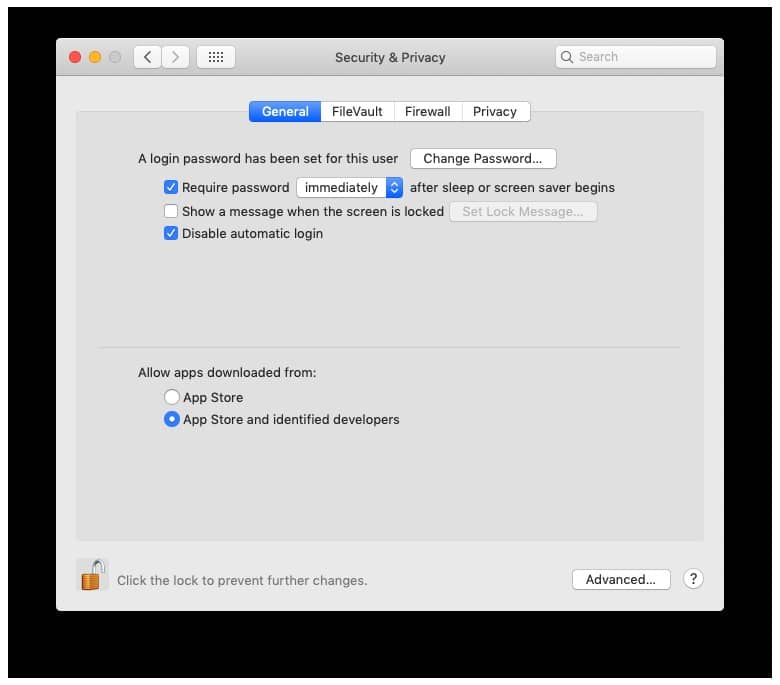
1 Lock your Mac
Many security features become irrelevant once someone has physical access to your Mac, including a thief. Keep them out. In  > System Prefs > Security & Privacy > General, make sure you have a login password set up for your user account and ‘Require password’ is ticked and set to Immediately.
2 Heed the Gatekeeper
In the same place, no matter what is selected for ‘Allow apps downloaded from’, you can still open apps from unidentified developers: ≈-click one in Finder and pick Open, then click Open on the warning dialog. But think twice, and never enter your admin username and password if unsure what’s happening.
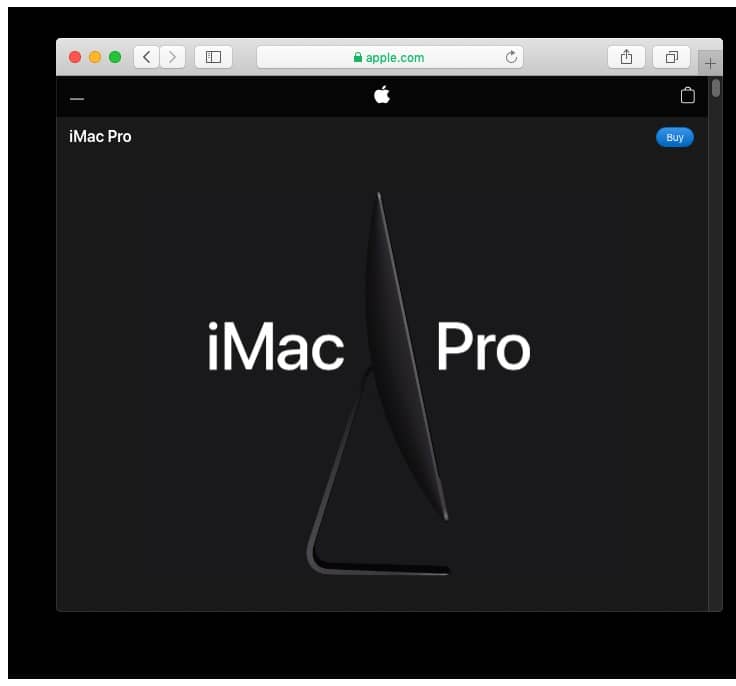
3 Look for the lock


Dit verhaal komt uit de July 2019-editie van MacFormat UK.
Abonneer u op Magzter GOLD voor toegang tot duizenden zorgvuldig samengestelde premiumverhalen en meer dan 9000 tijdschriften en kranten.
Bent u al abonnee? Aanmelden
MEER VERHALEN VAN MacFormat UK
MacFormat UK
Affinity by Canva
A complete creative studio for zero cost

3 mins
February 2026
MacFormat UK
RSRs return from the dead
Apple announced Rapid Security Responses in June 2022, as a new means of applying urgent security patches in between macOS updates.
1 min
February 2026
MacFormat UK
Rediscover albums with Longplay
Fall in love with your albums all over again with this amazing music player
3 mins
February 2026
MacFormat UK
Set up multiple timers on iOS
Discover timers done right
2 mins
February 2026

MacFormat UK
Chants of Sennaar
Work your way beyond being lost in translation
2 mins
February 2026
MacFormat UK
Signature Slim Solar+ wireless keyboard K980
A comfortable, full-size keyboard that's always good to go
2 mins
February 2026
MacFormat UK
One more thing Apple Intelligence
Apple has promised a big AI update in 2026, and Graham Barlow feels nervous
2 mins
February 2026

MacFormat UK
Search any website - fast!
Find your favourite websites faster than ever
3 mins
February 2026

MacFormat UK
Make your ideal web browser
Make online life easy by making your web browser work your way
2 mins
February 2026

MacFormat UK
Best home printers & all-in-ones
We put six all-round home models through their printing paces
7 mins
February 2026
Translate
Change font size