Prøve GULL - Gratis
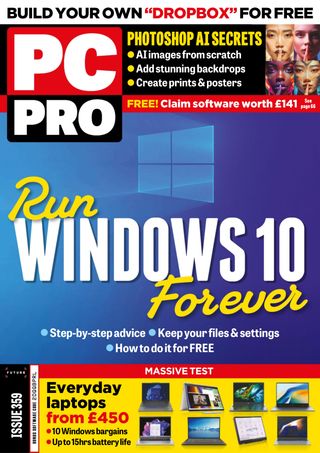
Run WINDOWS 10 Forever
PC Pro
|August 2024
Not won over by Windows 11? Nik Rawlinson explains how to move Windows 10 to a secure virtual machine that you can keep using after the upgrade

If you’re still using Windows 10, it won’t have escaped your notice that Microsoft is keen for you to upgrade to Windows 11. Notifications have been popping up in Windows Update for some time, and recently users have been seeing full-screen adverts urging them to make the switch.
Yet users aren’t exactly rushing to embrace the new OS. According to StatCounter figures from March 2024, Windows 10 is still running on 69% of all desktop computers, with Windows 11 trailing behind at 26.7%. For a free upgrade, that’s a pretty low figure.
There’s no single reason why more people aren’t rushing to Windows 11. In some cases the new OS’s hardware requirements are an obstacle – but we’ve heard from many readers that, even though their PCs are capable of running Windows 11, they simply don’t want the upheaval of an OS upgrade when they already have Windows 10 running just the way they like it.
This is a perfectly respectable position; unfortunately, it’s not one you can sustain forever. Windows 10 reaches the end of its support period in October 2025, after which regular security updates will cease and it won’t be safe to continue using the OS.
But there is a way to keep using your Windows 10 desktop indefinitely, without having to worry about being cut off from updates. The secret is virtualisation: if you make a complete virtual copy of your existing Windows 10 installation you can install Windows 11 – or move to a new computer running the new OS – and keep up to date with the latest security fixes and feature updates, while retaining access to your familiar Windows 10 desktop and applications whenever you need them.
Is it right for you?

Denne historien er fra August 2024-utgaven av PC Pro.
Abonner på Magzter GOLD for å få tilgang til tusenvis av kuraterte premiumhistorier og over 9000 magasiner og aviser.
Allerede abonnent? Logg på
FLERE HISTORIER FRA PC Pro

PC Pro
DrayTek VigorSwitch P2542x
A good-value gigabit PoE+ switch witha high port density, a big power budget and heaps of features

3 mins
February 2026

PC Pro
Jabra PanaCast 40 VBS
This smart VC combo offers on-demand Microsoft Teams Rooms and BYOD modes, plus great image quality
2 mins
February 2026

PC Pro
"Progress lies not with the trusted brands but through innovators in the gaming sector"
In the land where everyone is in a bind, those with the smallest devices will be king - or, why mini systems make such great diagnostic devices
8 mins
February 2026

PC Pro
Ubiquiti Networks UniFi U7 Pro XG
This classy tri-band business Wi-Fi AP delivers the perfect blend of features, performance and value
2 mins
February 2026

PC Pro
6 things to watch for in 2026
What to expect from the year ahead in the tech industry
5 mins
February 2026

PC Pro
HP OmniBook X Flip 14
HP OmniBook X Flip 14 HP continues to flip the rules on what to expect for around a grand, making this our top choice for 14in convertibles
3 mins
February 2026

PC Pro
Beelink SER9 Pro (Ryzen 7H255)
The novel AMD Ryzen 7 H 255 processor delivers strong all-round performance in a well-built system
3 mins
February 2026

PC Pro
The ICO clearly isn't fit for purpose
Experts have called for an inquiry into the Information Commissioner's Office – and they couldn't be more right
3 mins
February 2026

PC Pro
Medion Erazer Hunter X30
A basic chassis for the price, but you can't argue with the quality of the hardware within or the price
3 mins
February 2026

PC Pro
WHAT THE HELL HAPPENED TO THE INTERNET?
THE INTERNET HAS BEEN DRAGGED DOWN BY ENSHITTIFICATION, ACCORDING TO CORY DOCTOROW. IAIN THOMSON SITS DOWN WITH HIM TO DISCUSS WHAT WENT WRONG-AND HOW WE FIGHT BACK.
10 mins
February 2026
Listen
Translate
Change font size