
Gå ubegrenset med Magzter GOLD
Få ubegrenset tilgang til over 9000 magasiner, aviser og premiumhistorier for bare
Prøve GULL - Gratis
macOS Tahoe superguide
Mac Life
|November 2025
macOS 26 brings us a new interface, increased design parity, and more
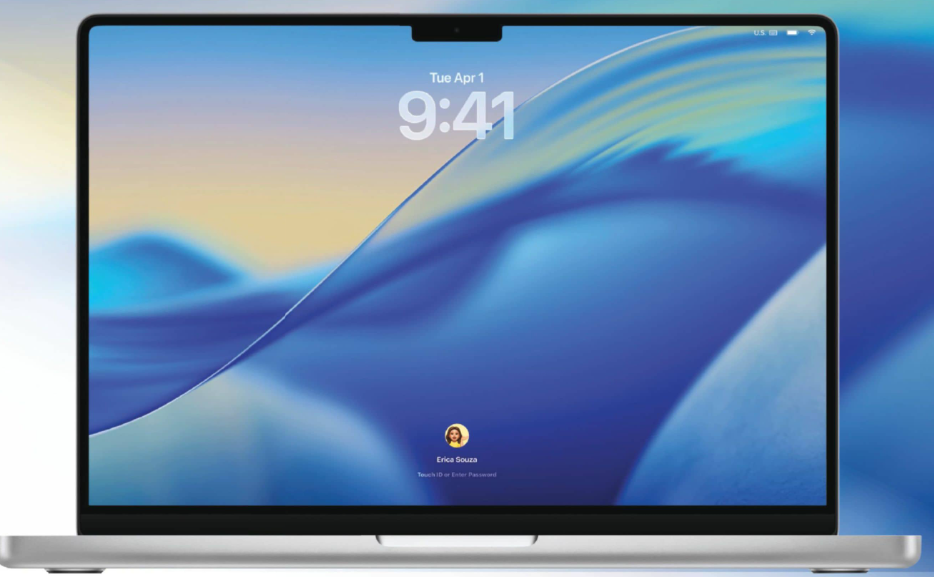
THERE WAS MUCH anticipation when the next version of macOS was announced at WWDC25. What would it be called? What new features would it bring? Where would it take Apple Intelligence? Thankfully, it didn't disappoint. In a widely anticipated move, the old numbering system was abandoned. While the previous version was macOS 15, the new one is macOS 26, reflecting the year in which it is current. This is true across Apple's hardware, so instead of iOS and iPadOS 19, visionOS 3, watchOS 12, and tvOS 19, all of this year's operating systems are suffixed with “26”.
Though the numbering system has been revised, the naming conventions remain the same. Once again, the latest version of the Mac operating system refers to a California landmark. Tahoe (pronounced “Tahoe”) is a lake on the California-Nevada border. According to Apple's Craig Federighi, it's “where crystal clear waters meet majestic mountain peaks”. It's beautiful.
macOS Tahoe is also easy on the eyes. Like the other Apple operating systems released this year, it benefits from a brand new Liquid Glass interface. This translucent new material reflects and refracts its surroundings. The menu bar is completely transparent, making your screen seem larger, and the Dock, sidebars, and toolbars have all been polished and refined with Liquid Glass. Not only is this a great look for your Mac, it also unifies the look and feel of all Apple's new operating systems. There's never been a better time to be an Apple fan!
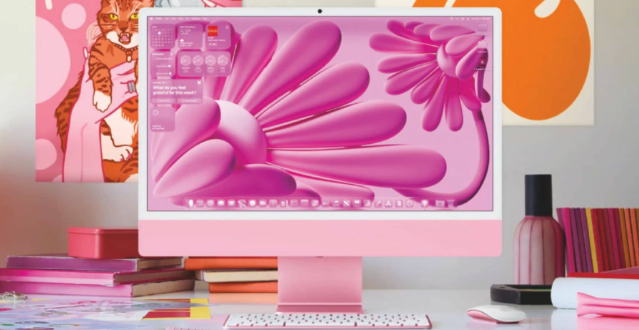 Personalize your Mac
New ways for your Mac to match your style

Denne historien er fra November 2025-utgaven av Mac Life.
Abonner på Magzter GOLD for å få tilgang til tusenvis av kuraterte premiumhistorier og over 9000 magasiner og aviser.
Allerede abonnent? Logg på
FLERE HISTORIER FRA Mac Life

Mac Life
TerraMaster F4-425 NAS
Home or office four-bay network-attached storage

3 mins
March 2026

Mac Life
Satechi OntheGo 7-in-1 Adapter
Easily add more ports to your Mac, iPhone and iPad
2 mins
March 2026

Mac Life
BenQ ScreenBar Halo 2
Monitor lighting that's a sight for sore eyes
1 mins
March 2026
Mac Life
AI: WHAT YOU NEED TO KNOW
Al can be brilliant when put to proper use, but it also has some major downsides
11 mins
March 2026

Mac Life
Calibrate a MacBook Pro display
Can I calibrate my MacBook Pro 16-inch M3 Pro's XDR display, and if so, how?
1 min
March 2026

Mac Life
Edifier S880DB MKII
Great-sounding speakers with loads of connectivity
3 mins
March 2026

Mac Life
Search text in document images
I keep thousands of images of printed documents, and want to search their contents using Live Text, but Spotlight won't index them. How can I get it to work?
1 min
March 2026

Mac Life
No looking back at old icons
Can I customize the apps bundled in macOS Tahoe by giving them back their old icons?
1 min
March 2026

Mac Life
Set up multiple timers on iOS
Discover timers done right
2 mins
March 2026

Mac Life
Blue Prince
A multilayered inheritance challenge like no other
2 mins
March 2026
Listen
Translate
Change font size