Prøve GULL - Gratis
Sony Alpha A7R
Windows Help & Advice
|December 2019
More megapixels than you could ever possibly need
-

Sony isn’t a company that tends to do things by halves when it comes to camera releases. Sensor resolution may have taken something of a back seat to improvements to performance in other areas in recent years, but the ‘R’ line has always been about resolution, and it’s unquestionably the main pull of this new model.
The 63MP sensor outputs 61MP images as standard and, as with the sensor inside the previous A7R III, boasts a back-illuminated design for better light-gathering. Sony promises up to 15EV of dynamic range from the sensor, which is also what it promised for the A7R III.
As is now standard on Sony models of this calibre, SteadyShot Inside image stabilization has also been incorporated into the body. This promises a maximum 5.5EVstop compensatory effect and is a happy soldier on whether you’re shooting stills or capturing videos.
This system is also behind the Pixel Shift Multi-Shift shooting mode, a feature we saw previously but one that’s been given a significant boost here. This captures a series of images that can be subsequently merged to create a single, super-high-resolution file.
So what’s different? Whereas the A7R III was able to capture images destined for 169.6MP composites, with its higher-resolution sensor the A7R IV promises to deliver files at a staggering 240MP. The catch is that this can’t be done in-camera; you need to use the Imaging Edge software suite that’s bundled with the camera.
Processor and screen
The latest iteration of Sony’s BIONZ X Processing engine allows the camera to capture images at a rate of 10fps with autofocus and auto-exposure enabled; while not quite class-leading, that’s still very impressive when you consider the higher sensor resolution here.
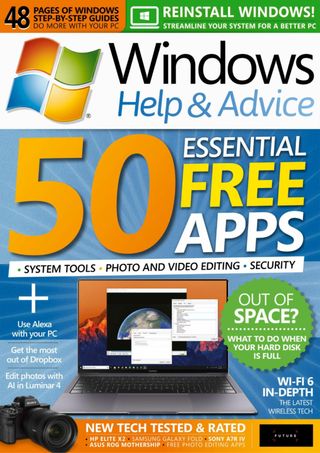

Denne historien er fra December 2019-utgaven av Windows Help & Advice.
Abonner på Magzter GOLD for å få tilgang til tusenvis av kuraterte premiumhistorier og over 9000 magasiner og aviser.
Allerede abonnent? Logg på
FLERE HISTORIER FRA Windows Help & Advice

Windows Help & Advice
THE YEAR OF 5G
We’re on the cusp of a mobile revolution: as new 5G phones connect to new 5G networks across the UK. You’ll be able to enjoy super-fast, super-stable data access wherever you may roam.

13 mins
May 2020
Windows Help & Advice
Learn how to....Make your mouse and keyboard easier to use
“Windows 10 includes numerous options that can enhance the way you interact with it – we reveal how to make your input devices easier to use”
3 mins
May 2020
Windows Help & Advice
Nikon D780
Is the full-frame DSLR still relevant in the mirrorless age?
5 mins
May 2020
Windows Help & Advice
LOCK IT DOWN!
Nick Peers reveals how to make your PC secure against malware and other threats
18 mins
May 2020

Windows Help & Advice
Learn how to…Enhance skies in Luminar
“Luminar’s latest update is full of tools to make the skies in your images more interesting”
4 mins
May 2020
Windows Help & Advice
How to zip and unzip files
“Whether you’re freeing up storage space or sending lots of files to other people, Windows’ built-in file zipping will make your life so much easier”
4 mins
May 2020
Windows Help & Advice
HTC Vive Cosmos and Elite
Transforming VR headsets that fit any space and any game
5 mins
May 2020
Windows Help & Advice
Back up important data with File History
“The File History feature of Windows 10 can be used to roll back to earlier versions of documents, or just create backups of all your important files”
3 mins
May 2020
Windows Help & Advice
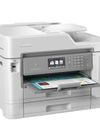
Brother MFC-J6947DW
Business inkjet with true A3 ability
5 mins
May 2020

Windows Help & Advice
Asus ZenBook Flip 15
A capable and premium 2-in-1 laptop
5 mins
May 2020
Translate
Change font size