
Gå ubegrenset med Magzter GOLD
Få ubegrenset tilgang til over 9000 magasiner, aviser og premiumhistorier for bare
LEARN TO DRAW AN EPIC FIGHT SCENE
ImagineFX
|August 2022
Clip Studio Paint | Comic artist Rebekka Hearl demonstrates how to use Clip Studio Paint's action line tools to illustrate a dynamic manga fight scene

WORKSHOP BRUSHES
CLIP STUDIO PAINT
DEFAULT BRUSHES: MAPPING PEN
Very high pen pressure sensitivity - great for producing lines with varying thickness.
G-PEN
General use pen, lower pressure sensitivity, good for filling in spot blacks quickly.
Manga is a diverse medium that encompasses a wide range of styles and genres; it is complex and ever-evolving, pushed by the skills and imagination of the mangaka who continue to take the medium to new heights, exploring intense themes and analysing the human condition. But sometimes, you just want to see anime girls kicking the crap out of their enemies.
We'll be looking at some fundamental drawing techniques, practised widely by mangaka and comic artists, that will help you to apply a sense of movement, force and impact to your manga artwork. Crucially, we will focus on how to apply this sense of movement to your character first. An overabundance of action lines is a classic stereotype in manga, and though they can be used to great effect, you should never rely on them as a crutch. Apply extra movement lines to the background if they are warranted, but consider beforehand: how much force do you want to show in this scene? Is the force enough to justify removing the environment entirely, in favour of action lines?
This tutorial will show you how making use of ‘S’ curves, foreshortening and line weights (rather than relying solely on speed lines to imply movement) in your character drawings can result in more effective, convincing action scenes. We will also cover the tools pre-packaged with Clip Studio Paint that can help to streamline the creation process.
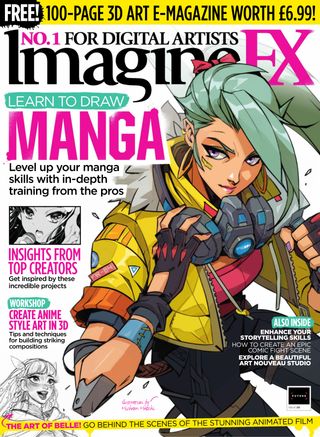

Denne historien er fra August 2022-utgaven av ImagineFX.
Abonner på Magzter GOLD for å få tilgang til tusenvis av kuraterte premiumhistorier og over 9000 magasiner og aviser.
Allerede abonnent? Logg på
FLERE HISTORIER FRA ImagineFX

ImagineFX
HP Omnibook X Flip 16
DOUBLING UP HP's latest Omnibook 2-in-1 is a decent-enough productivity laptop, but it truly shines when it's transformed into tablet mode

2 mins
February 2026

ImagineFX
Phaya Akat - The Sanctuary
“Phaya Akat’s Sanctuary Village began from a simple idea inspired by Thailand’s tradition of boiling eggs in natural hot springs.
1 min
February 2026

ImagineFX
HOW SURFACE NORMALS IMPROVE YOUR 3D ART
Ant Ward explains how to quickly change the way a polygon model looks by adjusting its normals
1 mins
February 2026

ImagineFX
Painting in Procreate: Reimagine Your Surroundings
VISIONARY WORK Across 20 lessons, Mikko Eerola reveals how he brings his ideas to life on the iPad using Procreate
1 mins
February 2026

ImagineFX
Technique focus: WORK SMARTER WITH COLOURS
Álvaro Jiménez reveals the workflow process he follows to summon an armoured demon
1 mins
February 2026

ImagineFX
FIVE MINUTES WITH PAT IMRIE
Big-screen blockbusters and a certain 3D art magazine helped set this creative on his career path
3 mins
February 2026

ImagineFX
RIFF ON YOUR PASSIONS
Max Froer draws on a range of influences when rendering a beast that's part machine
1 min
February 2026

ImagineFX
Anker SOLIX C1000
BOX OF DELIGHTS The chonkiest power bank around is powerful, portable (after a fashion) and boy is it well built
2 mins
February 2026

ImagineFX
PAINTING A SCENE OF GREEK DRAMA
Alexander Leskinen creates a stormy environment featuring harpies, the winged messengers of Zeus.
3 mins
February 2026

ImagineFX
HOW DO I COLOUR A 3D OBJECT?
The process of colouring a 3D image has a lot of layers, so let's start at the surface. Mike Griggs weighs up the material requirements
2 mins
February 2026
Translate
Change font size