
Magzter GOLDで無制限に
10,000以上の雑誌、新聞、プレミアム記事に無制限にアクセスできます。
試す 金 - 無料
RUN GRAPHICAL LINUX APPLICATIONS IN WINDOWS
PC Pro
|August 2023
Why limit yourself to one software library? Nik Rawlinson finds out how to run Linux software natively on Windows
-

Windows is by far the most popular operating system in the world - but for developers and power users, it's often helpful to be able to switch into a Linux environment. In the past, this meant dual-booting, or installing your chosen distribution in a virtual machine. But since 2016 there's been a better way: the Windows Subsystem for Linux (WSL) is an optional OS component that provides a fully working, officially supported Linux environment right inside Windows.
The major limitation of WSL, when it was first introduced, was that it was a text-only interface. You could run scripts and command-line programs, but graphical applications were off the menu.
That's no longer the case. All desktop editions of Windows 10 and 11 now support WSLg - an updated version of WSL, where the "g" stands for GUI. It enables you to run graphical Linux applications directly on the Windows desktop, with minimal configuration. It's a huge boon for anyone who works across multiple platforms, or who just wants to try out applications and tools that aren't available for Windows.
WSLg isn't installed by default, but it's not hard to set up. Here's our guide to installing it and running your first Linux app on Windows. We're using Windows 11, but the same instructions will work for Windows 10; in either case, just make sure you're using the latest version of the OS, so that all the relevant modules are installed.

Installing WSL and setting up your Linux account

このストーリーは、PC Pro の August 2023 版からのものです。
Magzter GOLD を購読すると、厳選された何千ものプレミアム記事や、10,000 以上の雑誌や新聞にアクセスできます。
すでに購読者ですか? サインイン
PC Pro からのその他のストーリー

PC Pro
LG UltraFine 6K Evo
Thunderbolt 5 connectivity and a 6K resolution both impress, but at this price we want OLED technology

3 mins
April 2026

PC Pro
Motorola signature
One of the most stylish phones in the universe, but that comes with a matching price and two compromises
3 mins
April 2026

PC Pro
Geekom X14 Pro
The CPU may be ageing, but Geekom's debut laptop delivers in every other area - if you can find it for sale
3 mins
April 2026
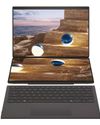
PC Pro
Asus Zenbook Duo (2026)
With a next-gen processor and numerous design improvements, this is the best dual-screen laptop yet
3 mins
April 2026

PC Pro
Dell UltraSharp 52 Thunderbolt Hub Monitor
A superb choice for anyone who currently finds themselves with three or more monitors sitting on their desk
5 mins
April 2026

PC Pro
Investors may still believe in Elon Musk, but Jon Honeyball isn't buying any of it
My day started badly. Still bleary-eyed at 6am, with a bucket of coffee sitting untouched beside me, I dropped the SIM-removal tool into my keyboard.
3 mins
April 2026

PC Pro
Green cloud
Don't entrust your jobs to dirty, energy-hungry servers:
2 mins
April 2026

PC Pro
"I've said it before, and I'll say it again: the biggest obstacle to security is inconvenience"
Have you seen those password books on Amazon? They're not a cybersecurity abomination, despite what you may think
7 mins
April 2026

PC Pro
"Cyber resilience is now treated as a matter of governance rather than pure technical compliance"
Rule Britannia, Britannia waives the rules... or why the shoulder-shrugging Cyber Security and Resilience Bill causes such problems for UK businesses
6 mins
April 2026

PC Pro
"Not to point any fingers here; I seriously doubt the fault lies with our esteemed editor"
Whether it's PDFs from PC Pro's editor, Outlook messages or his partner's photos, space is at a premium for Steve this month
9 mins
April 2026
Translate
Change font size