
Magzter GOLDで無制限に
10,000以上の雑誌、新聞、プレミアム記事に無制限にアクセスできます。
試す 金 - 無料
Master Maps on Apple Watch
Mac Life
|November 2023
The Maps makeover on watch OS makes it even better for getting around
-
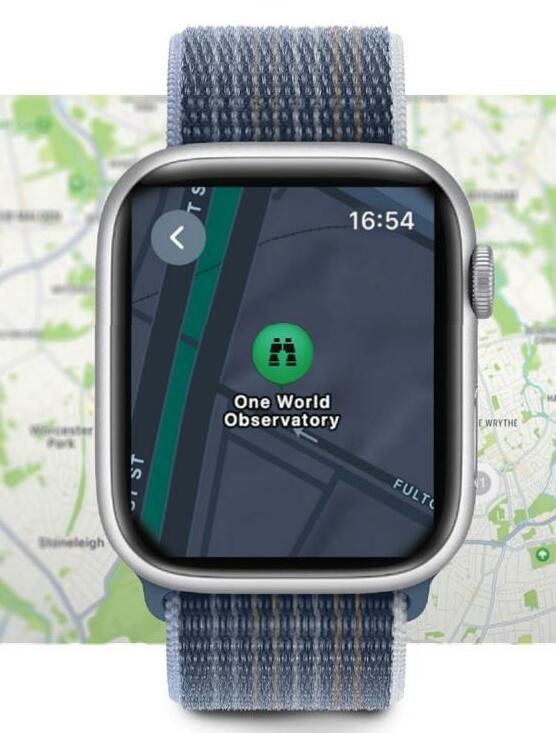
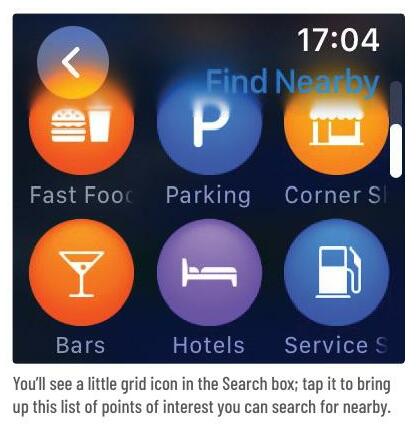
MAPS HAS BEEN one of the stars on Apple Watch since the very first version, and hopefully we've now all got a bit more used to getting vibrations when driving. Apple has given it a visual makeover for watchOS 10, but the core app works just as it always did; you can get real-time directions, select from a range of transport including walking, cyling, and public transit, and locate nearby places ranging from restaurants and coffee shops to parking and service stations.
INTEGRATION EASE
One of the best things about the Maps app on watchOS is that it integrates tightly with the same app on Mac, iPhone and iPad, so it remembers trips you've planned on those devices and enables you to quickly access them from your Watch. And if you regularly drive to places with big parking lots, you'll love the way your Watch remembers where you parked your vehicle if you connect to its in-car entertainment via CarPlay or through Bluetooth.
In addition to the visual improvements, you'll see in our screenshots that watchOS 10 also brings some significant feature upgrades, such as the new topographic maps with contour lines, elevation and more. iOS 17's new Offline Maps mode will work with Apple Watch, too, so you'll be able to plan ahead and download maps for areas where you're not sure you'll be able to get a decent cell signal. Let's take a look at some of the key features for traveling with Maps for Apple Watch. CARRIE MARSHALL


このストーリーは、Mac Life の November 2023 版からのものです。
Magzter GOLD を購読すると、厳選された何千ものプレミアム記事や、10,000 以上の雑誌や新聞にアクセスできます。
すでに購読者ですか? サインイン
Mac Life からのその他のストーリー

Mac Life
TerraMaster F4-425 NAS
Home or office four-bay network-attached storage

3 mins
March 2026

Mac Life
Satechi OntheGo 7-in-1 Adapter
Easily add more ports to your Mac, iPhone and iPad
2 mins
March 2026

Mac Life
BenQ ScreenBar Halo 2
Monitor lighting that's a sight for sore eyes
1 mins
March 2026
Mac Life
AI: WHAT YOU NEED TO KNOW
Al can be brilliant when put to proper use, but it also has some major downsides
11 mins
March 2026

Mac Life
Calibrate a MacBook Pro display
Can I calibrate my MacBook Pro 16-inch M3 Pro's XDR display, and if so, how?
1 min
March 2026

Mac Life
Edifier S880DB MKII
Great-sounding speakers with loads of connectivity
3 mins
March 2026

Mac Life
Search text in document images
I keep thousands of images of printed documents, and want to search their contents using Live Text, but Spotlight won't index them. How can I get it to work?
1 min
March 2026

Mac Life
No looking back at old icons
Can I customize the apps bundled in macOS Tahoe by giving them back their old icons?
1 min
March 2026

Mac Life
Set up multiple timers on iOS
Discover timers done right
2 mins
March 2026

Mac Life
Blue Prince
A multilayered inheritance challenge like no other
2 mins
March 2026
Translate
Change font size