試す 金 - 無料
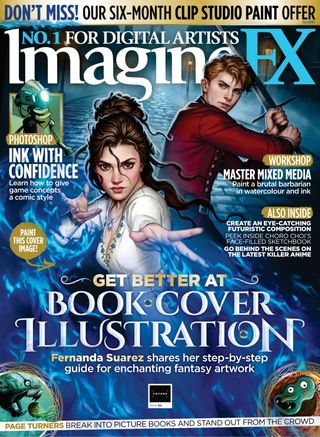
Photoshop INK CONCEPT ART WITH COMIC STYLE
ImagineFX
|October 2025
Art director Matt Sanz walks through his process for speedily rendering video game concepts with a classic comic look
I like to use a comic inking and rendering style when creating quick concepts, often done for video game or animation projects.
This particular style has a host of benefits, one of which is almost immediately creating high contrast in key areas. This forces you into good habits such as breaking down the image into value groups, creating strong key lighting and crafting well-defined forms, which can be difficult for a lot of beginner artists.
I'll be discussing how I lay down the foundations for this kind of rendering and how each early step you take sets the foundation for the later ones to be completed more efficiently. Of course, there are many alternative routes to the same outcome, but I've found following this process particularly effective for getting a final rendered image completed quickly.
The biggest difference might come from understanding that the black ink work can do a lot of the heavy lifting when it comes to rendering. But while that's true, there are simple tricks we can use to push and pull that ink shadowing around that will benefit the final image. You'll find this particularly in the latter stages when we get to masking, overlays and additional polishing layers.
Hopefully you'll find yourself adopting some of these techniques into your own workflow!
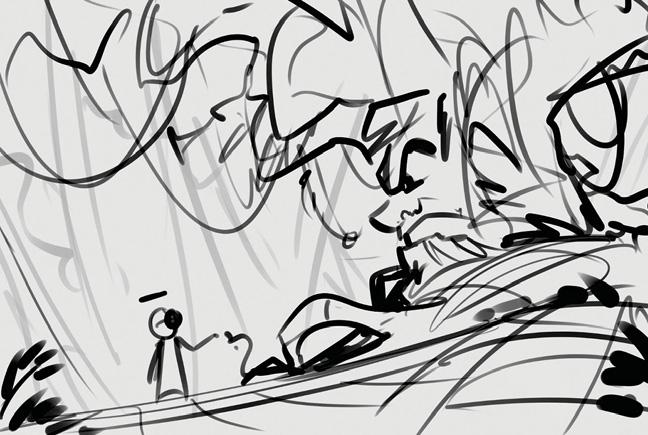 Create an initial sketch and thumbnail
Ideas can come from anywhere and it's wise to draw several thumbnails to conceptualise an initial idea or brief. Getting the first five or so ideas down on paper is beneficial, although in this case I already had a good idea of what I wanted to go for. I used my Main Boi brush to get a sketch of a botanist robot collecting flowers that grow around a mischievous ancient tree.

このストーリーは、ImagineFX の October 2025 版からのものです。
Magzter GOLD を購読すると、厳選された何千ものプレミアム記事や、10,000 以上の雑誌や新聞にアクセスできます。
すでに購読者ですか? サインイン
ImagineFX からのその他のストーリー
ImagineFX
ZBrush, Blender & Procreate COLOUR YOUR 3D ARTWORK
Entei Ryu reveals how she sculpts and paints Triceratops and T-Rex, two characters from her BONEGIRL series

1 min
March 2026
ImagineFX
Canon imagePROGRAF PRO-310
Artists and photographers who create gallery-quality prints of their work will want to make room in their studio for Canon's latest printer
1 mins
March 2026

ImagineFX
Acer Swift Edge 14 Al
This beautiful laptop delivers on design, but what about the amount of computing power on offer?
1 mins
March 2026
ImagineFX
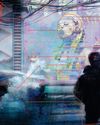
CONCEPT A MOODY CYBERPUNK SCENE
Oleg Topor uses a variety of creative techniques to portray a meeting of criminals in the depths of a futuristic city
3 mins
March 2026
ImagineFX
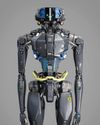
LET THE STORY LEAD THE DESIGN
Nelson Tai takes cues from his personal sci-fi project when constructing a hardworking droid
1 mins
March 2026
ImagineFX
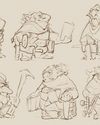
LORCAN THE LITERATE
Arne Billen believes that conceptual contrast can lead to a successful design. He demonstrates this with Lorcan, a character from his D&D campaign who combines literacy with a fighting spirit
1 mins
March 2026
ImagineFX
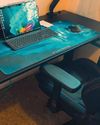
Secretlab Magnus Evo
REAL STEEL Does this pro sit-to-standing desk rise to the occasion?
1 min
March 2026

ImagineFX
MAKE USE OF FILTERS
Concept artist Brandon Liao gives insights into his visual development work on Spectre Divide
1 mins
March 2026
ImagineFX
ENHANCE ANY 3D MODEL BY APPLYING TEXTURES
Ant Ward explains how UVs and texture maps are an easy way to add detail to a 3D object
1 mins
March 2026
ImagineFX
Karim Yasser Ahmed
Karim is a senior lighting artist with over seven years of experience in AAA games. He loves working on environment lighting: “I treat my environment as a canvas that is getting lit as a painting, and I truly enjoy this process.”
1 min
March 2026
Listen
Translate
Change font size