試す 金 - 無料
Use FaceTime like a pro with these 7 hidden features
Macworld
|July 2026
The app has gained a ton of advanced options in the last few years that can really dress up your video calls.

Back in 2010, Steve Jobs introduced FaceTime as an iPhone 4 perk, letting users video-call their loved ones over WiFi. The service matured over the years, bringing more advanced features like group calls, screen sharing, and much more. Despite its evolution, many users continue to rely on FaceTime for basic one-to-one audio and video calls, disregarding the slew of advanced tools it now offers. If you're looking to make the most of FaceTime, you'll want to familiarize yourself with these lesser-known tips and tricks.
SMOOTH OPERATOR
One of the main reasons many people are drawn to Apple-only setups is the ecosystem that brings all your devices together through a set of features Apple calls Continuity. Handoff is one of the popular Continuity features: It lets you seamlessly move a task from one Apple device to another. FaceTime supports it, so you can move audio and video calls between your iPhone, iPad, Mac, and Apple TV.
For example, if a video call is taking longer than expected and I'm tired of holding my iPhone, I can conveniently move it to my MacBook. Similarly, I can hand off a call from the living room's TV to my iPhone if I'm heading out during a call.
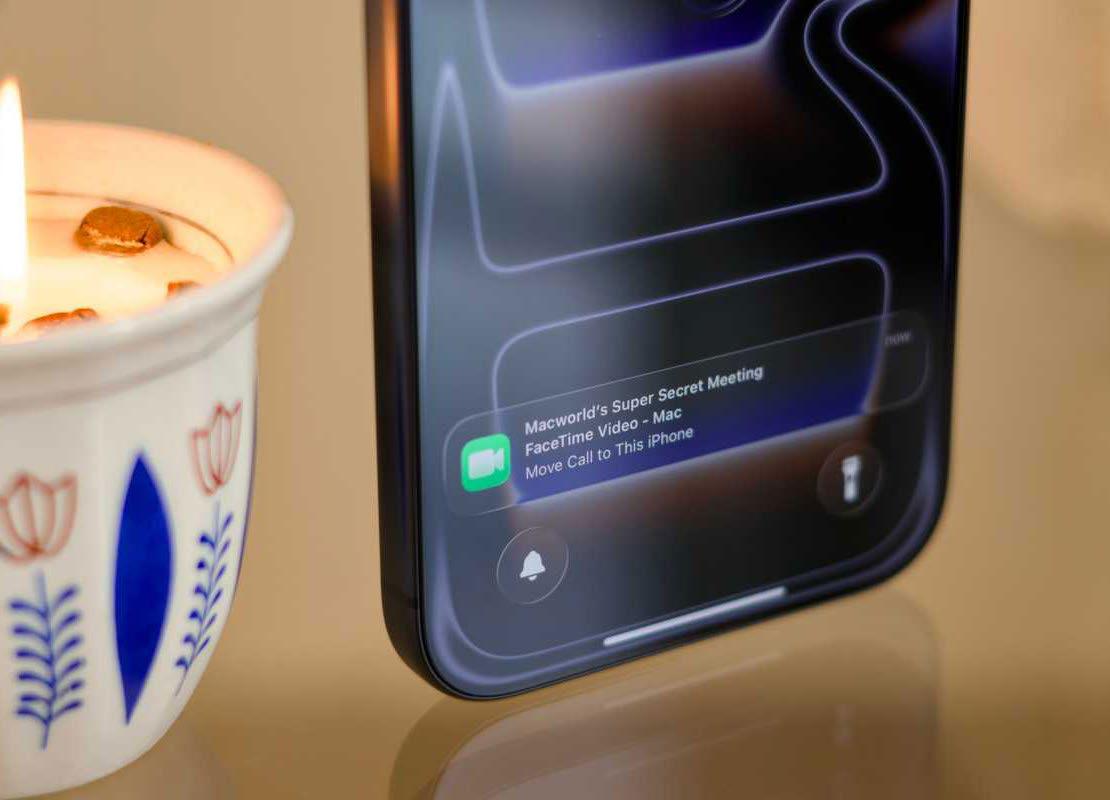 Handoff lets you seamlessly move a task from one Apple device to another.
To use the feature, make sure the Handoff toggle is enabled under Settings ➔ General ➔ AirPlay & Continuity. Now, whenever you're FaceTiming, all of your nearby devices will display a persistent notification that you can click to effortlessly move the call without interrupting it.
TAKE THE WHEEL


このストーリーは、Macworld の July 2026 版からのものです。
Magzter GOLD を購読すると、厳選された何千ものプレミアム記事や、10,000 以上の雑誌や新聞にアクセスできます。
すでに購読者ですか? サインイン
Macworld からのその他のストーリー

Macworld
PSA: Neo won't work with some MacBook USB-C hubs
Accessory makers warn that dual-port USB-C hubs made for MacBooks aren't compatible with the Neo.

3 mins
July 2026

Macworld
16-INCH MACBOOK PRO (M5 MAX): ULTRA SPEED WITH SHOCKING READS
The MacBook Pro with the M-series Max chip is the company’s fastest laptop.
6 mins
July 2026

Macworld
OpenAI's Codex is now smart enough to control your Mac even when it's locked
In Codex’s settings, there is an option for Locked use, which does exactly what it says when you turn it on.
1 min
July 2026

Macworld
APPLE BUILT THE DREAM iPHONE. WHY DIDN’T YOU BUY IT?
APPLE FINALLY GAVE US WHAT WE WANTED, BUT IT TURNED OUT IT WASN’T SOMETHING MOST PEOPLE ACTUALLY NEED.
5 mins
July 2026

Macworld
Audio Pro Drumfire D-2 W: Powerful AirPlay speaker with impressive sound
The Audio Pro Drumfire D-2 W delivers powerful, room-filling sound with AirPlay and high-res streaming, but limited wired inputs and portability may put some buyers off.
4 mins
July 2026

Macworld
Use FaceTime like a pro with these 7 hidden features
The app has gained a ton of advanced options in the last few years that can really dress up your video calls.
4 mins
July 2026

Macworld
Apple just gave us a peek at some of iOS 27's new features
Our first official info about the capabilities and features coming in the next big OS update.
3 mins
July 2026

Macworld
How AI is working to make your iPhone and Mac nearly impervious to attacks
AI coding agents set to level the playing field between hackers and security engineers.
4 mins
July 2026

Macworld
Wavlink Thunderbolt 5 Dock: Affordable fast Thunderbolt plus handy power options
This affordable Thunderbolt 5 docking station looks good and offers some useful power options.
5 mins
July 2026

Macworld
Typed the wrong macOS password? That pause isn't a glitch
It’s a way to hinder brute-force attempts to get into your Mac.
2 mins
July 2026
Listen
Translate
Change font size