
Magzter GOLDで無制限に
10,000以上の雑誌、新聞、プレミアム記事に無制限にアクセスできます。
試す 金 - 無料
Master the Find My apps
MacFormat UK
|September 2023
Find people, iPhones and AirTags on your Apple Watch
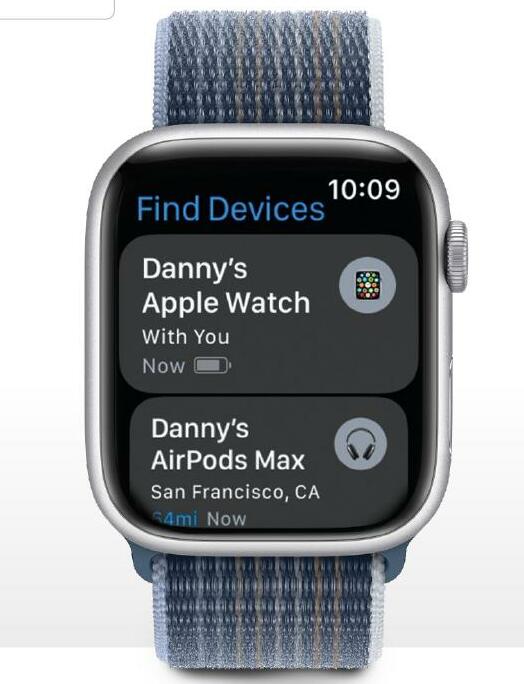
No pun intended, but we've lost track of the number of times the Find My app has helped us locate lost items or warned us of items we've left behind. From errant AirPods to misplaced iPhones and the odd AirTag-enabled wallet, purse or bag, the Find My apps have saved us a great deal of stress and probably a lot of money too.
Your Apple Watch has three apps that use Apple's Find My service: Find Devices, Find Items and Find People. They all use Apple's Find My network, which is enormously clever; whenever your device or AirTag is within range of an Apple device, it sends an encrypted signal to Apple via the device’s Bluetooth connection. The other device doesn’t see the signal; it just passes it on to Apple – and when you activate the Find My app, the app simply asks Apple ‘hey, where’s that device?’.
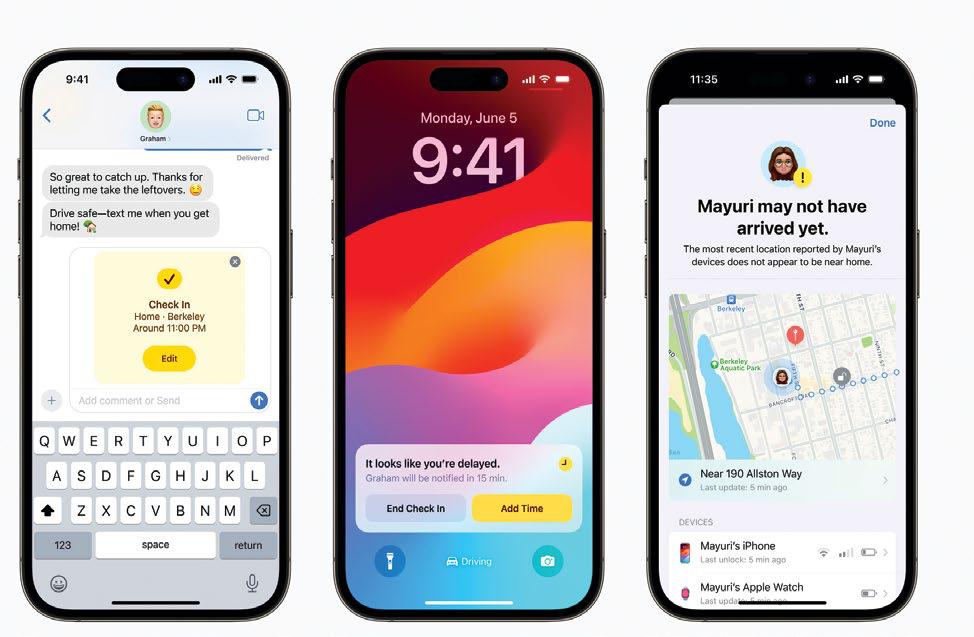
Sounds and warnings
When you locate a missing device, the apps do several things. They tell you where it is or where it was last located, enabling you to see that location in Maps. They enable you to play a sound to help you find it if it’s nearby or alert others in the area. And you can use the apps to warn you if you leave a particular item behind. We have an AirTag in our bag for exactly that reason.
In this tutorial, we’ll show you how the three Apple Watch Find My apps work and what they can and can’t do across all kinds of Apple devices and accessories.


このストーリーは、MacFormat UK の September 2023 版からのものです。
Magzter GOLD を購読すると、厳選された何千ものプレミアム記事や、10,000 以上の雑誌や新聞にアクセスできます。
すでに購読者ですか? サインイン
MacFormat UK からのその他のストーリー
MacFormat UK
Affinity by Canva
A complete creative studio for zero cost

3 mins
February 2026
MacFormat UK
RSRs return from the dead
Apple announced Rapid Security Responses in June 2022, as a new means of applying urgent security patches in between macOS updates.
1 min
February 2026
MacFormat UK
Rediscover albums with Longplay
Fall in love with your albums all over again with this amazing music player
3 mins
February 2026
MacFormat UK
Set up multiple timers on iOS
Discover timers done right
2 mins
February 2026

MacFormat UK
Chants of Sennaar
Work your way beyond being lost in translation
2 mins
February 2026
MacFormat UK
Signature Slim Solar+ wireless keyboard K980
A comfortable, full-size keyboard that's always good to go
2 mins
February 2026
MacFormat UK
One more thing Apple Intelligence
Apple has promised a big AI update in 2026, and Graham Barlow feels nervous
2 mins
February 2026

MacFormat UK
Search any website - fast!
Find your favourite websites faster than ever
3 mins
February 2026

MacFormat UK
Make your ideal web browser
Make online life easy by making your web browser work your way
2 mins
February 2026

MacFormat UK
Best home printers & all-in-ones
We put six all-round home models through their printing paces
7 mins
February 2026
Translate
Change font size