
Magzter GOLDで無制限に
10,000以上の雑誌、新聞、プレミアム記事に無制限にアクセスできます。
試す 金 - 無料
Using Folders On the Home Screen
Essential Apple User Magazine
|January 2021
To keep your Home page in a tidy and usable state, you can group apps into folders, maybe all your games in a Gaming folder, for example. It’s a good way to organise your applications and makes navigating your iPad much easier.
-

1 To create a folder of apps, on the Home screen tap and hold an app until a pop-up appears. Choose Edit Home Screen and the icons wobble and a small X icon appears in their top left corner. Drag one app onto another and they’re grouped into a folder. Tap outside the folder box to return to the Home screen. Drag the other apps you wish to store there onto the new folder.
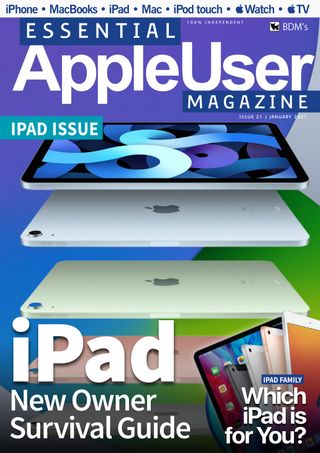

このストーリーは、Essential Apple User Magazine の January 2021 版からのものです。
Magzter GOLD を購読すると、厳選された何千ものプレミアム記事や、10,000 以上の雑誌や新聞にアクセスできます。
すでに購読者ですか? サインイン
Essential Apple User Magazine からのその他のストーリー

Essential Apple User Magazine
TRIBIT Stormbox Blast 2 Portable Bluetooth Speaker
A dynamic device for music on the move.

1 min
Summer 2025
Essential Apple User Magazine
New in Apple Intelligence
Apple’s artificial intelligence tools go from strength to strength.
5 mins
Summer 2025
Essential Apple User Magazine
HP Smart Tank 7005 Wireless All-in-One Colour Printer
Is Smart Tank the future of home printing?
1 mins
Summer 2025

Essential Apple User Magazine
New in iOS 26
There’s some great new features coming to the iPhone.
6 mins
Summer 2025

Essential Apple User Magazine
WatchOS 26
Apple's smallest computer device also gets a new OS ending in '26'.
4 mins
Summer 2025

Essential Apple User Magazine
DxO PureRAW 5 12
The ultimate solution for RAW image quality?
1 mins
Summer 2025

Essential Apple User Magazine
tvOS 26
The new Apple TV operating system elevates design.
2 mins
Summer 2025

Essential Apple User Magazine
WhatsApp Messenge for iPad
At last, we can use WhatsApp on our Apple tablets!
1 min
Summer 2025

Essential Apple User Magazine
Zewind.Al
For those who've lost the plot...
1 min
Summer 2025

Essential Apple User Magazine
visionOS 26
A powerful new spatial experiences for Apple Vision Pro
2 mins
Summer 2025
Translate
Change font size