
Magzter GOLDで無制限に
10,000以上の雑誌、新聞、プレミアム記事に無制限にアクセスできます。
Photoshop Paint Vibrant Portrait Art
ImagineFX
|December 2019
Daniel bolling Walsh reveals how he makes use of custom brushes and a range of Photoshop layer modes to create a painterly portrait piece

In this workshop I’ll take you through my process of painting a portrait of a woman in her mid-20s. I’m going for an overall painterly and expressive style that makes use of a vibrant warm colour palette.
I’ll start with a line drawing with some basic greyscale values blocked in. I’ll then use Photoshop layer modes as well as adjustment layers over the top of the drawing to experiment with colours, and begin establishing the colour palette. After I’ve made a few different colour mockups, I’ll choose my favourite to push further to a finished painting.
During this stage I’ll focus on some of the facial features and start to define the forms of the face with more opaque and detailed brushstrokes. At this point hopefully I’ll feel confident that the focal point is working and I can then play around with the shapes as well as the contrast of sharp and soft edges using my favourite Photoshop tool, the Mixer brush. I’ll experiment throughout the process, and will make some late adjustments to the composition to try and add to the overall warm feel of the subject and her expression.
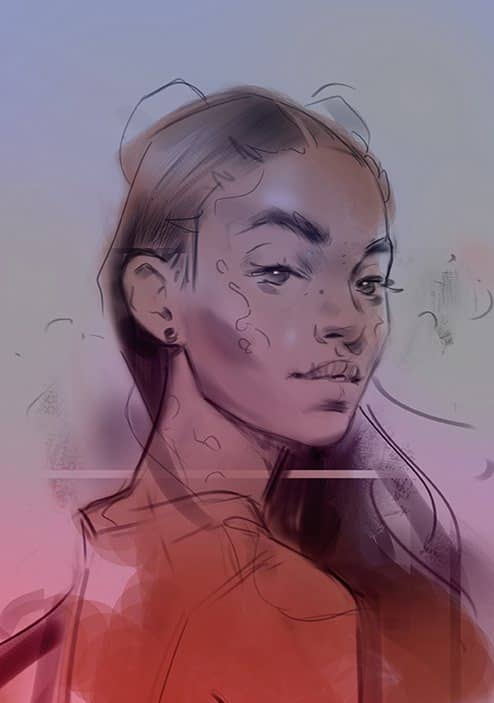
1 Sketching some ideas
During this stage I make a few different sketches to see what kind of pose will work for the piece. For the subject I’m thinking about the gesture and her eye contact with the viewer. She should feel friendly! I keep these really loose and I also focus on my line work and the overall composition.
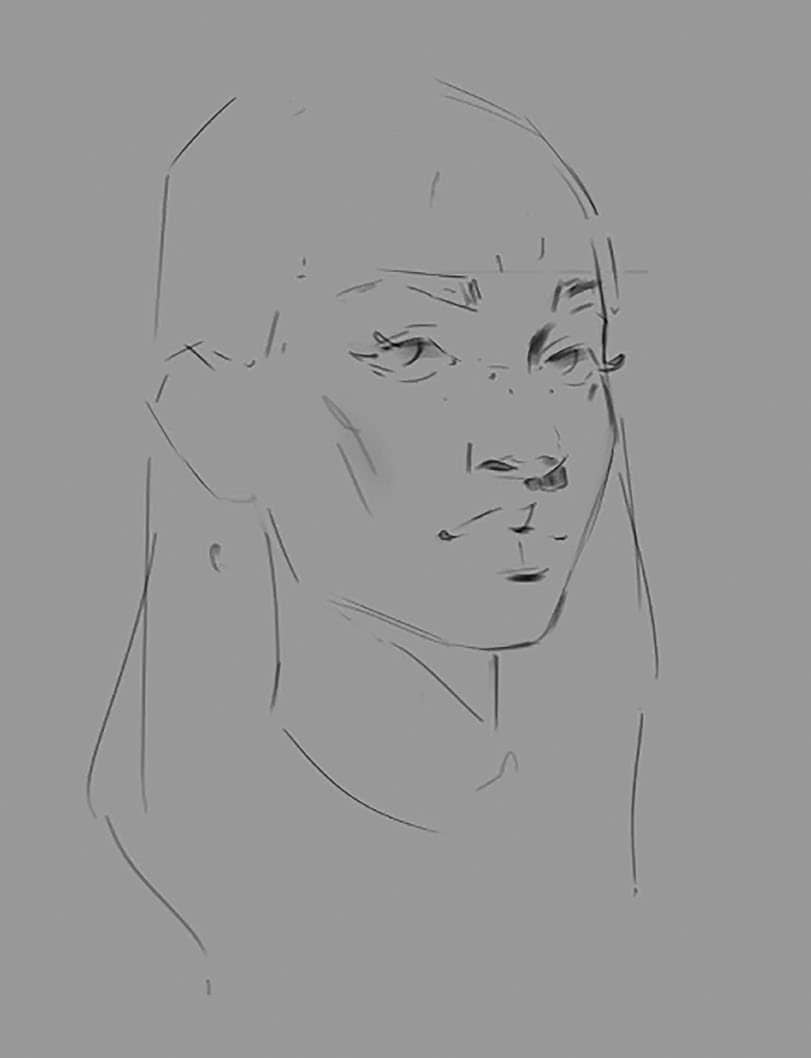
2 Time to draw!

このストーリーは、ImagineFX の December 2019 版からのものです。
Magzter GOLD を購読すると、厳選された何千ものプレミアム記事や、10,000 以上の雑誌や新聞にアクセスできます。
すでに購読者ですか? サインイン
ImagineFX からのその他のストーリー

ImagineFX
HP Omnibook X Flip 16
DOUBLING UP HP's latest Omnibook 2-in-1 is a decent-enough productivity laptop, but it truly shines when it's transformed into tablet mode

2 mins
February 2026

ImagineFX
Phaya Akat - The Sanctuary
“Phaya Akat’s Sanctuary Village began from a simple idea inspired by Thailand’s tradition of boiling eggs in natural hot springs.
1 min
February 2026

ImagineFX
HOW SURFACE NORMALS IMPROVE YOUR 3D ART
Ant Ward explains how to quickly change the way a polygon model looks by adjusting its normals
1 mins
February 2026

ImagineFX
Painting in Procreate: Reimagine Your Surroundings
VISIONARY WORK Across 20 lessons, Mikko Eerola reveals how he brings his ideas to life on the iPad using Procreate
1 mins
February 2026

ImagineFX
Technique focus: WORK SMARTER WITH COLOURS
Álvaro Jiménez reveals the workflow process he follows to summon an armoured demon
1 mins
February 2026

ImagineFX
FIVE MINUTES WITH PAT IMRIE
Big-screen blockbusters and a certain 3D art magazine helped set this creative on his career path
3 mins
February 2026

ImagineFX
RIFF ON YOUR PASSIONS
Max Froer draws on a range of influences when rendering a beast that's part machine
1 min
February 2026

ImagineFX
Anker SOLIX C1000
BOX OF DELIGHTS The chonkiest power bank around is powerful, portable (after a fashion) and boy is it well built
2 mins
February 2026

ImagineFX
PAINTING A SCENE OF GREEK DRAMA
Alexander Leskinen creates a stormy environment featuring harpies, the winged messengers of Zeus.
3 mins
February 2026

ImagineFX
HOW DO I COLOUR A 3D OBJECT?
The process of colouring a 3D image has a lot of layers, so let's start at the surface. Mike Griggs weighs up the material requirements
2 mins
February 2026
Translate
Change font size