
Magzter GOLDで無制限に
10,000以上の雑誌、新聞、プレミアム記事に無制限にアクセスできます。
試す 金 - 無料
Add A Server To Your Home
MacFormat UK
|March 2017
Reuse a Spare Mac for Networked Backups and to Speed Up iCloud Drive.

Apple’s commitment to its networking hardware seems to be at a halt, to the point that its AirPort team was recently rumoured to have been disbanded. With the future of AirPort Extreme and Time Capsule routers apparently under threat, you may be looking elsewhere for a device to centralise Time Machine backups for all the Macs in your home. Many third-party network drives come with Time Machine support, but you could press an older Mac into service instead.
The advantages of this are numerous. Firstly, you can plug in (and swap out) external storage, so you never have to worry about running out of room. Secondly, a USB drive represents much better value than a Time Capsule. Thirdly, external drives perform much quicker when plugged directly into a Mac (particularly if it has USB 3.0) rather than going through the slower USB 2.0 port on an AirPort Extreme or Time Capsule.
To do this, you’ll need to purchase macOS Server (£14.99, Mac App Store). This installs as an app within an existing version of macOS, and it comes with additional benefits too, from setting up centralised folder sharing to the caching of iCloud Drive data, which can save you time and potentially money if you’re on a metered internet connection.
What you need to know
Your Mac will need to be running OS X 10.11.6 or higher to run the latest version of macOS Server, which might not be practical if you’re using an older Mac. The trouble is, Apple has made it difficult – but not impossible – to buy and install an older version of the app (which used to be more simply dubbed ‘Server’).
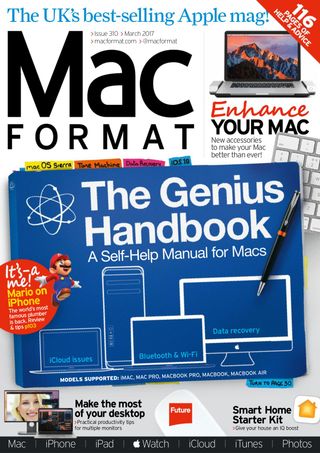

このストーリーは、MacFormat UK の March 2017 版からのものです。
Magzter GOLD を購読すると、厳選された何千ものプレミアム記事や、10,000 以上の雑誌や新聞にアクセスできます。
すでに購読者ですか? サインイン
MacFormat UK からのその他のストーリー
MacFormat UK
Affinity by Canva
A complete creative studio for zero cost

3 mins
February 2026
MacFormat UK
RSRs return from the dead
Apple announced Rapid Security Responses in June 2022, as a new means of applying urgent security patches in between macOS updates.
1 min
February 2026
MacFormat UK
Rediscover albums with Longplay
Fall in love with your albums all over again with this amazing music player
3 mins
February 2026
MacFormat UK
Set up multiple timers on iOS
Discover timers done right
2 mins
February 2026

MacFormat UK
Chants of Sennaar
Work your way beyond being lost in translation
2 mins
February 2026
MacFormat UK
Signature Slim Solar+ wireless keyboard K980
A comfortable, full-size keyboard that's always good to go
2 mins
February 2026
MacFormat UK
One more thing Apple Intelligence
Apple has promised a big AI update in 2026, and Graham Barlow feels nervous
2 mins
February 2026

MacFormat UK
Search any website - fast!
Find your favourite websites faster than ever
3 mins
February 2026

MacFormat UK
Make your ideal web browser
Make online life easy by making your web browser work your way
2 mins
February 2026

MacFormat UK
Best home printers & all-in-ones
We put six all-round home models through their printing paces
7 mins
February 2026
Translate
Change font size