
मैगज़्टर गोल्ड के साथ असीमित हो जाओ
10,000 से अधिक पत्रिकाओं, समाचार पत्रों और प्रीमियम कहानियों तक असीमित पहुंच प्राप्त करें सिर्फ
कोशिश गोल्ड - मुक्त
Got a broken phone screen? Here's how to recover your data
Tech Advisor
|January 2026
It's difficult but not impossible.
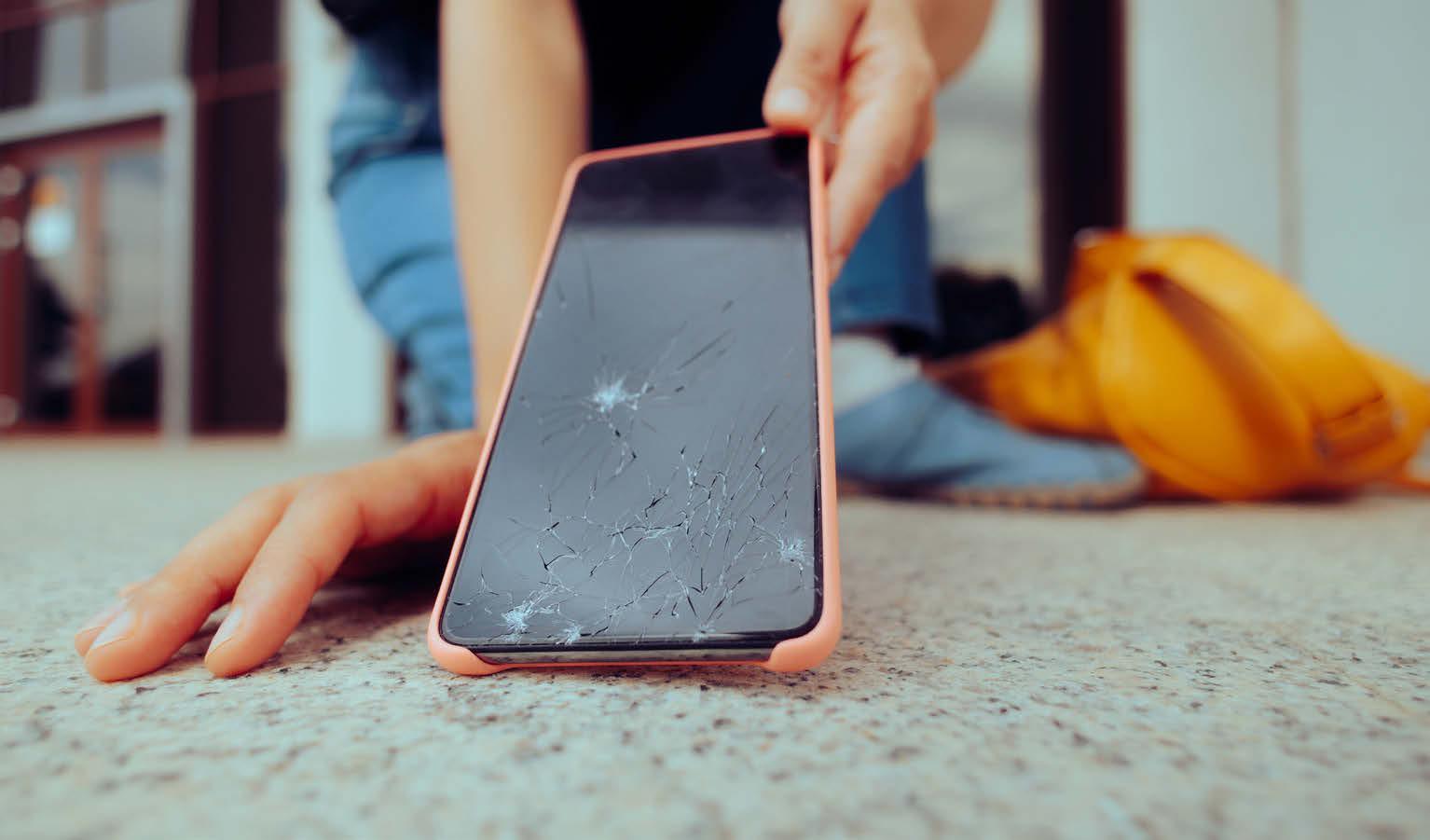
Even if the display of your phone or tablet with iOS/iPadOS or Android is damaged and operation is impossible, there are various ways to recover your data.
However, there is no guarantee of success.
The first step to recovering the data should always be to connect your normal charging cable to the smartphone and connect it to the PC or Mac. In many cases, this will allow you to access the data on the device and synchronise it with the PC or Mac.
With a bit of luck, you will be able to save the data on your iPhone and Android smartphone if you have not already set up synchronisation with iCloud or Google Drive. Unfortunately, the mobile phone can sometimes be seen on the PC or Mac, but the content cannot be accessed. The following tips can help here.
If nothing really works, it is best to go to a repair centre. Advise them not to delete the data or install any firmware updates. This will give you a chance to access your personal data. In this article, we also show you how you can operate the smartphone with a computer mouse if only the touch function is defective but you can still recognise something on the display.
 Extra tip: Check whether you have insurance for your smartphone that you took out when you bought it. This won't save your data, but you can at least use the insurance to cover the repair.
AVOID DATA LOSS THROUGH BACKUP AND SYNCHRONISATION


यह कहानी Tech Advisor के January 2026 संस्करण से ली गई है।
हजारों चुनिंदा प्रीमियम कहानियों और 10,000 से अधिक पत्रिकाओं और समाचार पत्रों तक पहुंचने के लिए मैगज़्टर गोल्ड की सदस्यता लें।
क्या आप पहले से ही ग्राहक हैं? साइन इन करें
Tech Advisor से और कहानियाँ
Tech Advisor
WhatsApp finally arrives on the Apple Watch – and it's only taken 10 years
Dedicated messaging app out now.

1 mins
January 2026

Tech Advisor
Google's latest Pixel Drop update includes some great new features
Here's everything you need to know.
2 mins
January 2026

Tech Advisor
I've switched phones 50 times in five years – here are the 11 things I do first
It's a long process, but it's worth it.
7 mins
January 2026

Tech Advisor
Samsung Galaxy Tab S11
What do people actually want from an Android tablet? It's a question that's been on our minds for a few years now, and judging from the Samsung Galaxy Tab S11, it's been on Samsung's too.
8 mins
January 2026

Tech Advisor
Apple iPad Pro (M5)
Apple's iPad lineup is the most extensive it's ever been.
10 mins
January 2026
Tech Advisor
Google Pixel 10 Pro Fold
Price when reviewed: £1,7449
12 mins
January 2026

Tech Advisor
Got a broken phone screen? Here's how to recover your data
It's difficult but not impossible.
8 mins
January 2026

Tech Advisor
The best tablets you can buy, reviewed and ranked
There's no shortage of choice.
13 mins
January 2026

Tech Advisor
Google might finally address this annoying Pixel phone feature
Avert your Glance.
1 min
January 2026

Tech Advisor
Galaxy Ring set to get a superpower as two more rivals enter the arena
‘Gesture’ command found.
1 mins
January 2026
Listen
Translate
Change font size