
मैगज़्टर गोल्ड के साथ असीमित हो जाओ
10,000 से अधिक पत्रिकाओं, समाचार पत्रों और प्रीमियम कहानियों तक असीमित पहुंच प्राप्त करें सिर्फ
कोशिश गोल्ड - मुक्त
CLEAN UP YOUR HARD DRIVE
Mac Life
|October 2023
Whether you're rapidly running out of space or simply want to put your files and apps in better order, the answer lies with a cleanup of your Mac's storage
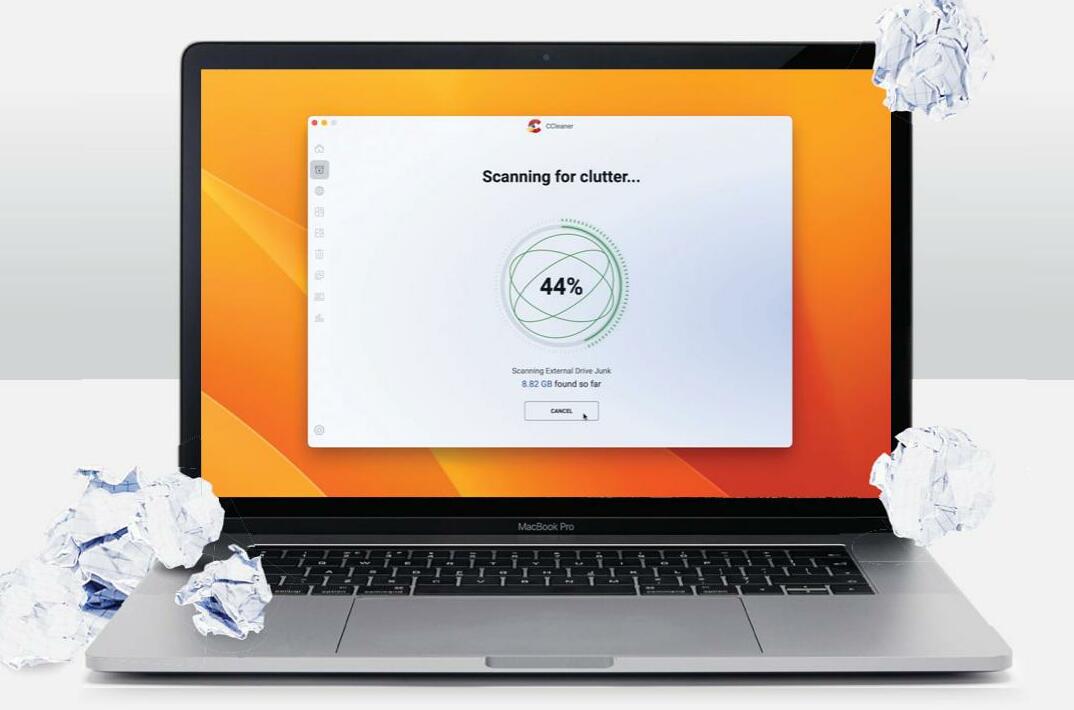
HOWEVER MUCH STORAGE you have on your Mac, you'll always find a way to fill it. You might vow every time you buy a new model to keep it running swift and smooth, but over time your best intentions get overwhelmed, whether that's down to a lack of time or falling into bad habits.
Even if your Mac's storage is still relatively empty, you'll have noticed it start to fill up. Perhaps you've taken a brief tour of your personal user folders and realized there's junk on there that needs clearing out. Or maybe you're just desperate to find a new home for files you no longer need on a daily basis but might want access to later.
Whatever your motivations for clearing out your Mac's storage drive, we're here to show you everything you need to know, from easily identifying those files that you no longer need, to ensuring redundant apps get thoroughly removed when you're done with them. Over the next few pages you'll discover the best tools to comb through your system, and learn how to move your largest files without disturbing your current setup.
So without any further ado, let's get out our virtual dustpan and brush and start cleaning up!
Clear out junk quickly
Let's begin by identifying and removing those files you no longer need
BEFORE YOU CAN start to clear the clutter off your Mac, you need an overview. Open System Settings and navigate to General > About, then click Storage Settings. At the top, you'll see a color-coded chart representing your internal storage and how the space on it has been used up; this will be represented in categories such as Documents, Apps, and System Data.


यह कहानी Mac Life के October 2023 संस्करण से ली गई है।
हजारों चुनिंदा प्रीमियम कहानियों और 10,000 से अधिक पत्रिकाओं और समाचार पत्रों तक पहुंचने के लिए मैगज़्टर गोल्ड की सदस्यता लें।
क्या आप पहले से ही ग्राहक हैं? साइन इन करें
Mac Life से और कहानियाँ

Mac Life
TerraMaster F4-425 NAS
Home or office four-bay network-attached storage

3 mins
March 2026

Mac Life
Satechi OntheGo 7-in-1 Adapter
Easily add more ports to your Mac, iPhone and iPad
2 mins
March 2026

Mac Life
BenQ ScreenBar Halo 2
Monitor lighting that's a sight for sore eyes
1 mins
March 2026
Mac Life
AI: WHAT YOU NEED TO KNOW
Al can be brilliant when put to proper use, but it also has some major downsides
11 mins
March 2026

Mac Life
Calibrate a MacBook Pro display
Can I calibrate my MacBook Pro 16-inch M3 Pro's XDR display, and if so, how?
1 min
March 2026

Mac Life
Edifier S880DB MKII
Great-sounding speakers with loads of connectivity
3 mins
March 2026

Mac Life
Search text in document images
I keep thousands of images of printed documents, and want to search their contents using Live Text, but Spotlight won't index them. How can I get it to work?
1 min
March 2026

Mac Life
No looking back at old icons
Can I customize the apps bundled in macOS Tahoe by giving them back their old icons?
1 min
March 2026

Mac Life
Set up multiple timers on iOS
Discover timers done right
2 mins
March 2026

Mac Life
Blue Prince
A multilayered inheritance challenge like no other
2 mins
March 2026
Translate
Change font size