कोशिश गोल्ड - मुक्त
85 must-try iPad tricks
Mac Life
|Spring 2024
Are you getting the most from your amazing Apple tablet?
-
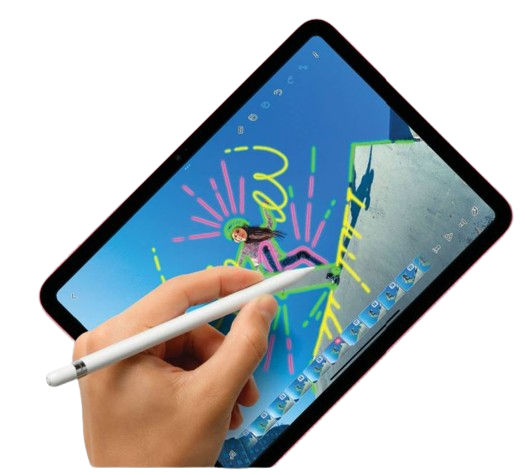
BACK WHEN THE iPad was first released in 2010, it was criticized as being a decent device for consuming media, but not much use as a productivity machine. Now, almost a decade and a half later, things have changed dramatically.
There is so much you can do with your Apple tablet. In fact, it's so versatile, some people decide to use it as an alternative to a desktop computer. And why not? Simply connect it to a keyboard case and you have a perfectly viable notebook.
If you need more storage, you can use a USB-C flash drive or portable drive. Pair an Apple Pencil, and you've an excellent digital drawing tool. And with Apple's Pages, Numbers and Keynote productivity apps, you can work on the go too.
The iPad is perfect for the creative user. There's plenty of powerful, capable art packages available, as well as in-depth photo editors that go above and beyond the already impressive editing tools offered by the Photos app. For musicians, there's GarageBand and for video editors iMovie, with third-party apps for those who need a little more. And yes, the iPad is great for watching and streaming videos, reading ebooks, playing console-quality games and more.
In this feature, we take a look at what you can do with your trusty iPad, whether you're working on the go, creating fine art, making a movie or simply enjoying your hobbies. With our help, you can get the most from your Apple iPad and the latest version of its operating system, iPadOS 17.
Multitasking for greater productivity
You can get a lot more done if you master these important iPad features
ON YOUR IPAD, there are several ways you can multitask. The most obvious is Split View, whereby you divide the screen, with one application on one side and another on the other. You can then drag content between them, quickly and easily. You can even open the same application twice if you choose.

यह कहानी Mac Life के Spring 2024 संस्करण से ली गई है।
हजारों चुनिंदा प्रीमियम कहानियों और 10,000 से अधिक पत्रिकाओं और समाचार पत्रों तक पहुंचने के लिए मैगज़्टर गोल्ड की सदस्यता लें।
क्या आप पहले से ही ग्राहक हैं? साइन इन करें
Mac Life से और कहानियाँ

Mac Life
TerraMaster F4-425 NAS
Home or office four-bay network-attached storage

3 mins
March 2026

Mac Life
Satechi OntheGo 7-in-1 Adapter
Easily add more ports to your Mac, iPhone and iPad
2 mins
March 2026

Mac Life
BenQ ScreenBar Halo 2
Monitor lighting that's a sight for sore eyes
1 mins
March 2026
Mac Life
AI: WHAT YOU NEED TO KNOW
Al can be brilliant when put to proper use, but it also has some major downsides
11 mins
March 2026

Mac Life
Calibrate a MacBook Pro display
Can I calibrate my MacBook Pro 16-inch M3 Pro's XDR display, and if so, how?
1 min
March 2026

Mac Life
Edifier S880DB MKII
Great-sounding speakers with loads of connectivity
3 mins
March 2026

Mac Life
Search text in document images
I keep thousands of images of printed documents, and want to search their contents using Live Text, but Spotlight won't index them. How can I get it to work?
1 min
March 2026

Mac Life
No looking back at old icons
Can I customize the apps bundled in macOS Tahoe by giving them back their old icons?
1 min
March 2026

Mac Life
Set up multiple timers on iOS
Discover timers done right
2 mins
March 2026

Mac Life
Blue Prince
A multilayered inheritance challenge like no other
2 mins
March 2026
Listen
Translate
Change font size