कोशिश गोल्ड - मुक्त
HOW TO? CHECK LAPTOP BATTERY HEALTH ON WINDOWS 11 AND MACOS
Exhibit
|July - August 2025
Monitoring your laptop's battery health is essential for maintaining optimal performance and extending its lifespan. Over time, laptop batteries naturally degrade, resulting in reduced capacity and shorter runtimes. If you're interested in learning how to check your laptop's battery health, this article offers step-by-step instructions for both Windows 11 and macOS systems.
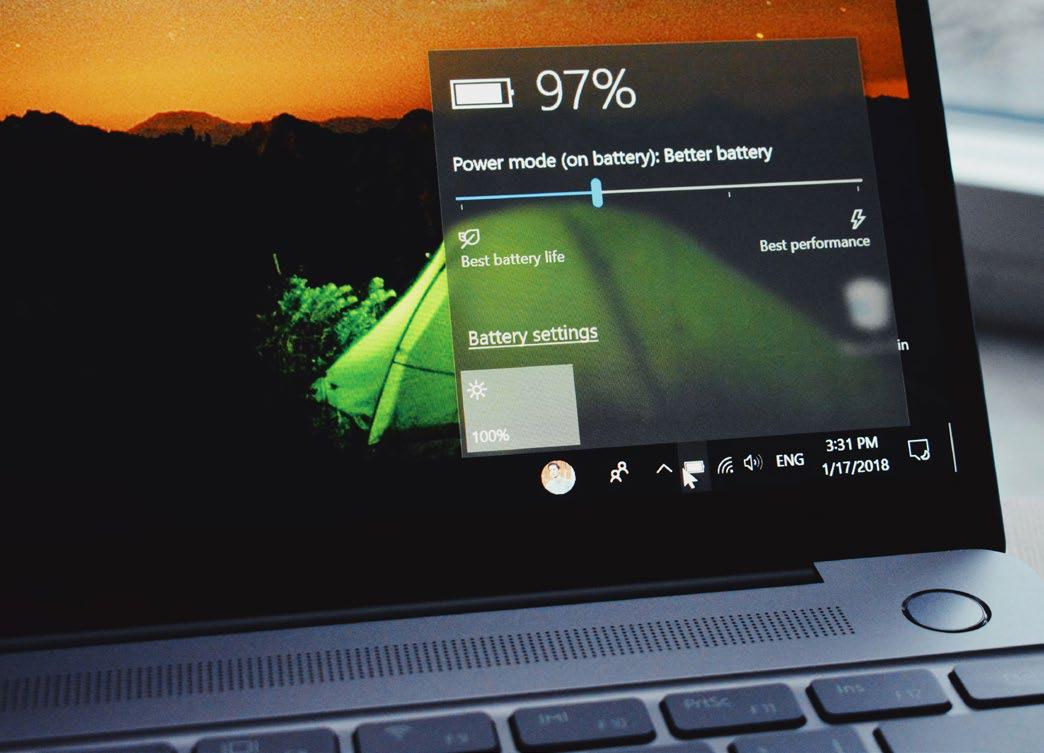
CHECKING BATTERY HEALTH ON WINDOWS 11
Windows 11 offers builtin tools to assess battery health, primarily through the Command Prompt or PowerShell. Follow these steps to generate a detailed battery health report:
Step 1: Open Command Prompt or PowerShell
• Press Win + S to open the search bar.
• Type cmd or powershell and select Run as administrator.
Step 2: Generate the Battery Report
In the Command Prompt or PowerShell window, type the following command and press Enter: powercfg/batteryreport
The system will generate a battery report and save it as an HTML file. The output will display the file path, typically:
C:\Users\[YourUsername]\battery-report.html
Step 3: View the Battery Report
• Navigate to the file location using File Explorer.
• Double-click the battery-report.html file to open it in your default web browser.
• Review key sections in the report:
Battery Capacity History: Compares the Design Capacity (original capacity) with the Full Charge Capacity (current capacity). A significant difference indicates battery degradation.
Battery Life Estimates: Shows estimated runtime based on usage patterns.
Recent Usage: Displays battery drain and charge cycles over the past few days.
Step 4: Analyze Battery Health


यह कहानी Exhibit के July - August 2025 संस्करण से ली गई है।
हजारों चुनिंदा प्रीमियम कहानियों और 10,000 से अधिक पत्रिकाओं और समाचार पत्रों तक पहुंचने के लिए मैगज़्टर गोल्ड की सदस्यता लें।
क्या आप पहले से ही ग्राहक हैं? साइन इन करें
Exhibit से और कहानियाँ
Exhibit
HOW TO? SET UP AND OPTIMIZE DUAL SCREENS FOR WINDOWS DESKTOP
Setting up dual monitors on a Windows desktop can significantly boost productivity, allowing you to multitask seamlessly, whether you're coding on one screen while referencing documents on the other, or gaming with a secondary display for chats and stats.

1 mins
January 2026

Exhibit
CREATOR OF THE MONTH Sonia Shenoy
Financial literacy and education have always been my passion.
3 mins
January 2026

Exhibit
THE NEW ARCHITECTS OF INFLUENCE
At the start of 2026, hear from 26 of India's top marketing leaders on how fresh ideas are shaping the modern brand
3 mins
January 2026

Exhibit
ONEPLUS 15R BALANCING AFFORDABILITY AND PERFORMANCE
OnePlus is known for providing flagship experiences at accessible prices, and the OnePlus 15R continues this trend.
2 mins
January 2026

Exhibit
SEASON 10, REDEFINED
VinFast Brings Global Flair to the Tech Fashion Tour Runway
1 mins
January 2026

Exhibit
SONY ULT TOWER 9 WHEN A PARTY SPEAKER IS POWERFUL ENOUGH TO MAKE THE BUILDING FEEL ALIVE
I have used many portable and party speakers over the years, including Sony's compact ULT Field 3, which I genuinely enjoyed for its easy portability and everyday usability.
3 mins
January 2026

Exhibit
LIVING WITH RAIDA GEAR
Tested on Open Roads, From Mumbai to Panchgani
4 mins
January 2026

Exhibit
THIS ₹12K PHONE IS WAY TOO POWERFUL
I did not expect to be impressed by a ₹12K smartphone in 2025. Yet the Poco C85 5G managed to punch well above its weight during my daily use.
2 mins
January 2026

Exhibit
CARS AND BIKES TO LOOK FORWARD TO IN 2026
A glimpse into the machines that will define the road ahead
5 mins
January 2026

Exhibit
THE WORLD IS READY TO BE EXPLORED AGAIN
Places to Visit in 2026
4 mins
January 2026
Listen
Translate
Change font size