
मैगज़्टर गोल्ड के साथ असीमित हो जाओ
10,000 से अधिक पत्रिकाओं, समाचार पत्रों और प्रीमियम कहानियों तक असीमित पहुंच प्राप्त करें सिर्फ
कोशिश गोल्ड - मुक्त
Make Your Own Touch Bar
MacFormat UK
|April 2017
Discover benefits of Apple’s input innovation and turn your ipad into one.

Apple’s Touch Bar technology puts context-sensitive controls at the top of the keyboard in the hope of saving you time digging around in menus and windows to find the commands you need. Currently, the only official way to get a Touch Bar is to buy a MacBook Pro, and even if Apple were to update its Bluetooth-connected Magic Keyboard to include one, it’s unlikely to be affordable given the existing model costs £99.
However, you can add a Touch Bar to your existing Mac by adding an iPad and third-party software into the mix. If you don’t have an iPad there’s a Mac app that enables you to see what the Mac’s latest control method would add to your apps if you were to upgrade.
Be aware, though, that there’s one aspect of the real thing that you can’t replicate using the following methods: a Touch ID sensor for unlocking your Mac, validating payments online, waking your Mac, and more. (A real Touch Bar has a combined Touch ID sensor and power button at its right end.) That said, there are other ways to imitate some of the sensor’s benefits; MacID (£3.99, macid.co) enables you to unlock your Mac using the Touch ID sensor on your iPhone or iPad.
However, the bigger bonus of having a Touch Bar to hand is the range of time-saving shortcuts it provides in apps bundled with macOS, as well as a growing number of third party ones, which includes OmniGraffle 7, 1Password and Mail Designer Pro 3.
If you have a Mac with a built-in Touch Bar, don’t assume these pages are irrelevant to you; whether you’re using the real deal or an iPad as a stand-in, you’ll find tips later on in this tutorial on how to tailor the bar’s contents and ensure you’re getting the most from it.
Try it out for free
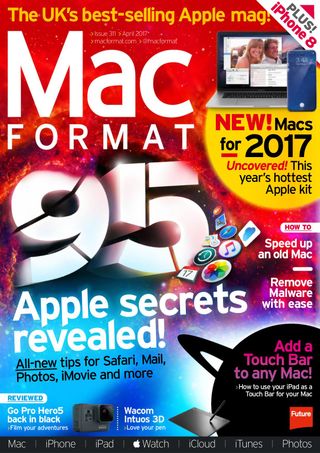

यह कहानी MacFormat UK के April 2017 संस्करण से ली गई है।
हजारों चुनिंदा प्रीमियम कहानियों और 10,000 से अधिक पत्रिकाओं और समाचार पत्रों तक पहुंचने के लिए मैगज़्टर गोल्ड की सदस्यता लें।
क्या आप पहले से ही ग्राहक हैं? साइन इन करें
MacFormat UK से और कहानियाँ
MacFormat UK
Affinity by Canva
A complete creative studio for zero cost

3 mins
February 2026
MacFormat UK
RSRs return from the dead
Apple announced Rapid Security Responses in June 2022, as a new means of applying urgent security patches in between macOS updates.
1 min
February 2026
MacFormat UK
Rediscover albums with Longplay
Fall in love with your albums all over again with this amazing music player
3 mins
February 2026
MacFormat UK
Set up multiple timers on iOS
Discover timers done right
2 mins
February 2026

MacFormat UK
Chants of Sennaar
Work your way beyond being lost in translation
2 mins
February 2026
MacFormat UK
Signature Slim Solar+ wireless keyboard K980
A comfortable, full-size keyboard that's always good to go
2 mins
February 2026
MacFormat UK
One more thing Apple Intelligence
Apple has promised a big AI update in 2026, and Graham Barlow feels nervous
2 mins
February 2026

MacFormat UK
Search any website - fast!
Find your favourite websites faster than ever
3 mins
February 2026

MacFormat UK
Make your ideal web browser
Make online life easy by making your web browser work your way
2 mins
February 2026

MacFormat UK
Best home printers & all-in-ones
We put six all-round home models through their printing paces
7 mins
February 2026
Translate
Change font size