Essayer OR - Gratuit
56 fast fixes for Mac, iPhone & iPad
Mac Life
|September 2025
Having problems with your Mac, iPhone, or iPad? Fix them fast with these top tips, tricks, and how-tos

APPLE USERS ARE very well catered for when it comes to getting help with their gear.
Every Apple Store has a Genius Bar where you can take your Apple device and have it looked at by experts. Help and advice there is usually free, unless they have to make physical repairs that involve disassembly. Point your web browser at www.apple.com/retail/geniusbar, and make an appointment. For software help, arrange a phone call or a real-time chat from your Mac, iPhone, iPad, or Apple Watch. There's also plenty of help available online. Forums – including Apple's own – are full of helpful tips and tricks.
But not every problem requires a trip to the Genius Bar. There's lots you can do yourself to fix issues with your Apple gear, quickly and easily. Most Mac problems, for example, are software rather than hardware related. There are plenty of fixes available to get up and running again. WiFi and Bluetooth problems can usually be fixed at home, too, and have you tried using the Mac's own recovery and first aid tools?
In this feature, we take you through some of the most-encountered problems with Apple devices, and show you how to fix them. As mentioned, most of the time, this can be achieved without spending money or a trip to the Genius Bar. We also show you how to back up and restore your Mac, fix iCloud syncing issues, solutions for problems on your iPhone and iPad, and more. Issues with files are quickly solved, as are problems with your Apple gear running too slowly.
Armed with this information, you can be your own Apple Genius, fixing your problems and getting up and running again in no time at all.
Fast fixes for your Mac
Quick solutions for bothersome technical issues
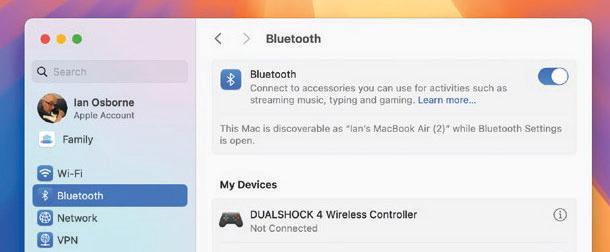 Bluetooth

Cette histoire est tirée de l'édition September 2025 de Mac Life.
Abonnez-vous à Magzter GOLD pour accéder à des milliers d'histoires premium sélectionnées et à plus de 9 000 magazines et journaux.
Déjà abonné ? Se connecter
PLUS D'HISTOIRES DE Mac Life

Mac Life
TerraMaster F4-425 NAS
Home or office four-bay network-attached storage

3 mins
March 2026

Mac Life
Satechi OntheGo 7-in-1 Adapter
Easily add more ports to your Mac, iPhone and iPad
2 mins
March 2026

Mac Life
BenQ ScreenBar Halo 2
Monitor lighting that's a sight for sore eyes
1 mins
March 2026
Mac Life
AI: WHAT YOU NEED TO KNOW
Al can be brilliant when put to proper use, but it also has some major downsides
11 mins
March 2026

Mac Life
Calibrate a MacBook Pro display
Can I calibrate my MacBook Pro 16-inch M3 Pro's XDR display, and if so, how?
1 min
March 2026

Mac Life
Edifier S880DB MKII
Great-sounding speakers with loads of connectivity
3 mins
March 2026

Mac Life
Search text in document images
I keep thousands of images of printed documents, and want to search their contents using Live Text, but Spotlight won't index them. How can I get it to work?
1 min
March 2026

Mac Life
No looking back at old icons
Can I customize the apps bundled in macOS Tahoe by giving them back their old icons?
1 min
March 2026

Mac Life
Set up multiple timers on iOS
Discover timers done right
2 mins
March 2026

Mac Life
Blue Prince
A multilayered inheritance challenge like no other
2 mins
March 2026
Listen
Translate
Change font size