Essayer OR - Gratuit
Plugable TBT-UDT3: Best-value Thunderbolt 5 docking station
Macworld
|January 2026
Even if your Mac doesn't boast Thunderbolt 5, it's time to move to the new standard.

Thunderbolt 5 is backward compatible with earlier versions of Thunderbolt and all the way back to USB-C.
Investing in it now is the best way to future-proof your desktop technology and be ready for super-fast connectivity even if you don’t have a Thunderbolt 5-ready Mac at the moment.
A docking station puts a lot of connections within arm's reach, and the Plugable Thunderbolt 5 dock hosts a bunch of fast ports from 80Gbps Thunderbolt 5 itself to 2.5Gb Ethernet.
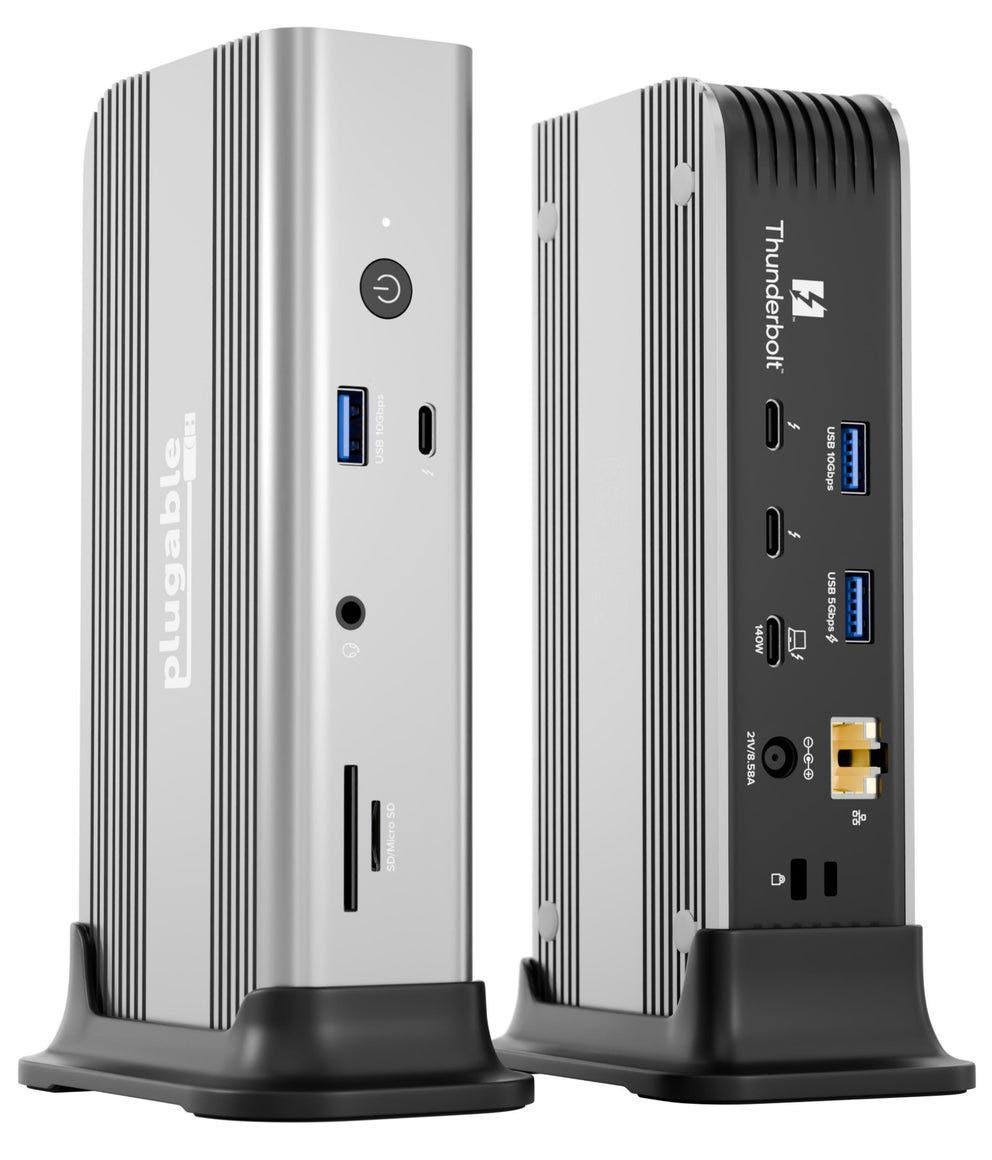 The aluminum chassis feels solid.
DESIGN
The silvery Plugable Thunderbolt 5 dock can be placed in either a horizontal position or vertically through the included stand (see image below).
The aluminum chassis feels solid, and we appreciate the on-off button at the front. While your laptop's power management should regulate how much power is input, we like the reassurance that the battery isn't constantly being filled up even when not in use for hours.
It measures 6.9×3.1×1.6 inches (17.6×7.8×4.2cm) and weighs 1.5lbs (692g).
The ports are where they should be, with the laptop-connecting upstream Thunderbolt 5 port placed at the back rather than untidily at the front.
Front facing is an audio jack port and two fast card readers, as well as a 10Gbps USB-A port, the audio jack, and a power button.
At the back is the real business end of the dock. Most important are the two downstream Thunderbolt 5 ports you'll be using to connect a monitor or two or other devices. These sit alongside the upstream TB5 port you will connect your laptop to using the included 1m TB5 cable. There's another downstream TB5 port on the front, where you might expect a USB-C port— more on that later.


Cette histoire est tirée de l'édition January 2026 de Macworld.
Abonnez-vous à Magzter GOLD pour accéder à des milliers d'histoires premium sélectionnées et à plus de 9 000 magazines et journaux.
Déjà abonné ? Se connecter
PLUS D'HISTOIRES DE Macworld

Macworld
Maximize iCloud+! 5 tips and tricks you need to start using right now
iCloud is a major component of the Apple ecosystem. Here's how to get the most from it.

6 mins
October 2025

Macworld
Your Apple TV+ subscription is going up by a whopping 30%
Apple's video-streaming service is now $12.99 per month.
1 mins
October 2025

Macworld
Apple TV tweaks: The 8 settings you should change ASAP
How to level up your Apple TV experience in 15 minutes.
4 mins
October 2025

Macworld
Apple announces AppleCare One with multi-device coverage for a flat fee
You can now protect three of your devices for $20 a month.
1 mins
October 2025

Macworld
KUXIU K1 15W 3-IN-1 MAGSAFE POWER BANK: COMPACT, VERSATILE PORTABLE iPHONE, WATCH, AIRPODS CHARGER
This apparently nondescript power bank looks like a slightly chunky iPhone power bank or an Amex Black Card member's pack of cards.
3 mins
October 2025

Macworld
Anker Prime 14-in-1 Thunderbolt 5 Docking Station: Mac mini-like looks and power
Smart and stylish dock that is right up to date with the latest Macs.
6 mins
October 2025
Macworld
VERBATIM TURBOMETAL PORTABLE SSD: STYLISH PORTABLE DRIVE
The Verbatim TurboMetal SSD comes in the classic NVMe form factor with a length of around 106 millimeters.
2 mins
October 2025

Macworld
How to reduce the Liquid Glass transparency effect in macOS Tahoe
If Apple's new look isn't for you, here's how to adjust it.
1 min
October 2025

Macworld
Everyone will want to try Apple's live translation this fall. Here's where to find it
Live translation runs on device, and can translate text and speech across several apps.
2 mins
October 2025
Macworld
RETROSTRIP: NOSTALGIC UTILITY BRINGS BACK THE LEGENDARY MAC CONTROL STRIP
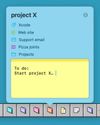
Question for classic Mac users who go way back to System 6 or 7: Remember the Control Strip, which gave you direct access to various applications or functions at the click of a mouse? It was released in 1994 with System 7.1, with the PowerBook 500 series the PowerBook Duo 280 computers. With System 7.5.3, it was made available to all Macintoshes.
2 mins
October 2025
Listen
Translate
Change font size