
Passez à l'illimité avec Magzter GOLD
Obtenez un accès illimité à plus de 9 000 magazines, journaux et articles Premium pour seulement
My favorite iOS 26 feature has banished spam callers
Macworld
|January 2026
Call Screening puts up a brick wall between spammers and your iPhone, ending nuisance calls forever. It's easily one of the best features in the iOS 26 update.
There are few more frustrating iPhone experiences than receiving a spam call.
Whether it's interrupting your work or play, it doesn't take much for a junk call to take you out of the moment.
The problem is that they're seemingly extremely difficult to stop, and no matter what you try, a few still seem to make it through the net. At least, that was the case before iOS 26's Call Screening feature came along. Since I installed iOS 26, it's stopped unwanted calls in their tracks, leaving me in spam-free bliss all day long.
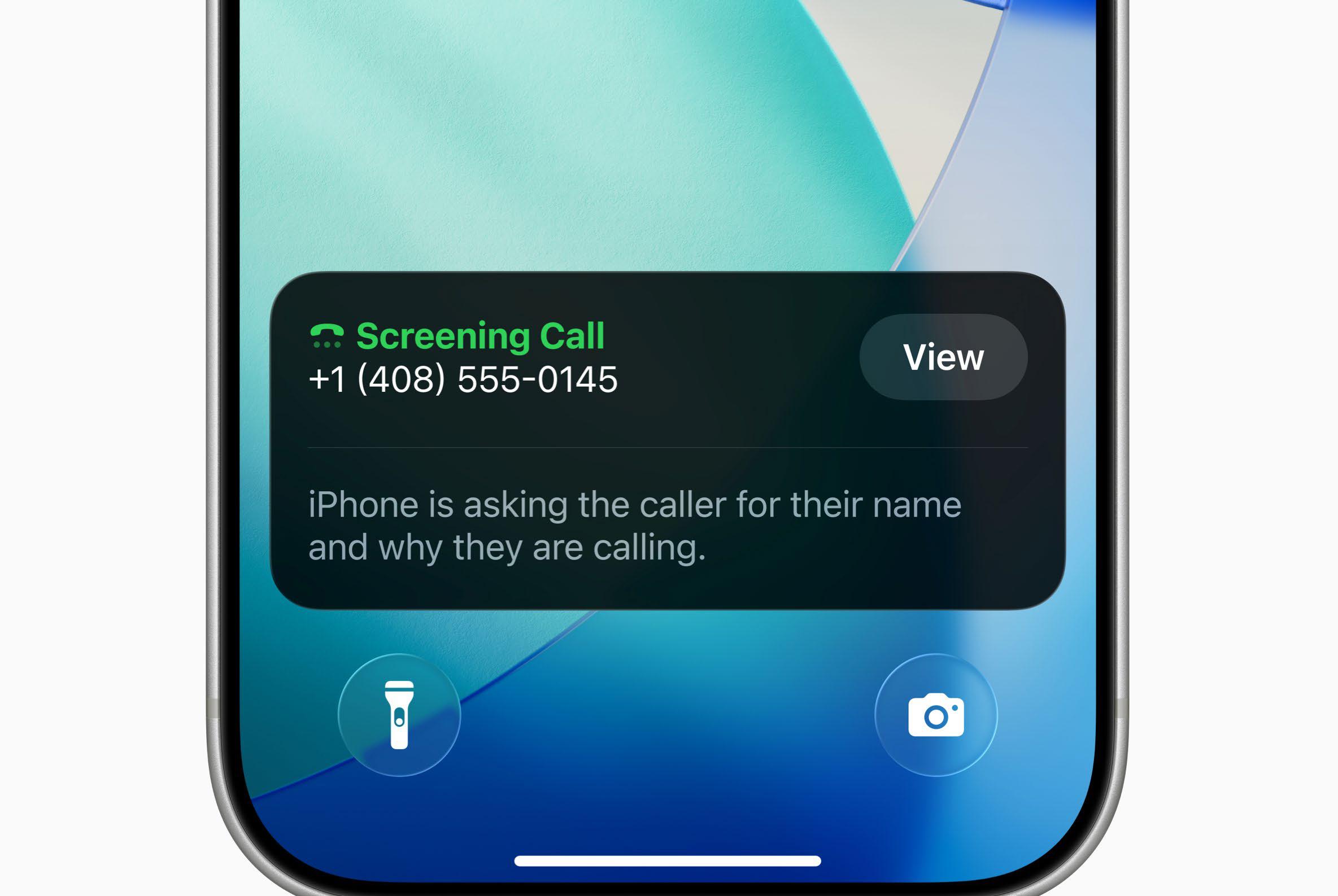
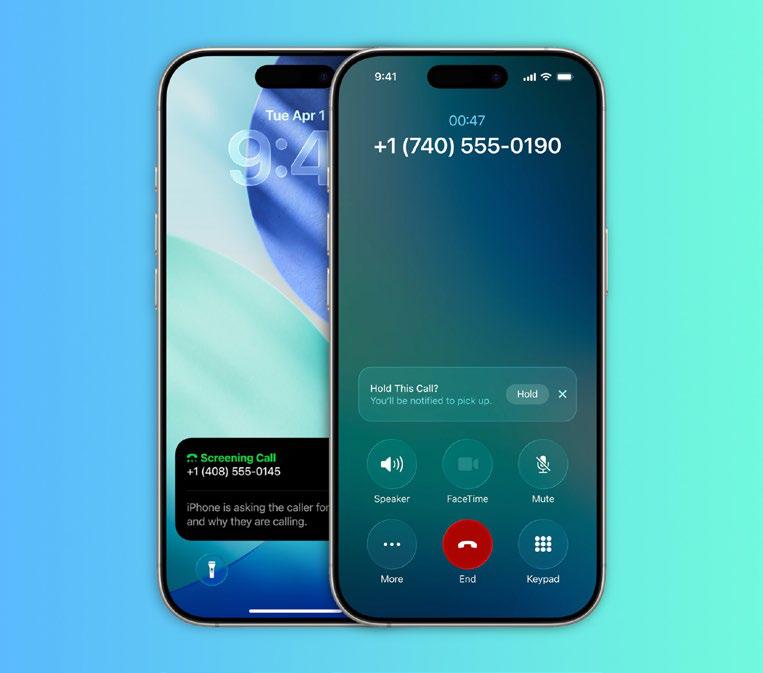
The way Call Screening works is extremely simple. When you get a call from an unknown number, the caller will first be put through to an automated voice that asks them to identify themselves and describe the reason for their call.
Once they've done that, your phone will ring and show a transcript of the caller's answer. At that point, you can decide if you want to answer the call or not. If you don't, the caller is disconnected. You're not disturbed while the other party is talking to your robo-screener, other than a short alert you get saying someone is on the line. You're then buzzed again once the identification is complete. It’s short, simple, and extremely effective—and you never again need to pick up the phone when an unknown number appears.
A WIN-WIN SITUATION
I've found that Call Screening works superbly, and it’s absolutely slashed the number of times I get disturbed by frustrating calls throughout my day.
Interestingly, calls from unknown numbers tend to go one of two ways. Either the caller immediately hangs up when they realize they need to identify themselves, or they out themselves as a spammer, letting me to quickly decline the call.


Cette histoire est tirée de l'édition January 2026 de Macworld.
Abonnez-vous à Magzter GOLD pour accéder à des milliers d'histoires premium sélectionnées et à plus de 9 000 magazines et journaux.
Déjà abonné ? Se connecter
PLUS D'HISTOIRES DE Macworld

Macworld
Maximize iCloud+! 5 tips and tricks you need to start using right now
iCloud is a major component of the Apple ecosystem. Here's how to get the most from it.

6 mins
October 2025

Macworld
Your Apple TV+ subscription is going up by a whopping 30%
Apple's video-streaming service is now $12.99 per month.
1 mins
October 2025

Macworld
Apple TV tweaks: The 8 settings you should change ASAP
How to level up your Apple TV experience in 15 minutes.
4 mins
October 2025

Macworld
Apple announces AppleCare One with multi-device coverage for a flat fee
You can now protect three of your devices for $20 a month.
1 mins
October 2025

Macworld
KUXIU K1 15W 3-IN-1 MAGSAFE POWER BANK: COMPACT, VERSATILE PORTABLE iPHONE, WATCH, AIRPODS CHARGER
This apparently nondescript power bank looks like a slightly chunky iPhone power bank or an Amex Black Card member's pack of cards.
3 mins
October 2025

Macworld
Anker Prime 14-in-1 Thunderbolt 5 Docking Station: Mac mini-like looks and power
Smart and stylish dock that is right up to date with the latest Macs.
6 mins
October 2025
Macworld
VERBATIM TURBOMETAL PORTABLE SSD: STYLISH PORTABLE DRIVE
The Verbatim TurboMetal SSD comes in the classic NVMe form factor with a length of around 106 millimeters.
2 mins
October 2025

Macworld
How to reduce the Liquid Glass transparency effect in macOS Tahoe
If Apple's new look isn't for you, here's how to adjust it.
1 min
October 2025

Macworld
Everyone will want to try Apple's live translation this fall. Here's where to find it
Live translation runs on device, and can translate text and speech across several apps.
2 mins
October 2025

Macworld
RETROSTRIP: NOSTALGIC UTILITY BRINGS BACK THE LEGENDARY MAC CONTROL STRIP
Question for classic Mac users who go way back to System 6 or 7: Remember the Control Strip, which gave you direct access to various applications or functions at the click of a mouse? It was released in 1994 with System 7.1, with the PowerBook 500 series the PowerBook Duo 280 computers. With System 7.5.3, it was made available to all Macintoshes.
2 mins
October 2025
Listen
Translate
Change font size