
Mit Magzter GOLD unbegrenztes Potenzial nutzen
Erhalten Sie unbegrenzten Zugriff auf über 9.000 Zeitschriften, Zeitungen und Premium-Artikel für nur
ZBrush & Photoshop HOW TO SCULPT A REAL DINOSAUR
ImagineFX
|October 2021
Glen Southern breaks down his sculpting workflow and techniques when tackling a concept sculpt of an aquatic, aggressive dinosaur

ZBrush is my favourite sculpting package by far, but people can find it intimidating when just starting out. Here I show how to tackle creating a large dynamic dinosaur sculpt.
There are so many ways to start a project like this in ZBrush, and there are lots of confusing tools and feature names like Dynamesh, ZRemesher or the popular ZSpheres. To get you up to speed and simplify the process, I’m using the most basic of techniques, which is to add simple primitive shapes to block out the primary form and then use just three or four of the most popular Brushes to add detail. Understanding this sort of workflow, where you block out primary forms and pin down scales and dimensions, then focus on secondary forms (which includes large muscle groups and major landmarks) will help you grasp the fundamentals of ZBrush.
The final step (tertiary detailing) is the one that I love the most. It’s where you get to add the finer details such as scales, wrinkles, pores, creases and cracks in a large dinosaur’s skin. I’ve made alpha images to use with the detailing brushes and I include them with this workshop’s resources. With a range of detailing alpha-textures, you can really make your sculpt ‘pop’ off the screen. Whether you go on to paint over the model for an illustration or use it as part of a 3D print project, you’ll have some amazing details on the underwater creature.
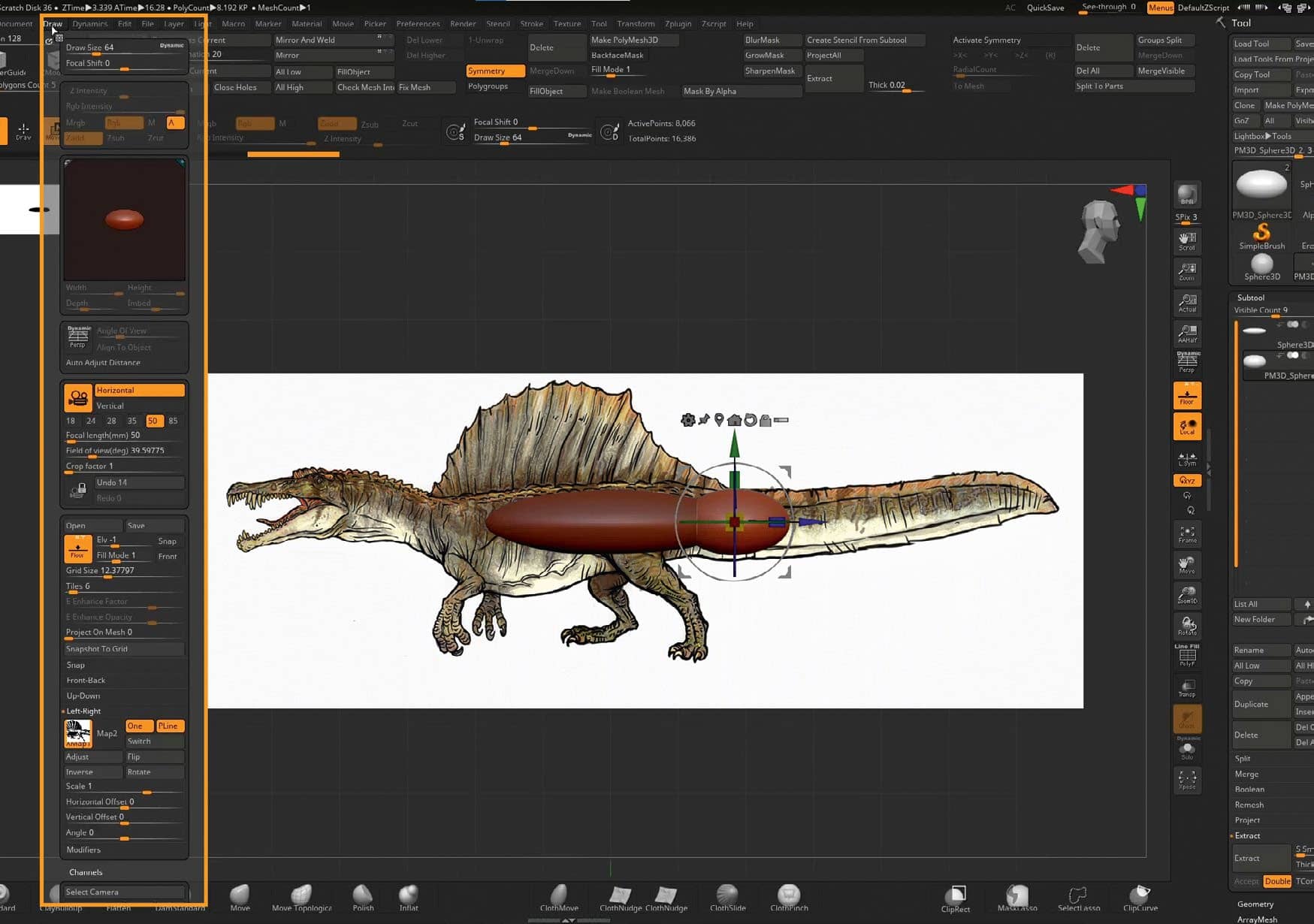
1 Reference is king when creating realistic art


Diese Geschichte stammt aus der October 2021-Ausgabe von ImagineFX.
Abonnieren Sie Magzter GOLD, um auf Tausende kuratierter Premium-Geschichten und über 9.000 Zeitschriften und Zeitungen zuzugreifen.
Sie sind bereits Abonnent? Anmelden
WEITERE GESCHICHTEN VON ImagineFX

ImagineFX
HP Omnibook X Flip 16
DOUBLING UP HP's latest Omnibook 2-in-1 is a decent-enough productivity laptop, but it truly shines when it's transformed into tablet mode

2 mins
February 2026

ImagineFX
Phaya Akat - The Sanctuary
“Phaya Akat’s Sanctuary Village began from a simple idea inspired by Thailand’s tradition of boiling eggs in natural hot springs.
1 min
February 2026

ImagineFX
HOW SURFACE NORMALS IMPROVE YOUR 3D ART
Ant Ward explains how to quickly change the way a polygon model looks by adjusting its normals
1 mins
February 2026

ImagineFX
Painting in Procreate: Reimagine Your Surroundings
VISIONARY WORK Across 20 lessons, Mikko Eerola reveals how he brings his ideas to life on the iPad using Procreate
1 mins
February 2026

ImagineFX
Technique focus: WORK SMARTER WITH COLOURS
Álvaro Jiménez reveals the workflow process he follows to summon an armoured demon
1 mins
February 2026

ImagineFX
FIVE MINUTES WITH PAT IMRIE
Big-screen blockbusters and a certain 3D art magazine helped set this creative on his career path
3 mins
February 2026

ImagineFX
RIFF ON YOUR PASSIONS
Max Froer draws on a range of influences when rendering a beast that's part machine
1 min
February 2026

ImagineFX
Anker SOLIX C1000
BOX OF DELIGHTS The chonkiest power bank around is powerful, portable (after a fashion) and boy is it well built
2 mins
February 2026

ImagineFX
PAINTING A SCENE OF GREEK DRAMA
Alexander Leskinen creates a stormy environment featuring harpies, the winged messengers of Zeus.
3 mins
February 2026

ImagineFX
HOW DO I COLOUR A 3D OBJECT?
The process of colouring a 3D image has a lot of layers, so let's start at the surface. Mike Griggs weighs up the material requirements
2 mins
February 2026
Translate
Change font size