
Mit Magzter GOLD unbegrenztes Potenzial nutzen
Erhalten Sie unbegrenzten Zugriff auf über 9.000 Zeitschriften, Zeitungen und Premium-Artikel für nur
Versuchen GOLD - Frei
87 Time-Saving Tips For Mac Users
MacFormat UK
|December 2019
Discover smart shortcuts, and be more productive with your Mac

Macs are famed for their ease of use: “it just works” was always so much more than a marketing slogan.
Macs are made to do things elegantly and efficiently, and the more time you spend discovering what yours can do, the more you’ll be able to get things done.
Every Mac is jam-packed with useful features that are designed to make things easier, faster or both. Once you’ve discovered the ones that suit you, your days will be brighter, your work more efficient and your hair more glossy. We’re only lying about that last one… From Safari’s shortcuts to Mission Control’s multiple desktops, from fiddling with the Finder to mastering Mail, these tips will help you get even more from your Mac. We’ll discover how to make your Mac more organised, how to do everyday tasks more quickly and how to make the most of the new features Apple’s added in macOS Catalina.
Start up faster!
1 Start more quickly
The more things launch when your Mac starts, the slower it’ll be. To remove unwanted startup items, go into System Preferences > Users > Login Items, and you can see and change which items automatically launch and login.
2 Start automatically
You can get your Mac to start up or wake up at a specific time: just go into System Preferences > Energy Saver > Schedule and you can create a schedule that applies to what you require on an everyday basis or just specific days.
3 Login with your Watch
You can unlock your Mac with your Apple Watch. To enable this, go to System Preferences > Security & Privacy > Allow Your Apple Watch To Unlock Your Mac. If you’d rather use your phone, you’ll need a third-party app.
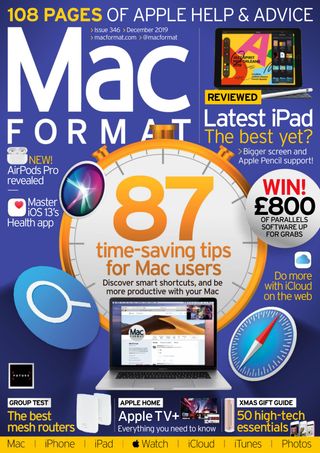

Diese Geschichte stammt aus der December 2019-Ausgabe von MacFormat UK.
Abonnieren Sie Magzter GOLD, um auf Tausende kuratierter Premium-Geschichten und über 9.000 Zeitschriften und Zeitungen zuzugreifen.
Sie sind bereits Abonnent? Anmelden
WEITERE GESCHICHTEN VON MacFormat UK
MacFormat UK
Affinity by Canva
A complete creative studio for zero cost

3 mins
February 2026
MacFormat UK
RSRs return from the dead
Apple announced Rapid Security Responses in June 2022, as a new means of applying urgent security patches in between macOS updates.
1 min
February 2026
MacFormat UK
Rediscover albums with Longplay
Fall in love with your albums all over again with this amazing music player
3 mins
February 2026
MacFormat UK
Set up multiple timers on iOS
Discover timers done right
2 mins
February 2026

MacFormat UK
Chants of Sennaar
Work your way beyond being lost in translation
2 mins
February 2026
MacFormat UK
Signature Slim Solar+ wireless keyboard K980
A comfortable, full-size keyboard that's always good to go
2 mins
February 2026
MacFormat UK
One more thing Apple Intelligence
Apple has promised a big AI update in 2026, and Graham Barlow feels nervous
2 mins
February 2026

MacFormat UK
Search any website - fast!
Find your favourite websites faster than ever
3 mins
February 2026

MacFormat UK
Make your ideal web browser
Make online life easy by making your web browser work your way
2 mins
February 2026

MacFormat UK
Best home printers & all-in-ones
We put six all-round home models through their printing paces
7 mins
February 2026
Translate
Change font size