
استمتع بـUnlimited مع Magzter GOLD
احصل على وصول غير محدود إلى أكثر من 9000 مجلة وصحيفة وقصة مميزة مقابل
يحاول ذهب - حر
Apple TV tweaks: The 8 settings you should change ASAP
October 2025
|Macworld
How to level up your Apple TV experience in 15 minutes.
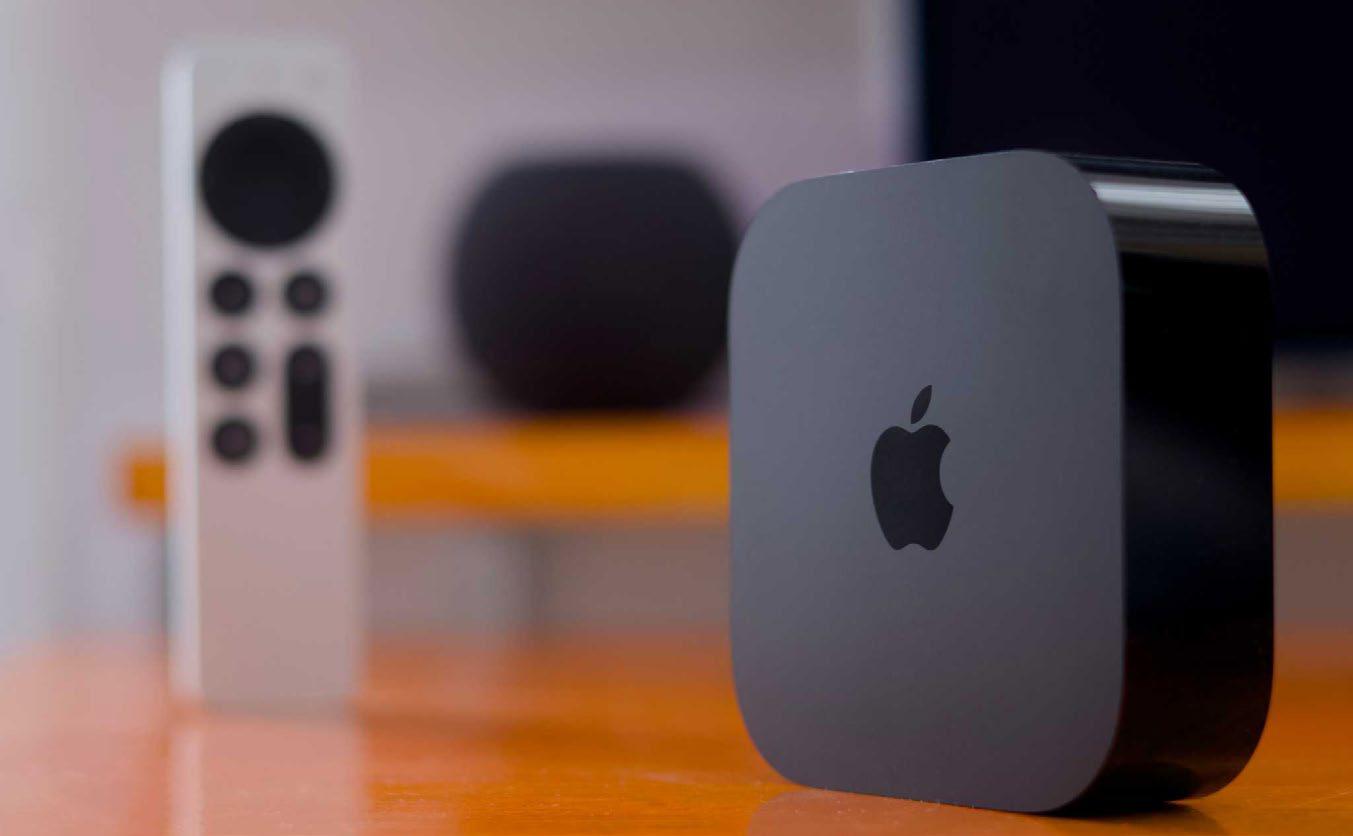
Compared to the iPhone and its complex functions, the Apple TV 4K (fave.co/46vo8kU) is a relatively simple device. You've got a simple Home Screen with large icons, a few menus across apps, and not much to set up, really.
Nevertheless, tvOS enables power users to customize certain UI elements, system behavior, the Siri Remote, and more. Here are some of the essential tweaks to settings that can help you personalize your Apple TV experience in as little as 15 minutes.
1. CUSTOMIZE THE REMOTE
Before getting started, you'll want to ensure that your Apple TV's bundled Siri Remote behaves as expected. Head to the Settings app and visit the Remotes and Devices section. There, you can optionally speed up or turn off the remote's touch surface after testing its default sensitivity.
If you don't often watch Apple TV+ content (fave.co/3Jjztap), you may also want to remap the Siri Remote's TV button. By default, clicking it will launch the TV app, which houses TV+ and other compatible streaming services. When remapped via the same Settings section, it'll take you to the Home Screen instead. This makes it faster to leave apps or switch between them.
On the same page, scroll down to the Home Theater Control section and enable the Turn On Your TV with Your Remote toggle. This will let you control a compatible display using the Siri Remote, sparing you from needing separate remotes for your Apple TV 4K and the screen itself.
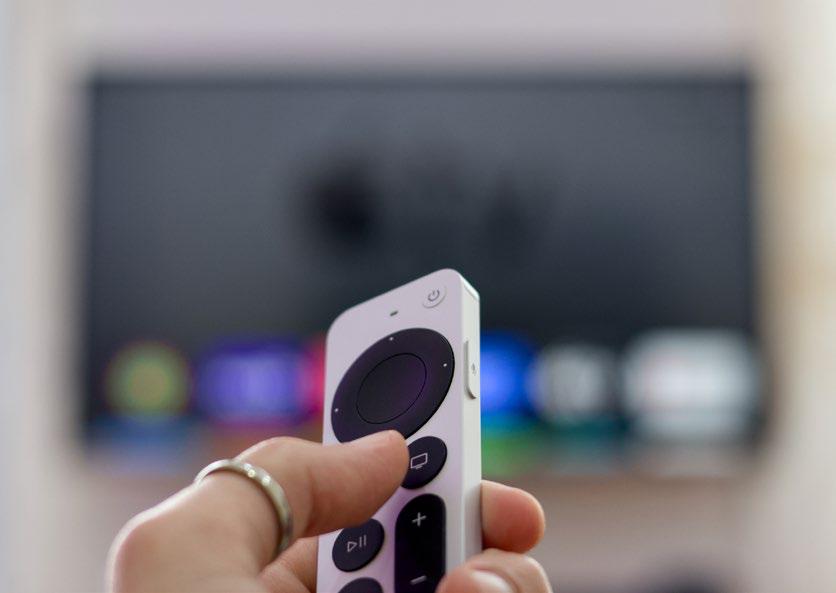 That TV button can do a whole lot more than summon the TV+ streaming service.
2. CONNECT STREAMING SERVICES (AND NOT JUST APPLE'S)


هذه القصة من طبعة October 2025 من Macworld.
اشترك في Magzter GOLD للوصول إلى آلاف القصص المتميزة المنسقة، وأكثر من 9000 مجلة وصحيفة.
هل أنت مشترك بالفعل؟ تسجيل الدخول
المزيد من القصص من Macworld

Macworld
Maximize iCloud+! 5 tips and tricks you need to start using right now
iCloud is a major component of the Apple ecosystem. Here's how to get the most from it.

6 mins
October 2025

Macworld
Your Apple TV+ subscription is going up by a whopping 30%
Apple's video-streaming service is now $12.99 per month.
1 mins
October 2025

Macworld
Apple TV tweaks: The 8 settings you should change ASAP
How to level up your Apple TV experience in 15 minutes.
4 mins
October 2025

Macworld
Apple announces AppleCare One with multi-device coverage for a flat fee
You can now protect three of your devices for $20 a month.
1 mins
October 2025

Macworld
KUXIU K1 15W 3-IN-1 MAGSAFE POWER BANK: COMPACT, VERSATILE PORTABLE iPHONE, WATCH, AIRPODS CHARGER
This apparently nondescript power bank looks like a slightly chunky iPhone power bank or an Amex Black Card member's pack of cards.
3 mins
October 2025

Macworld
Anker Prime 14-in-1 Thunderbolt 5 Docking Station: Mac mini-like looks and power
Smart and stylish dock that is right up to date with the latest Macs.
6 mins
October 2025
Macworld
VERBATIM TURBOMETAL PORTABLE SSD: STYLISH PORTABLE DRIVE
The Verbatim TurboMetal SSD comes in the classic NVMe form factor with a length of around 106 millimeters.
2 mins
October 2025

Macworld
How to reduce the Liquid Glass transparency effect in macOS Tahoe
If Apple's new look isn't for you, here's how to adjust it.
1 min
October 2025

Macworld
Everyone will want to try Apple's live translation this fall. Here's where to find it
Live translation runs on device, and can translate text and speech across several apps.
2 mins
October 2025

Macworld
RETROSTRIP: NOSTALGIC UTILITY BRINGS BACK THE LEGENDARY MAC CONTROL STRIP
Question for classic Mac users who go way back to System 6 or 7: Remember the Control Strip, which gave you direct access to various applications or functions at the click of a mouse? It was released in 1994 with System 7.1, with the PowerBook 500 series the PowerBook Duo 280 computers. With System 7.5.3, it was made available to all Macintoshes.
2 mins
October 2025
Listen
Translate
Change font size